What's New in SP12

Integration Dashboard with real-time transaction status, Asset Integration now generally available, configurable status options for Plant Maintenance and WBS – and GL Account Allocation Amount in SOW Revisions.
Real-time status for every Fieldglass transaction
SP12 extends the Integration Dashboard with real-time monitoring across all Fieldglass transaction types. A dedicated selection screen lets you filter by transaction type, date range, and status; the results screen gives you a complete record of processing outcomes without digging through individual logs.
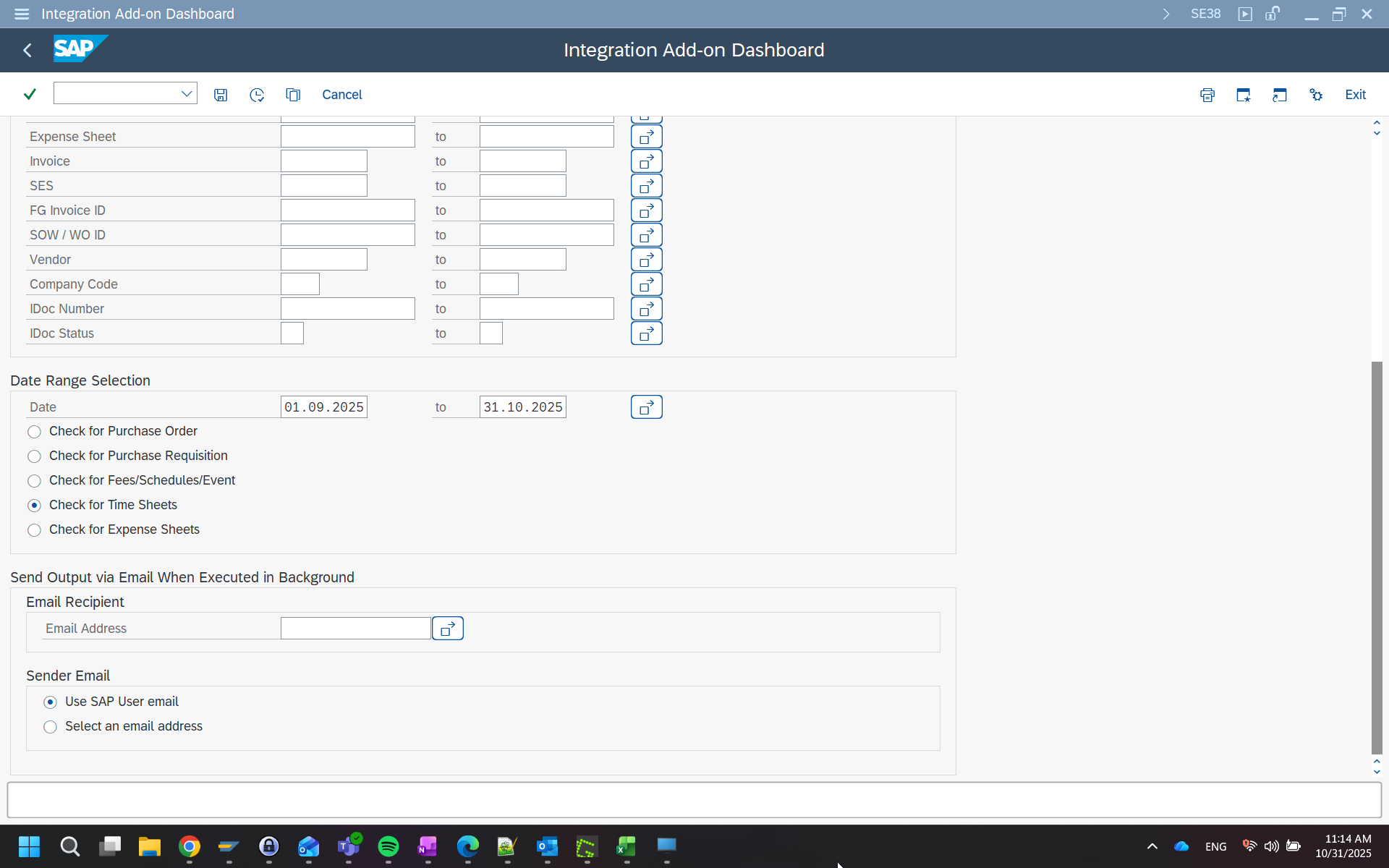
Selection screen – filter by transaction type and date range
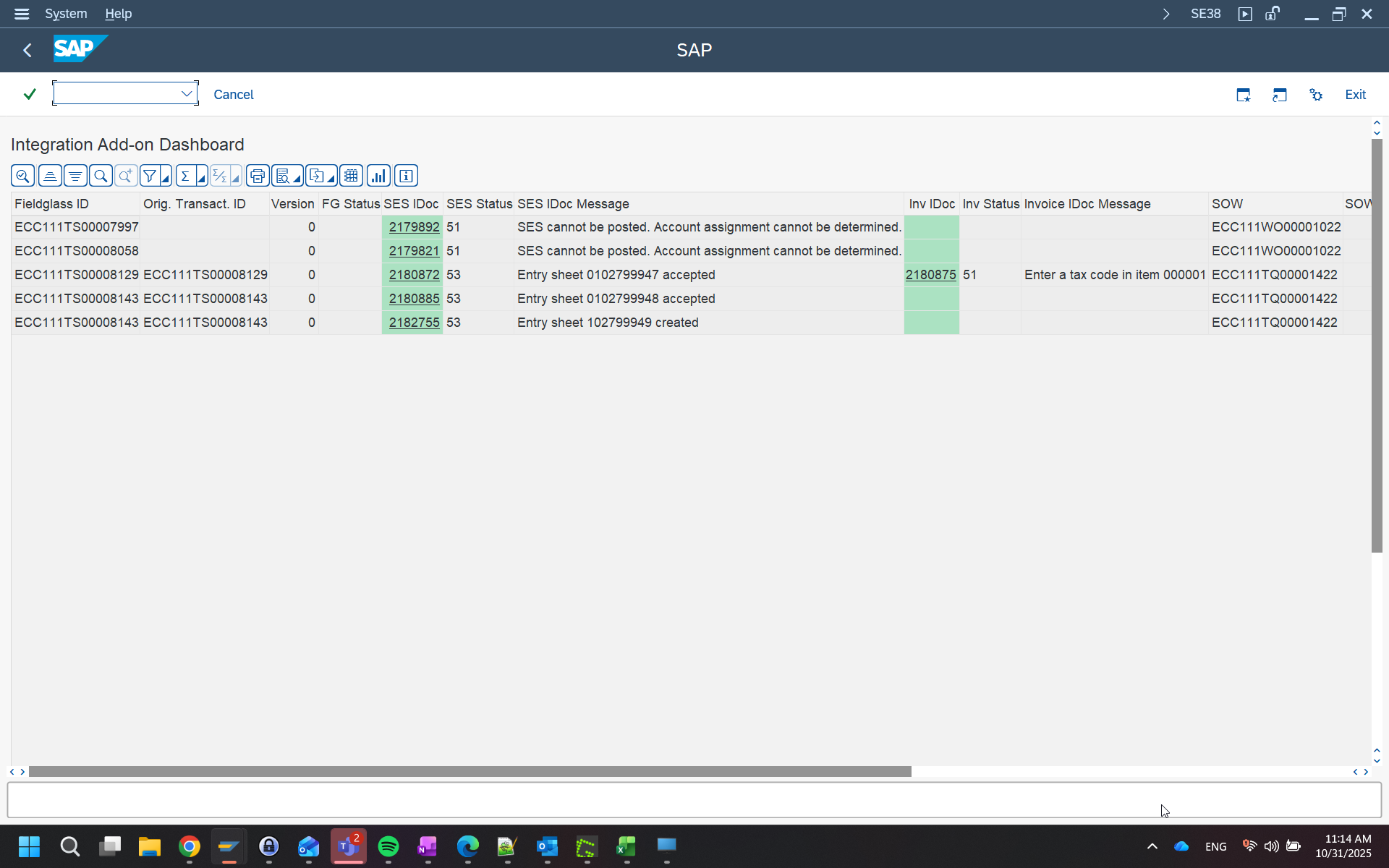
Results screen – real-time status for all Fieldglass transactions
Fixed asset assignment – now for everyone
Asset Integration first shipped as a limited rollout in an earlier release. As of SP12 it is fully generally available across all transactional data integrations. Every Fieldglass ERP Edition customer can now assign fixed assets as cost objects without any additional setup or special enablement.
- Available across all transactional integration interfaces
- No special configuration or activation required
- Consistent with all other cost object types in the Add-on
Five further improvements in SP12
Configurable status options, stronger error handling, extended master data logic, a new cost object owner type, and GL account allocation support in SOW revisions.
Status options for the Plant Maintenance Order Operation interface are now configurable without code changes. Operations teams can adapt allowed statuses to match their local processes and approval workflows.
The same configurability is now available for the WBS Element interface. Status values can be adjusted to reflect project structures and governance requirements without modifications to the Add-on.
Improved fallback mechanisms in the Service Entry Sheet interface make processing more robust when edge-case data is encountered, reducing manual retries and improving overall throughput reliability.
The Plant Maintenance Order Operation interface receives additional master data enrichment logic, supporting more complex organisational structures and plant-level configurations.
The Person Responsible field in Fieldglass can now be mapped as the cost object owner in the ERP backend, enabling finer-grained cost allocation reporting and ownership assignment.
GL Account Allocation Amounts are now fully supported in SOW Revision Upload interfaces. Finance teams no longer need to post-correct allocation data after revision uploads reach the backend.
Integration Dashboard & Asset Integration – deep dive
Watch the SP12 release webinar for a live walkthrough of the new Integration Dashboard and the generally available Asset Integration – including a live Q&A session.
SP12 release webinar recording – Integration Dashboard & Asset Integration walkthrough