Docs / Connectors / Amazon Web Services
Amazon Web Services Connector
The ASAPIO Integration Add-on connects SAP S/4HANA and SAP ECC directly to AWS messaging and storage services — without middleware. Business events are published in real time to Amazon EventBridge, SNS, Kinesis Data Streams, or S3 using AWS Signature Version 4 (SigV4) signed REST calls. Unlike database-layer integrations, ASAPIO uses native SAP application-layer integration for full control over data and workload.
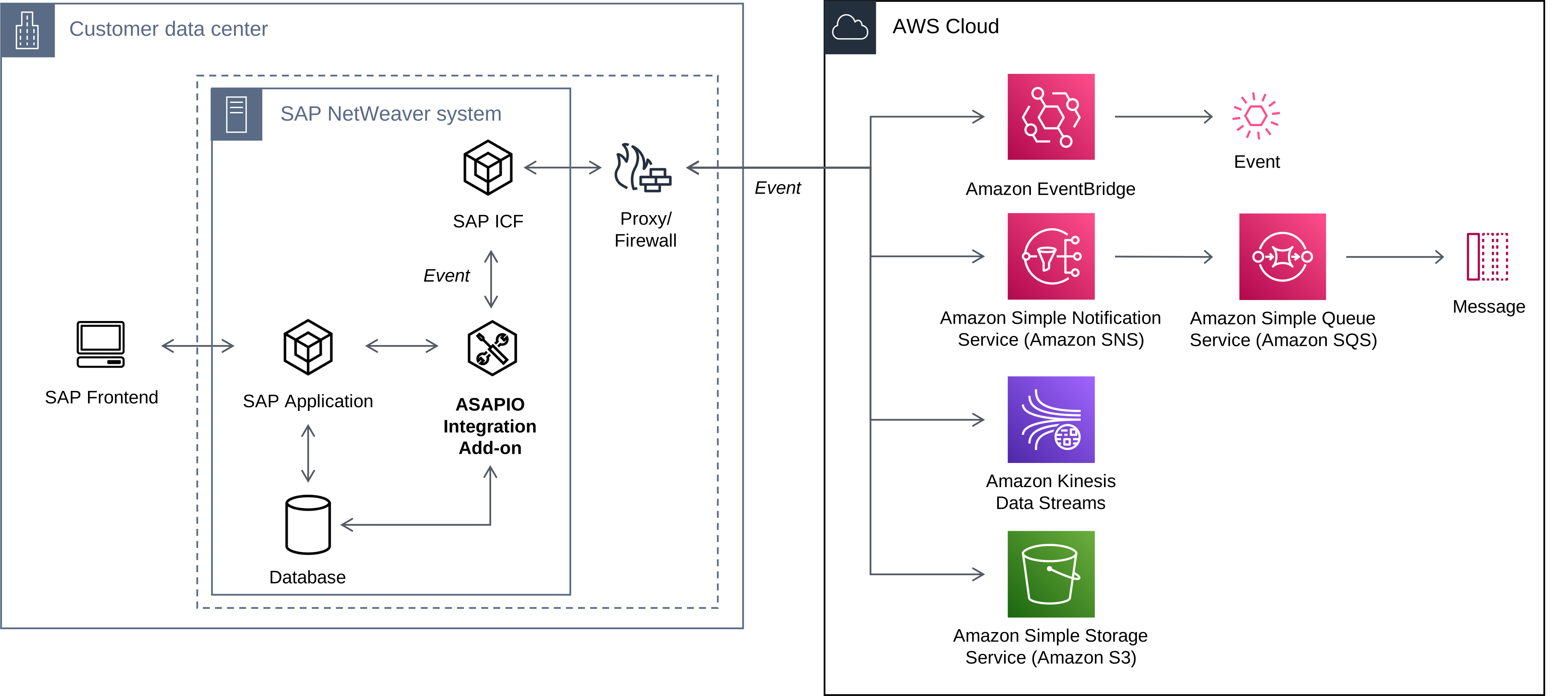
Overview
| Component | Type |
|---|---|
| ASAPIO Integration Add-on – Framework | Base component (required) |
| ASAPIO Integration Add-on – Connector for AWS | Additional package |
Prerequisites
Supported AWS Services
| Service | Required IAM Action |
|---|---|
| Amazon EventBridge | events:PutEvents |
| Amazon SNS | sns:Publish |
| Amazon Kinesis | kinesis:PutRecord and kinesis:PutRecords |
| Amazon S3 | s3:PutObject |
Important: Do not use the root user. Create a dedicated IAM user without AWS Management Console access, scoped only to the required service actions (principle of least privilege). Store the secret access key in the SAP Secure Store — never in plaintext configuration.
SAP Connection Setup (in SAP Gui)
The connection setup in SAP GUI is a required first step for all configuration paths. This creates the RFC destination, imports the SSL certificate, activates the BC-Set, and registers the connection instance that Event Studio and SAP GUI-based event configuration both rely on.
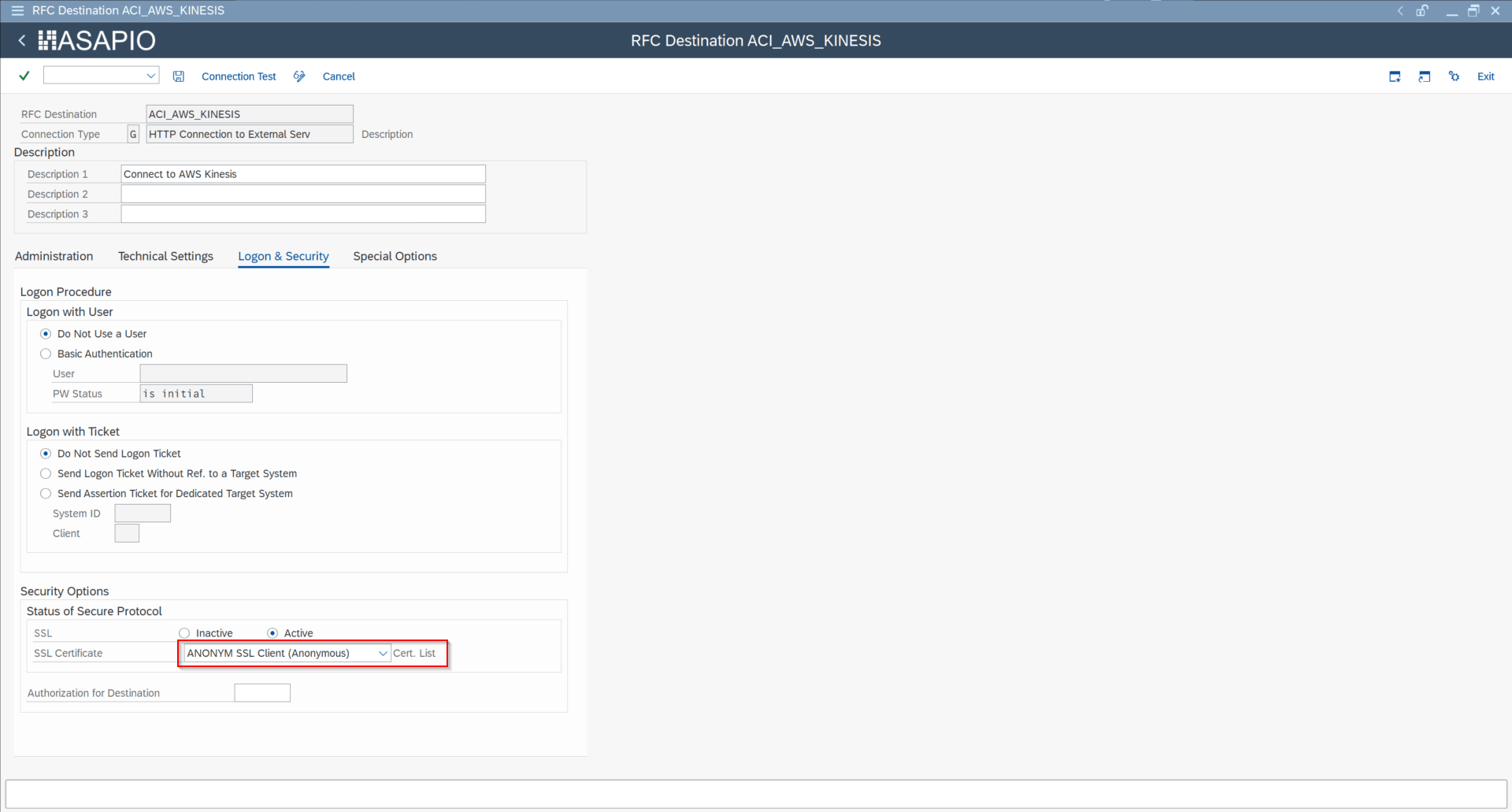
Step 1 — Create RFC Destination (SM59)
Create an HTTP connection of type G pointing to the AWS regional endpoint (e.g., events.eu-central-1.amazonaws.com). On the Logon & Security tab, enable SSL and select the certificate list.

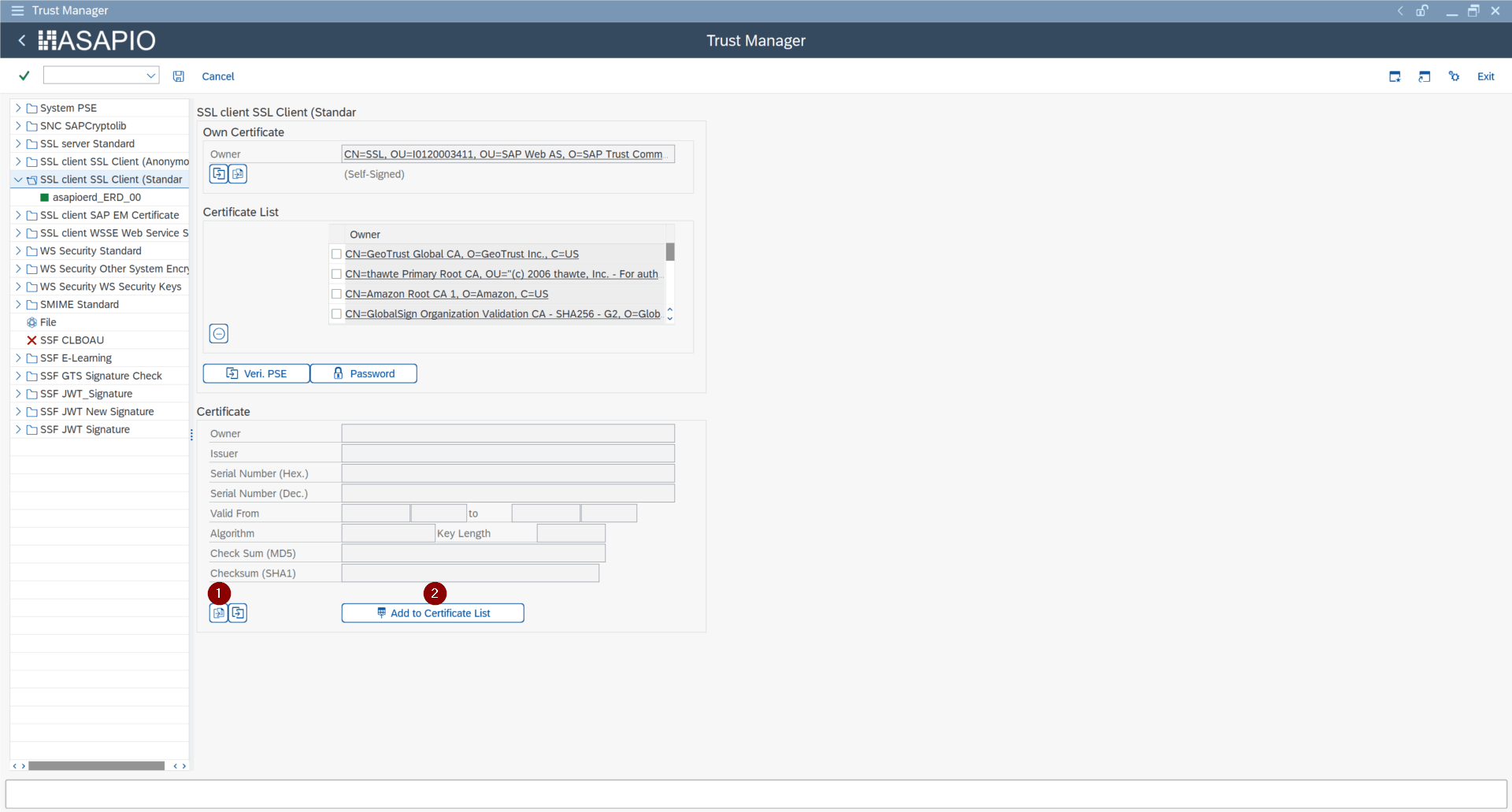
Step 2 — Import SSL Certificate (STRUST)
In transaction STRUST, select the certificate list used in the RFC destination, click Import certificate, then Add to Certificate List.
Step 3 — Import BC-Set (SCPR20)
Import the ASAPIO AWS framework BC-Set. This activates the cloud adapter configuration, codepage settings, and IDoc segment definitions:
- BC-Set:
/ASADEV/ACI_BCSET_FRAMEWORK_AWS
Step 4 — Configure Cloud Adapter
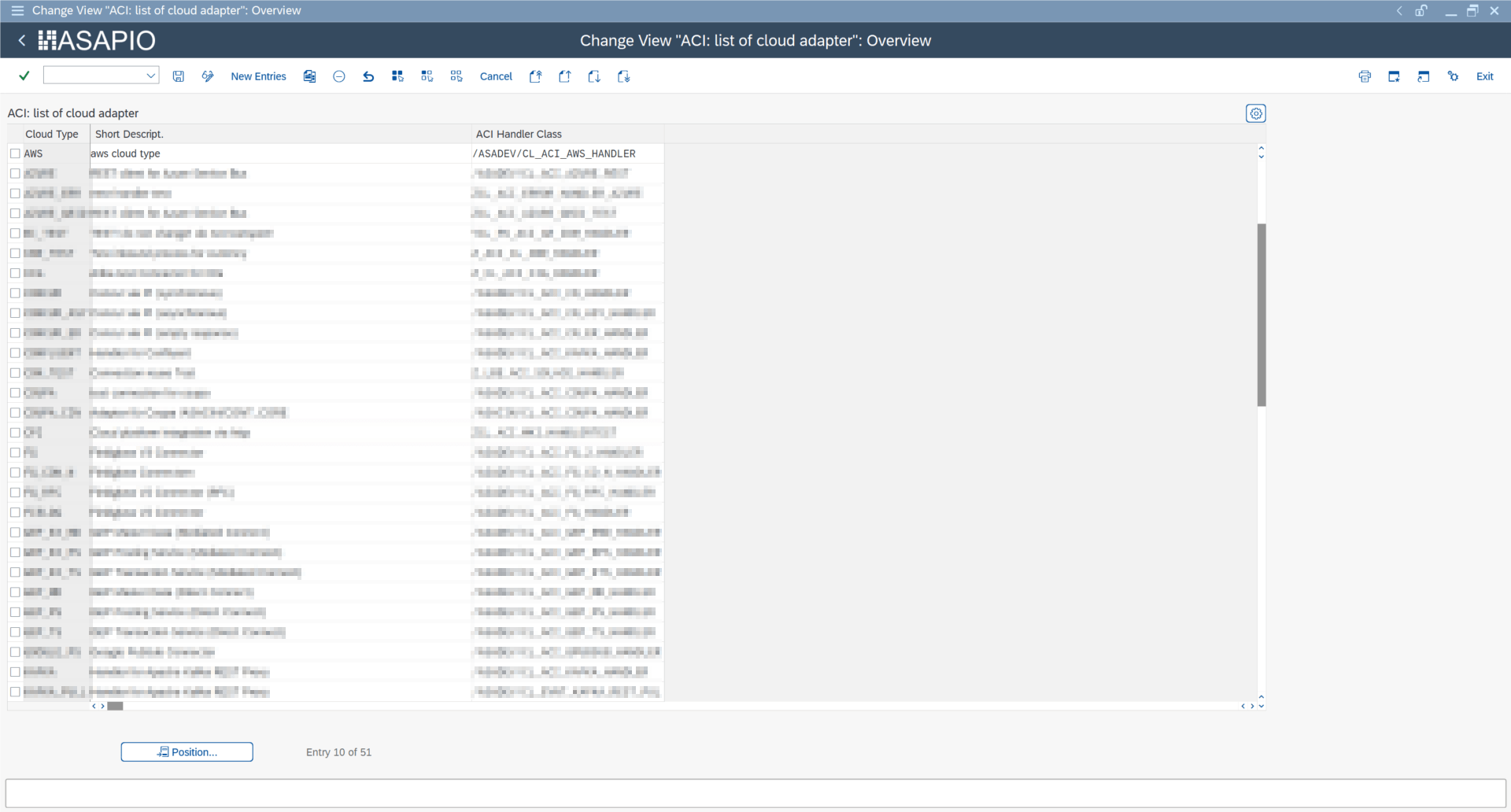
In SPRO → ASAPIO Cloud Integrator → Maintain Cloud Adapter, set:
- Cloud Type:
AWS - ACI Handler Class:
/ASADEV/CL_ACI_AWS_HANDLER
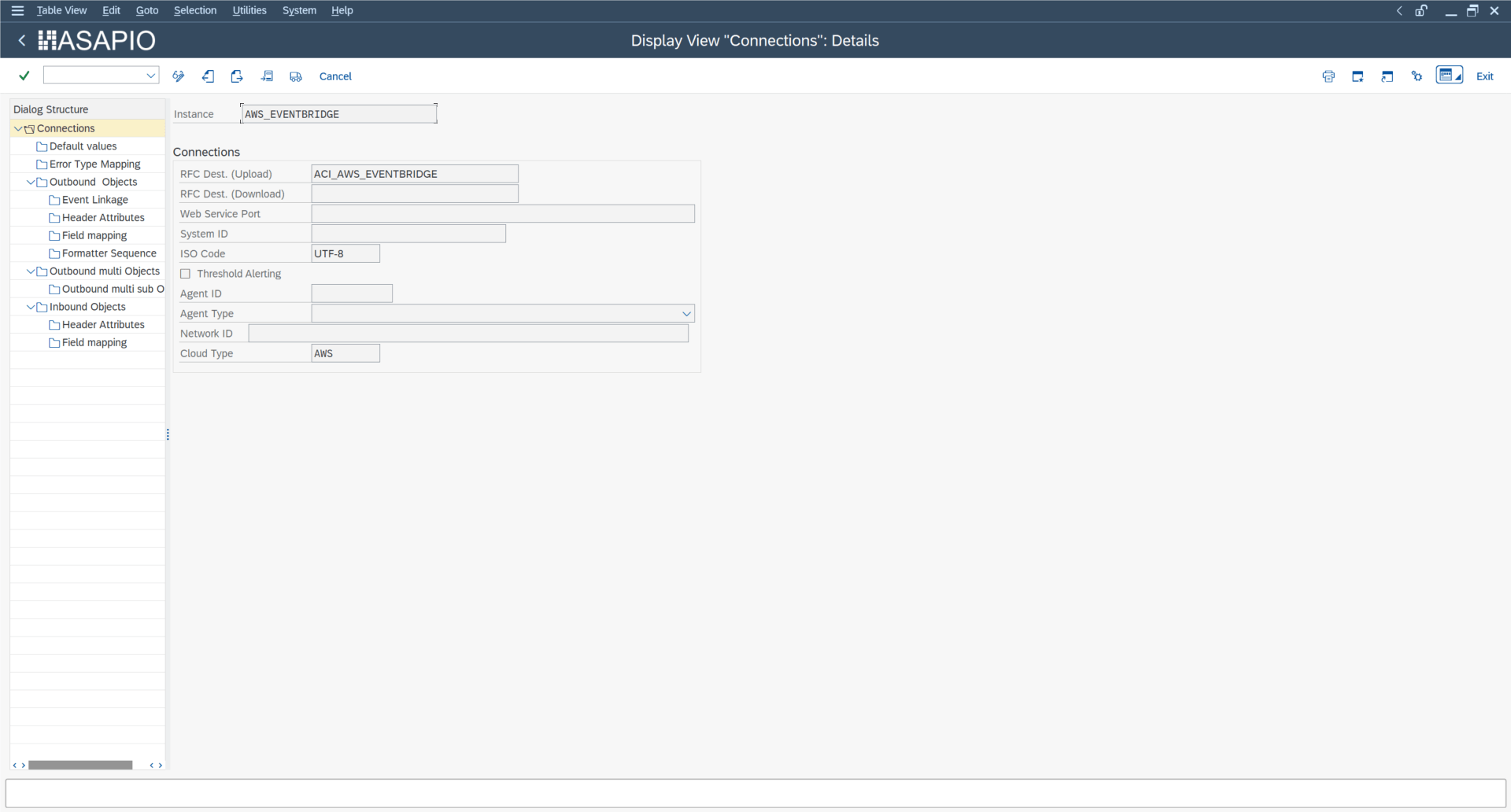
Step 5 — Create Connection Instance
In transaction /ASADEV/ACI_SETTINGS, create a connection instance pointing to the AWS RFC destination:

Step 6 — Configure Authentication Default Values
Set the following default values on the connection instance. These apply to all AWS service calls made through it:
| Default Attribute | Value / Description |
|---|---|
AWS_ACCESS_KEY | IAM access key ID |
AWS_REGION | AWS region (e.g., eu-central-1) |
AWS_SERVICE | Target service type: sns, kinesis, s3, or events |

Store the IAM secret access key in the SAP Secure Store (transaction /ASADEV/SCI_TPW). Select the connection instance and enter the secret in the Cloud Shared Secret field:
Create an outbound interface (Event Studio)
Prerequisite: The connection instance must already be set up in SAP GUI (see SAP Connection Setup above) before Event Studio can be used to configure events.
Event Studio is the recommended web-based interface for creating and managing events. To configure an AWS event:
- Open Event Studio and select the backend SAP system.
- Go to the Data Catalog to find the data object (standard or custom) to stream.
- In the Available Standard Events table, click Deploy next to the object, or use Create to define a new event.
- Select the AWS connection from the Connection dropdown — the Header Fields table auto-populates with the connection's default attributes.
- Complete the mandatory header attributes for the target AWS service (see the per-service sections below).
- Save and activate the event.
After creating the interface in Event Studio, configure service-specific settings: EventBridge, SNS, Kinesis, or S3. For advanced configurations, see Payload Offloading and SNS Custom Attributes.
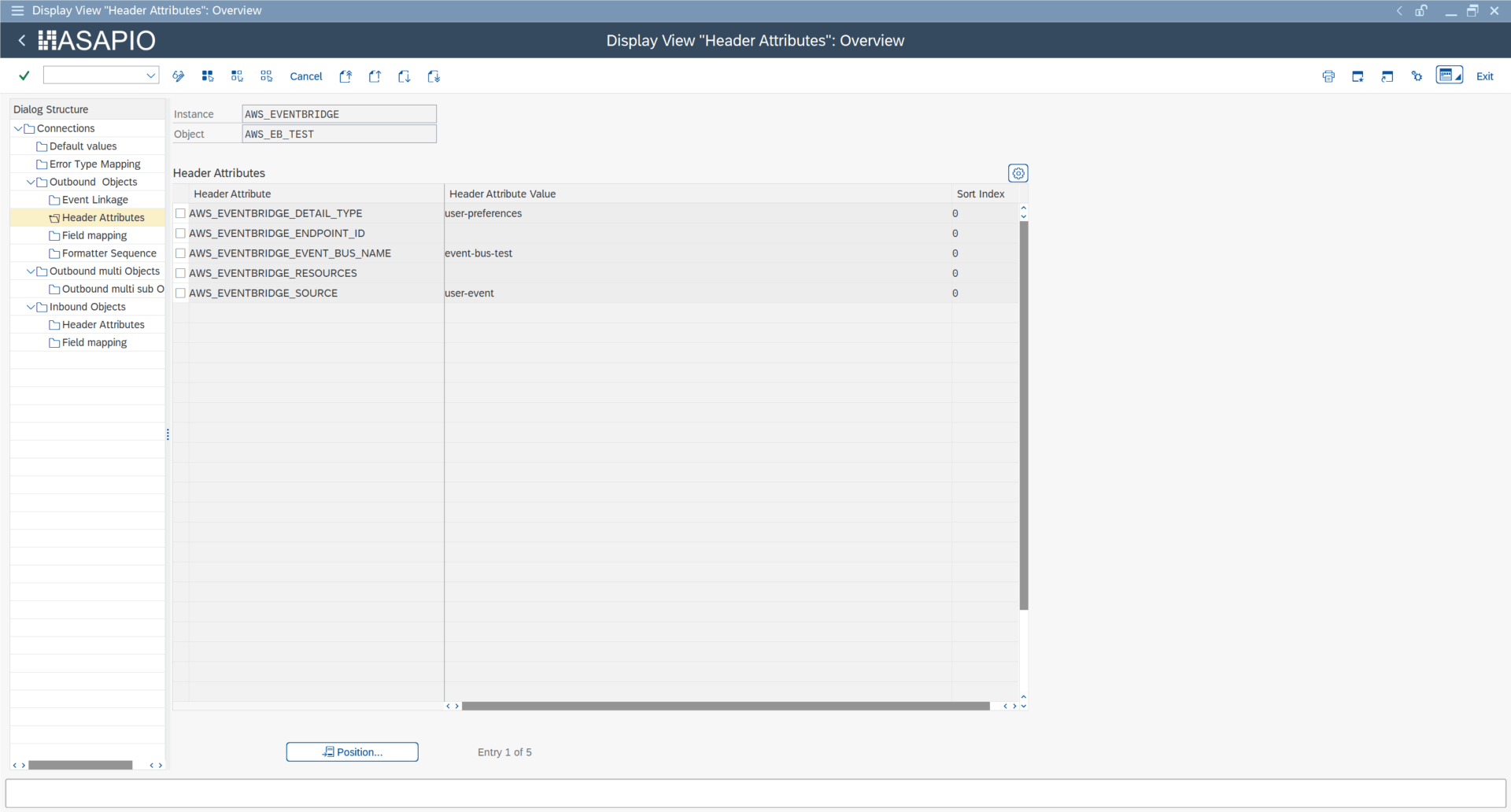
Amazon EventBridge
Configure the following header attributes on the outbound object for EventBridge targets:
| Header Attribute | Value / Description | Required |
|---|---|---|
AWS_EVENTBRIDGE_DETAIL_TYPE | Event description / detail type string for rule matching | Optional |
AWS_EVENTBRIDGE_ENDPOINT_ID | AWS endpoint specification for global endpoints | Optional |
AWS_EVENTBRIDGE_EVENT_BUS_NAME | Custom event bus name (defaults to the default event bus if omitted) | Optional |
AWS_EVENTBRIDGE_SOURCE | Event source identifier (e.g., com.asapio.sap.s4) | Optional |

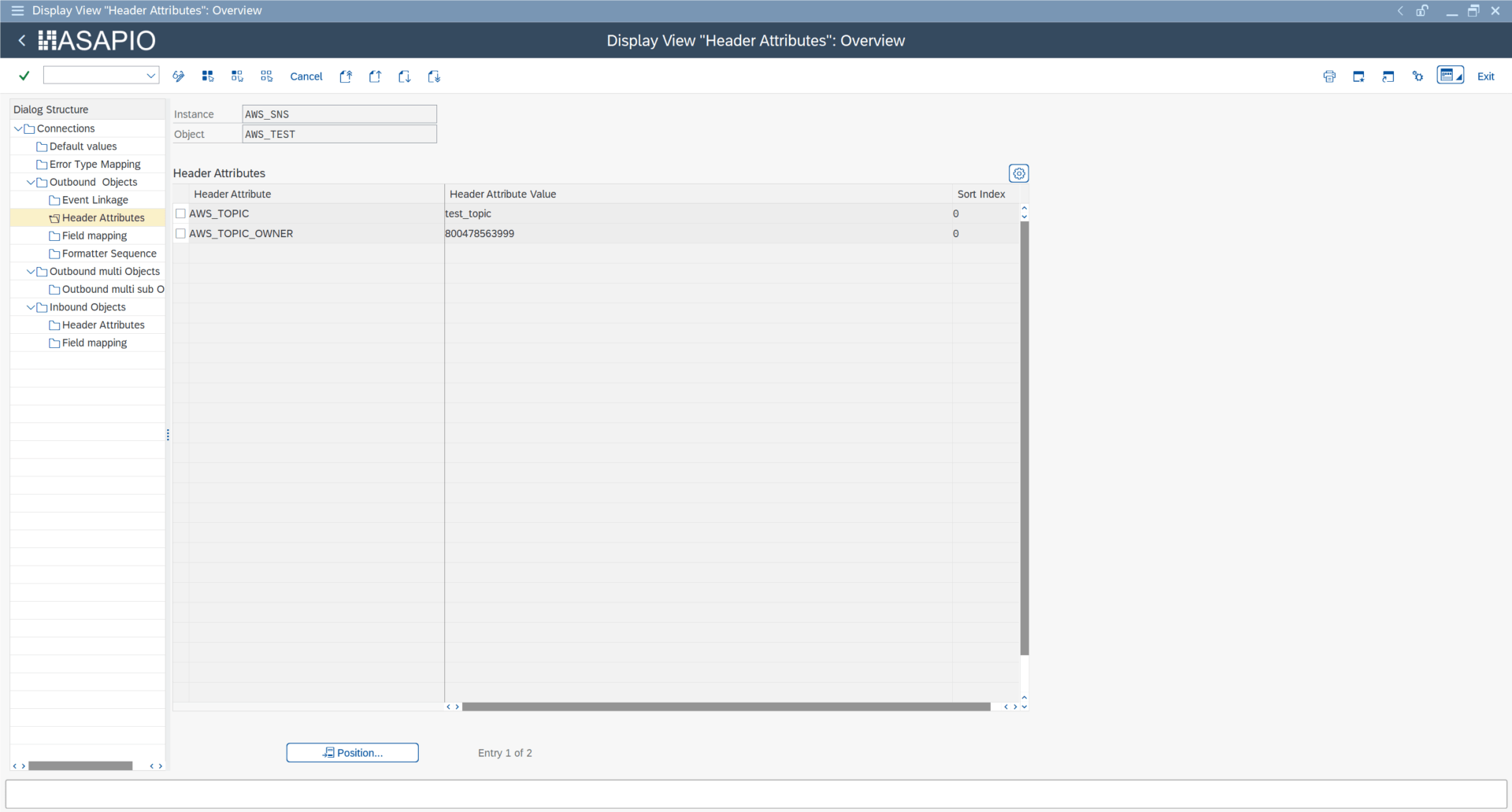
Amazon SNS
Configure the following header attributes for SNS targets:
| Header Attribute | Value / Description |
|---|---|
AWS_TOPIC | Full ARN of the target SNS topic |
AWS_TOPIC_OWNER | AWS account ID of the topic owner |

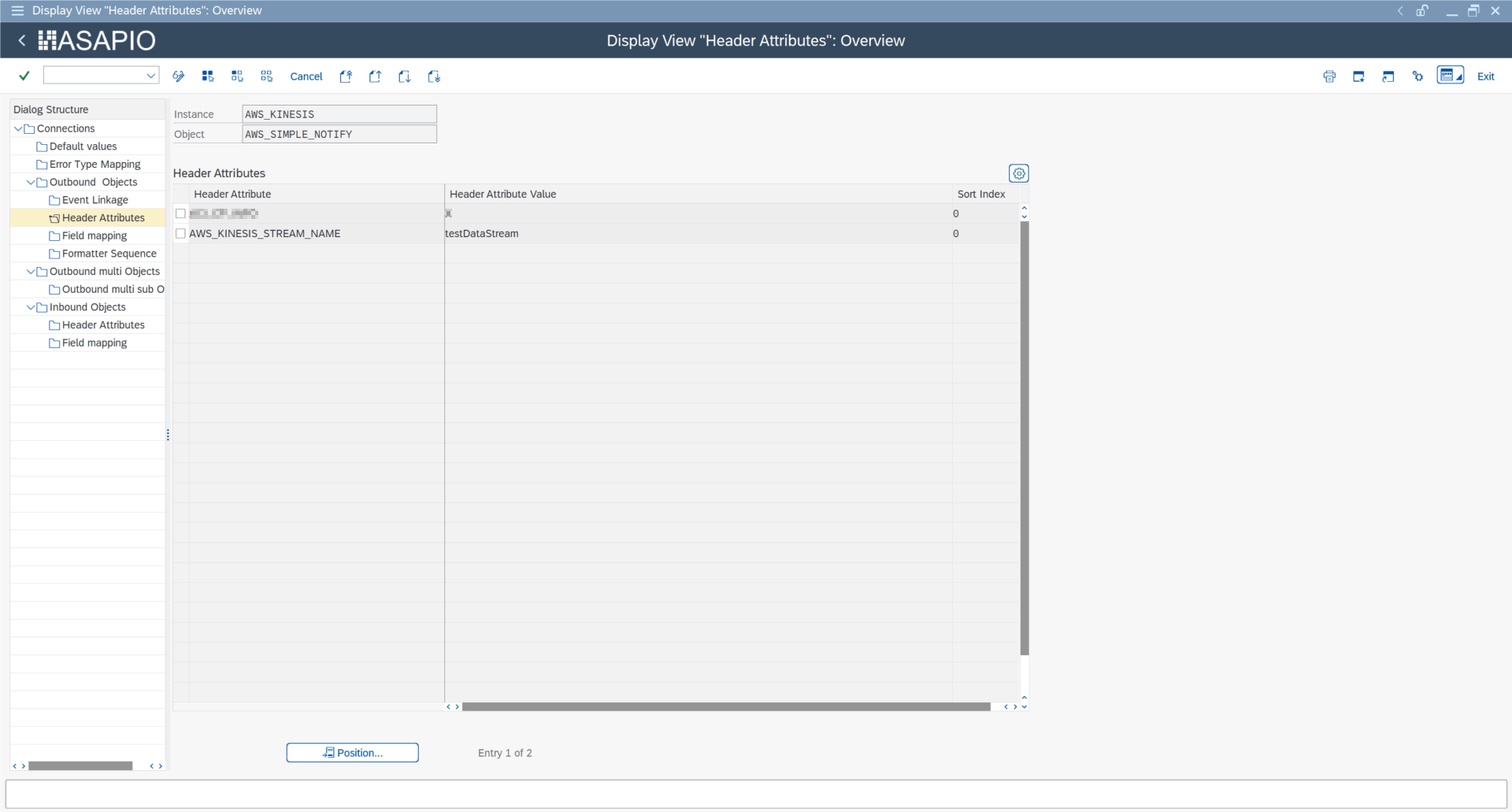
Amazon Kinesis
Only Kinesis Data Streams are supported (not Kinesis Firehose). Configure the following header attribute:
| Header Attribute | Value / Description |
|---|---|
AWS_KINESIS_STREAM_NAME | Name of the Kinesis Data Stream |
Amazon S3
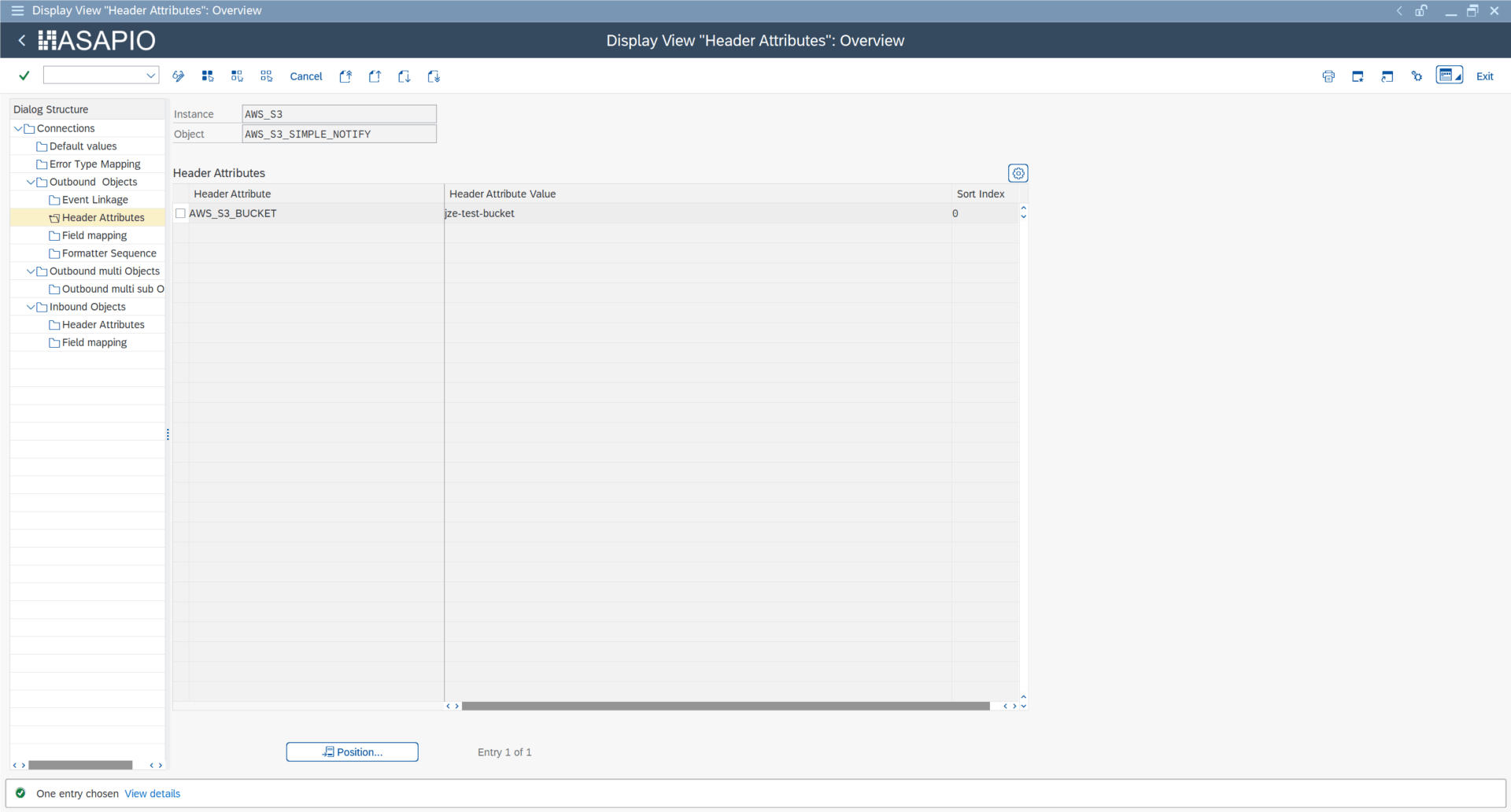
Configure the following header attribute for S3 targets:
| Header Attribute | Value / Description |
|---|---|
AWS_S3_BUCKET | Name of the target S3 bucket |
Create an outbound interface (SAP Gui)
All three outbound methods are available for AWS targets:
| Method | Extraction FM | Formatting FM | Response FM |
|---|---|---|---|
| Simple Notify | /ASADEV/ACI_SIMPLE_NOTIFY | — | /ASADEV/ACI_AWS_RESP_HANDLER |
| Message Builder | /ASADEV/ACI_GEN_VIEW_EXTRACTOR | /ASADEV/ACI_GEN_VIEW_FORM_CB | /ASADEV/ACI_AWS_RESP_HANDLER |
| Packed Load | /ASADEV/ACI_GEN_VIEW_EXT_PACK | /ASADEV/ACI_GEN_VIEW_FORM_CB | — |
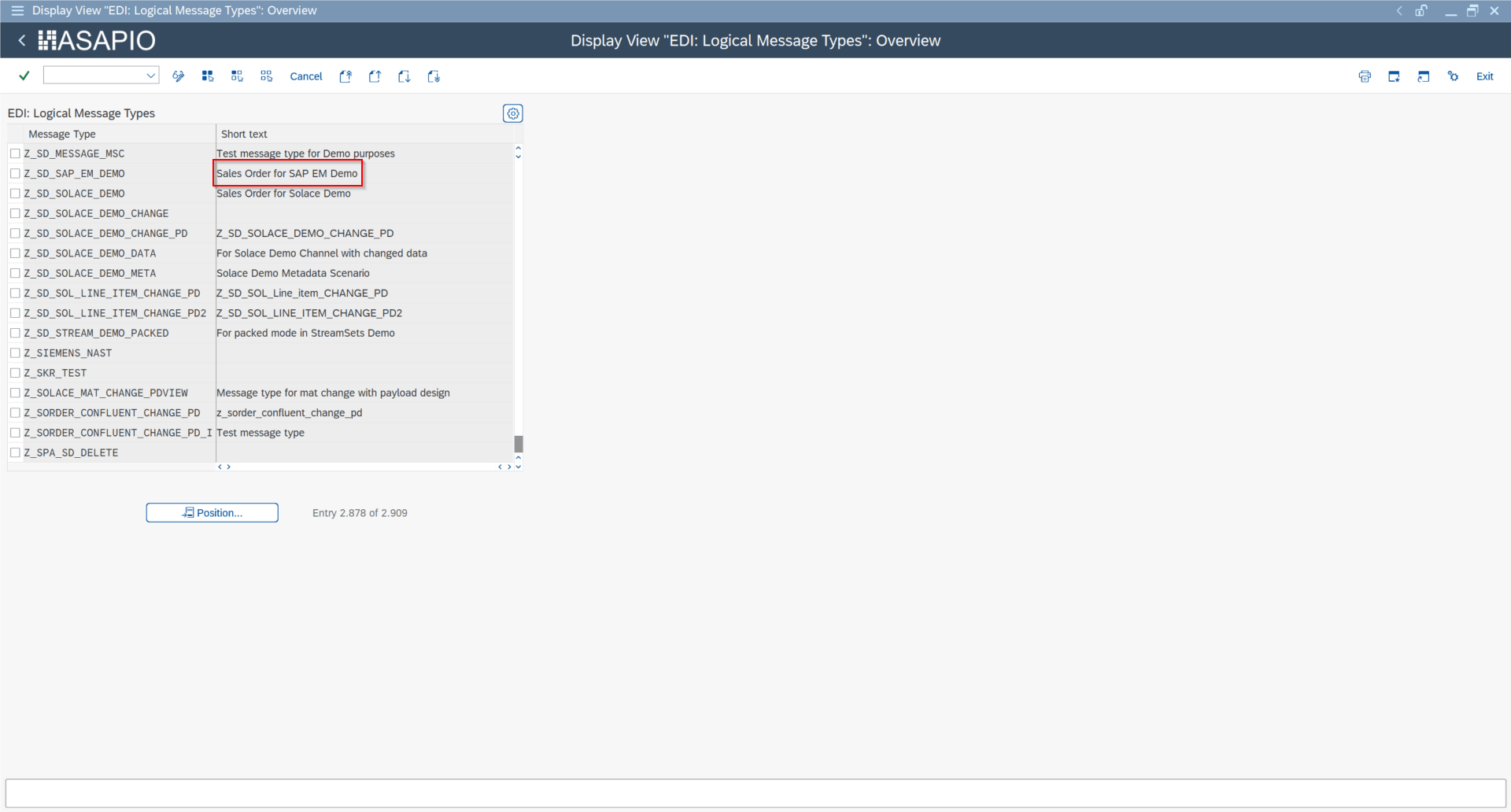
Step 1 — Create Message Type (WE81 / BD50)
Create a unique message type in transaction WE81, then activate it in BD50 by ticking the Active checkbox.
Step 2 — Create Outbound Object
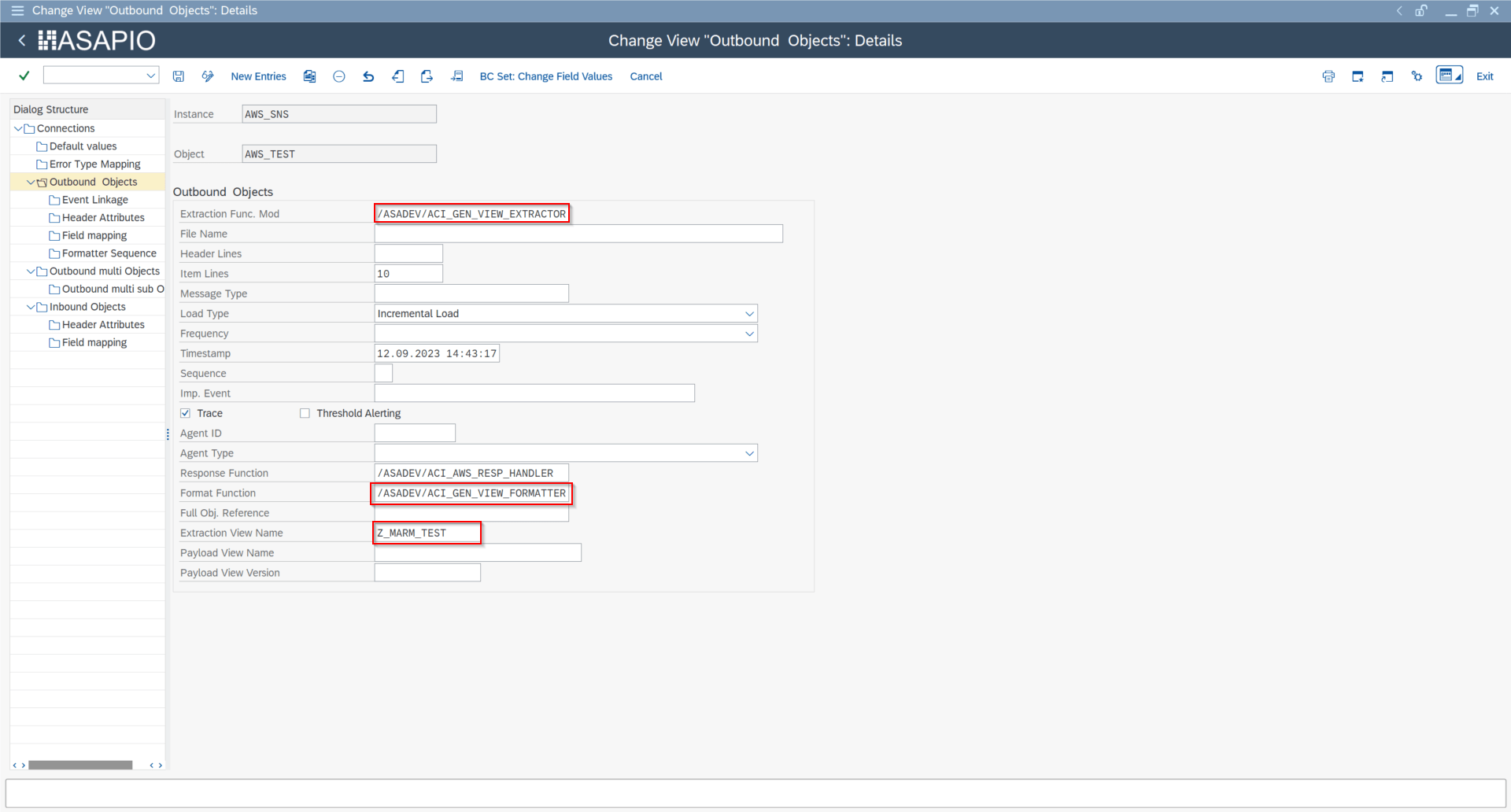
In transaction /ASADEV/68000202, select the connection instance and add an entry under Outbound Objects. Set the Extraction FM, Message Type, Load Type, and Response Function as shown above.
Step 3 — Configure Header Attributes
In the Header Attributes section of the outbound object, add the service-specific routing attributes listed in the per-service sections above.
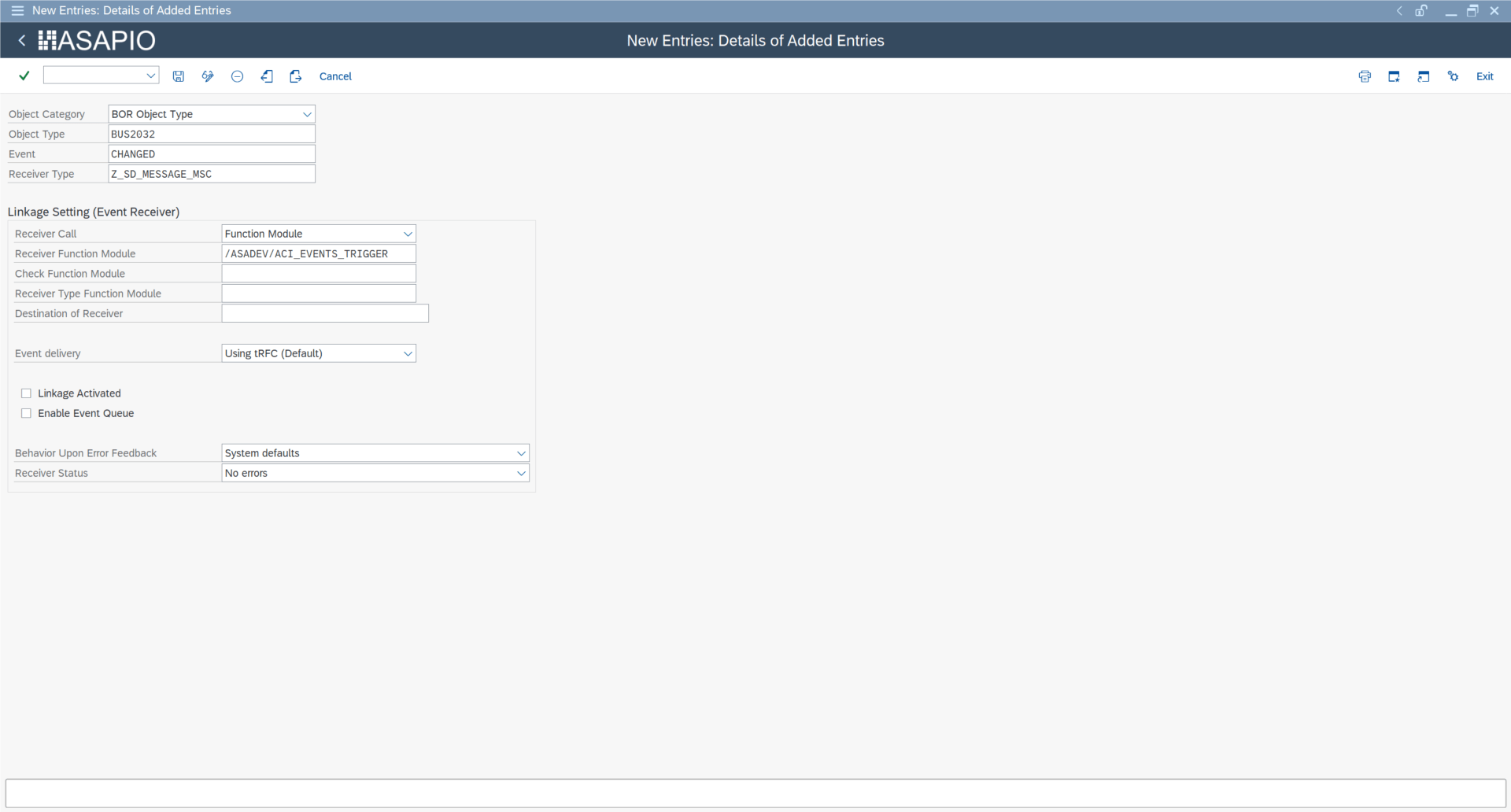
Step 4 — Event Linkage (SWE2)
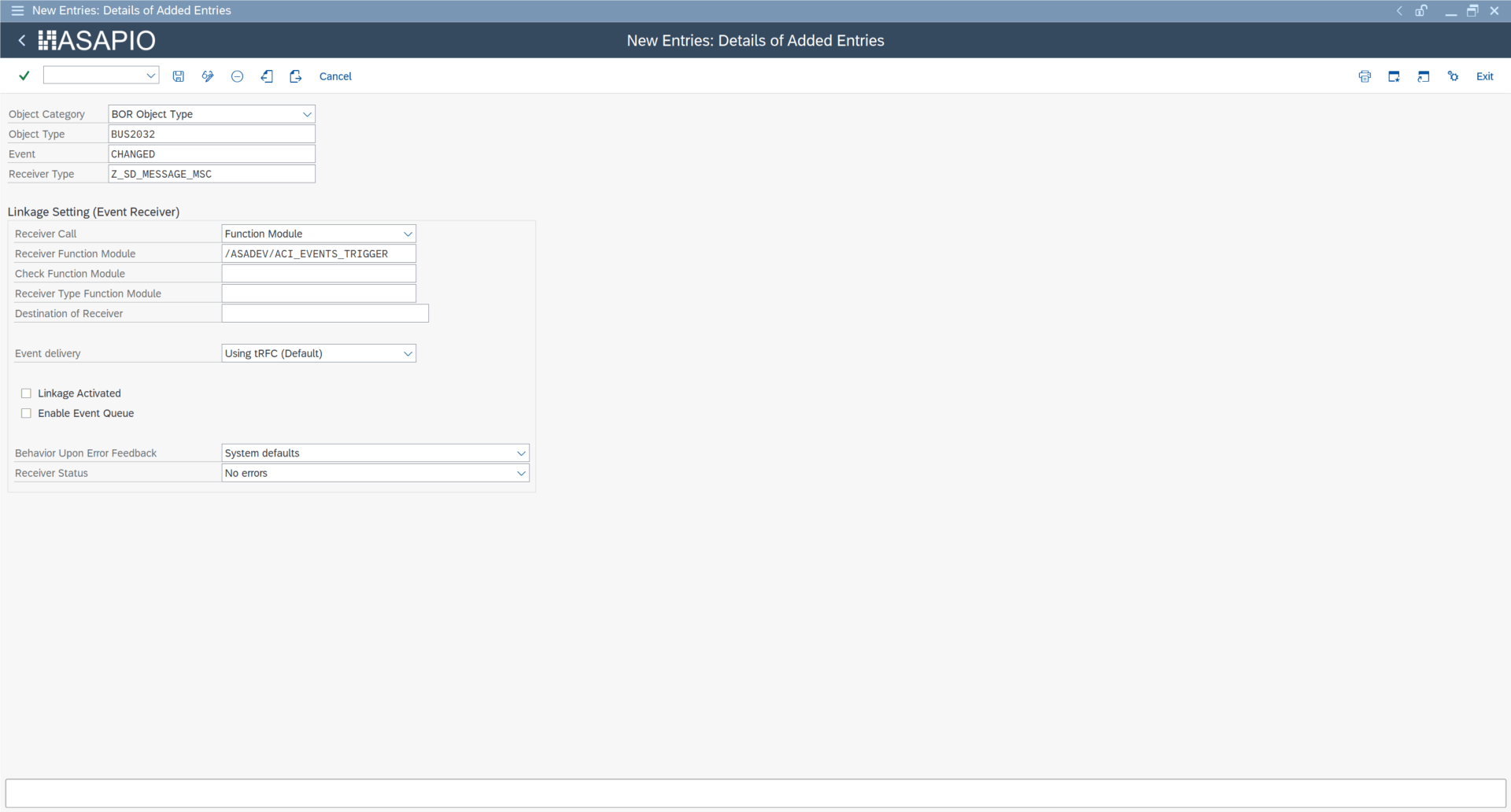
Register the event trigger in transaction SWE2:
- Receiver Function Module:
/ASADEV/ACI_EVENTS_TRIGGER - Tick Type linkage Activated
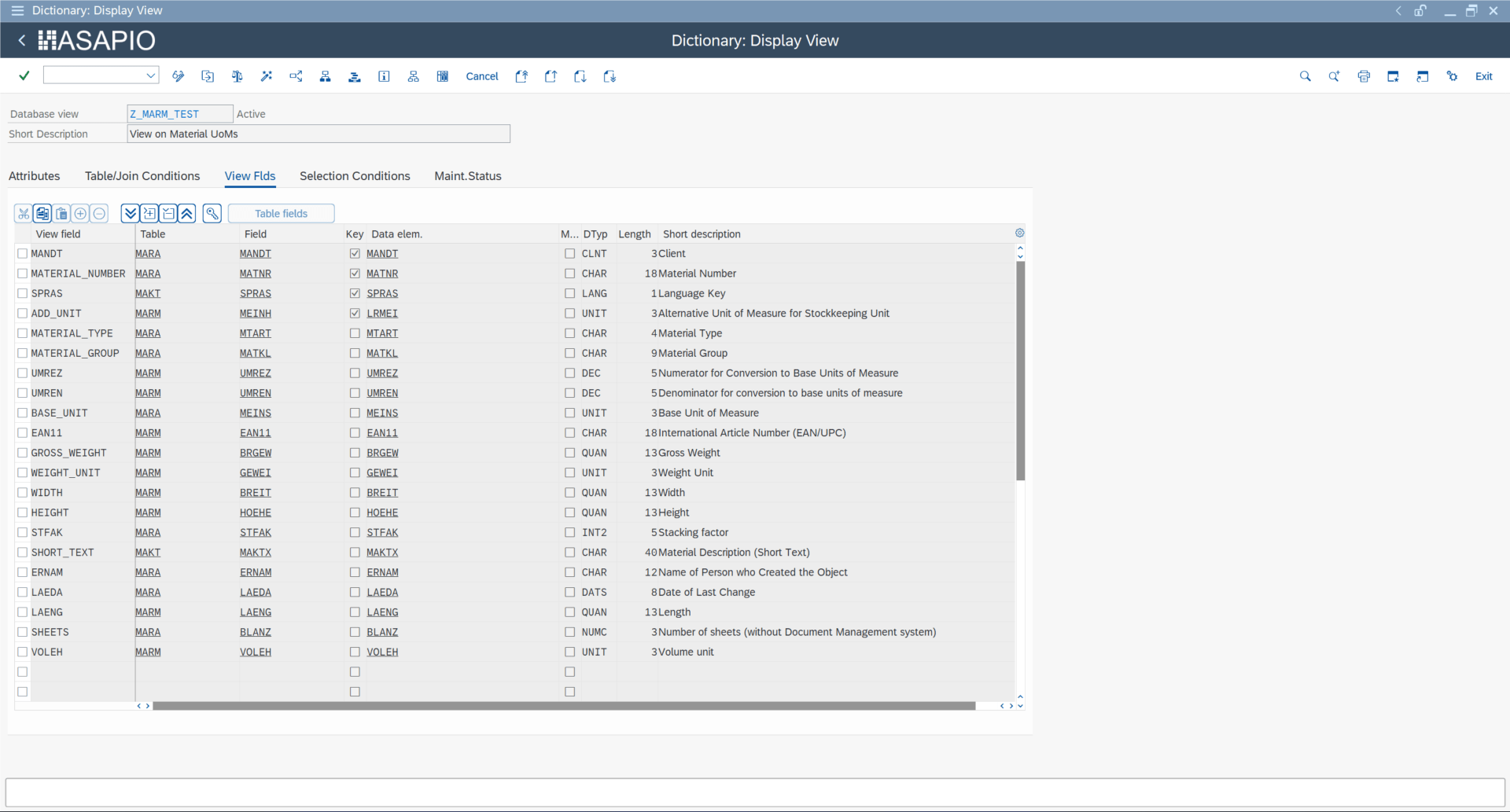
Packed Load — Header Attributes
For Packed Load (large data splitting), configure these additional header attributes:
| Attribute | Description | Example |
|---|---|---|
ACI_PACK_TABLE | Table for key fields (typically the header table, not the extraction view) | MARA |
ACI_PACK_SIZE | Number of records per delivery package | 500 |
ACI_PACK_KEY_LENGTH | Total length of key fields from ACI_PACK_TABLE | 13 |
ACI_PACK_WHERE_COND | Optional WHERE condition applied to ACI_PACK_TABLE | — |
ACI_PACK_RETRY_TIME | Seconds to wait before retrying server group resource acquisition | 300 |
ACI_PACK_BDCP_COMMIT | Generate change pointers per entry. Requires message type. Caution: reduces performance by ~50%. | X |
ACI_VIEW | Compatible database view name (key-compatible with ACI_PACK_TABLE) | Z_MARM_TEST |
Execute the initial load in transaction /ASADEV/ACI: select the connection, set Upload Type to P, select the replication object, and specify a server group. Consult your basis team before running on large data volumes.


SNS Payload Offloading
Amazon SNS has a 256 KB message size limit. The ASAPIO AWS connector supports transparent payload offloading: the payload is written to S3, and the SNS notification contains only an S3 reference URL. The consuming application retrieves the full payload from S3. Offloading supports payloads up to 2 GB.
Configure the following header attributes to enable offloading:
| Header Attribute | Value / Description |
|---|---|
AWS_PAYLOAD_OFFLOADING | X — enables payload offloading |
AWS_PAYLOAD_OFFLOADING_SIZE | Threshold in bytes above which offloading triggers (e.g., 140). Below threshold, standard SNS is used. |
AWS_S3_BUCKET | S3 bucket name for offloaded payload storage |
AWS_S3_DESTINATION | RFC destination name for the S3 endpoint |
AWS_TOPIC | Target SNS topic ARN |
AWS_TOPIC_OWNER | AWS account ID of the SNS topic owner |
SNS Custom Message Attributes
Available from release 9.32507, SNS Custom Message Attributes let you attach structured key-value metadata to each SNS message. Subscribers can filter messages using SNS subscription filter policies without parsing the message body.
Note for SQS subscriptions: A maximum of 10 message attributes can be sent when Raw Message Delivery is enabled. Messages with more than 10 attributes directed to Raw Message Delivery-enabled SQS subscriptions will be discarded as client-side errors.
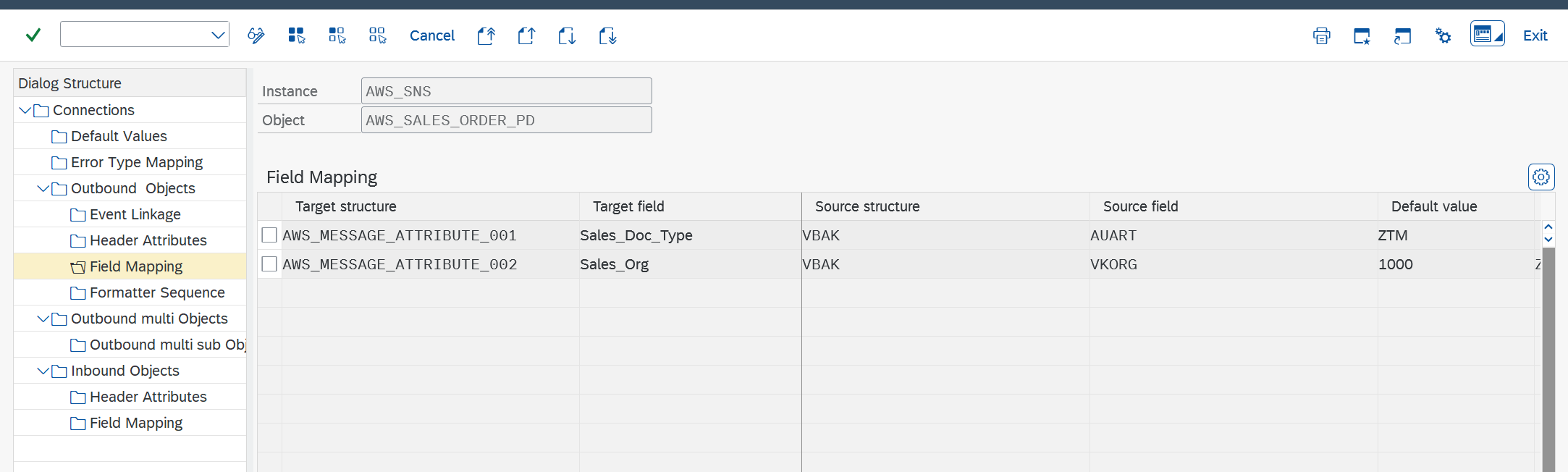
Configuration (Field Mapping Section)
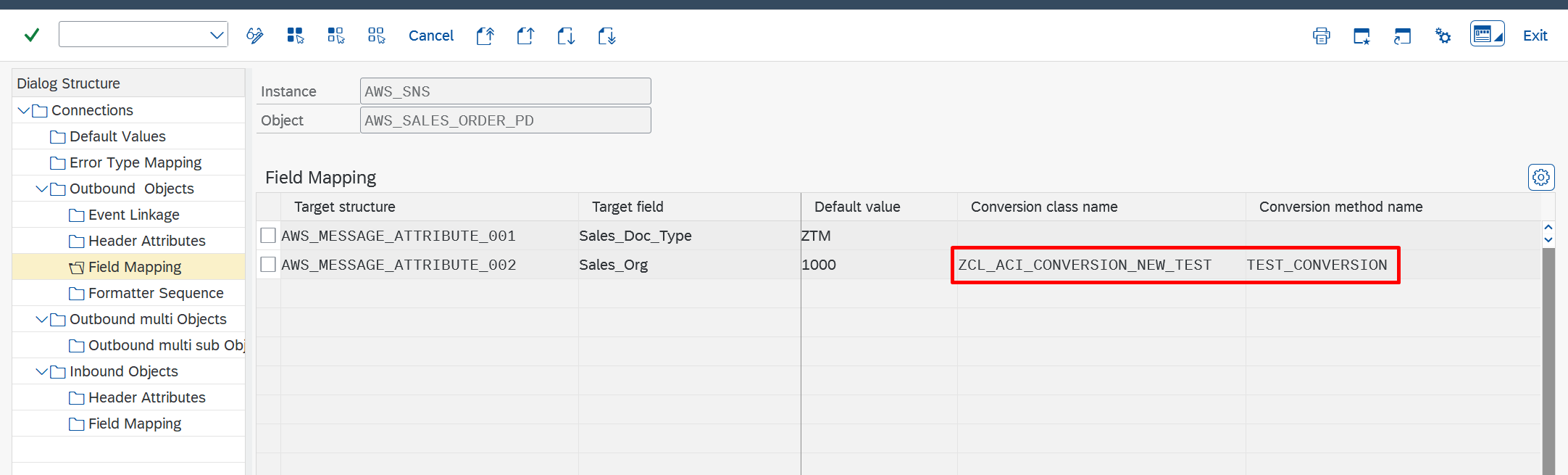
In the Field Mapping section of the outbound object, add entries with:
- Target structure:
AWS_MESSAGE_ATTRIBUTE_<idx>(3-digit index, e.g.,AWS_MESSAGE_ATTRIBUTE_001) - Target field: the attribute name to appear in the SNS message
- Source structure / field: the SAP field providing the value
- Default value: optional static fallback
A conversion class/method can be specified to transform the raw field value (e.g., translate SAP-specific codes to common terms). The unconverted value is what gets transmitted.

Monitor & Verification
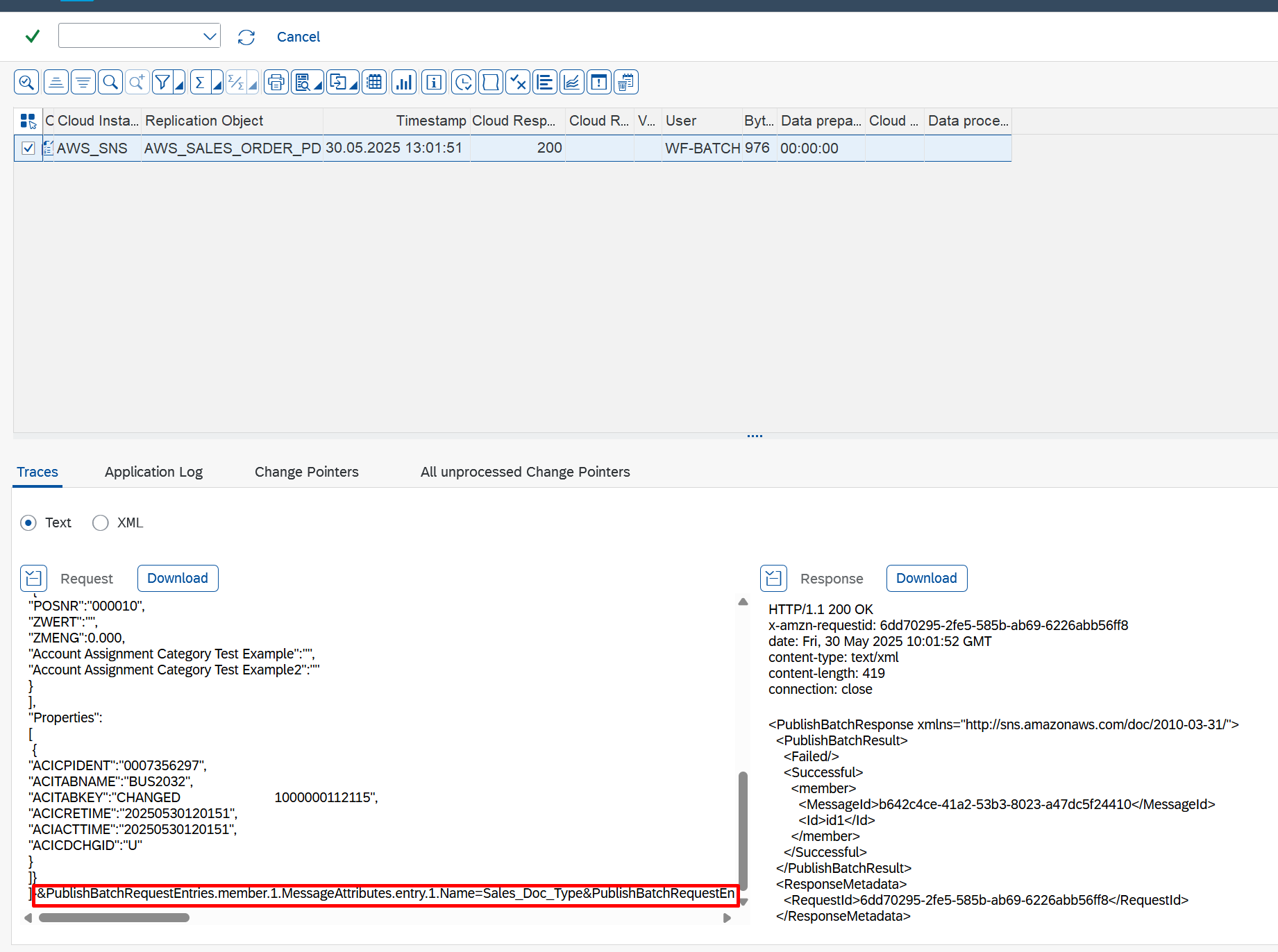
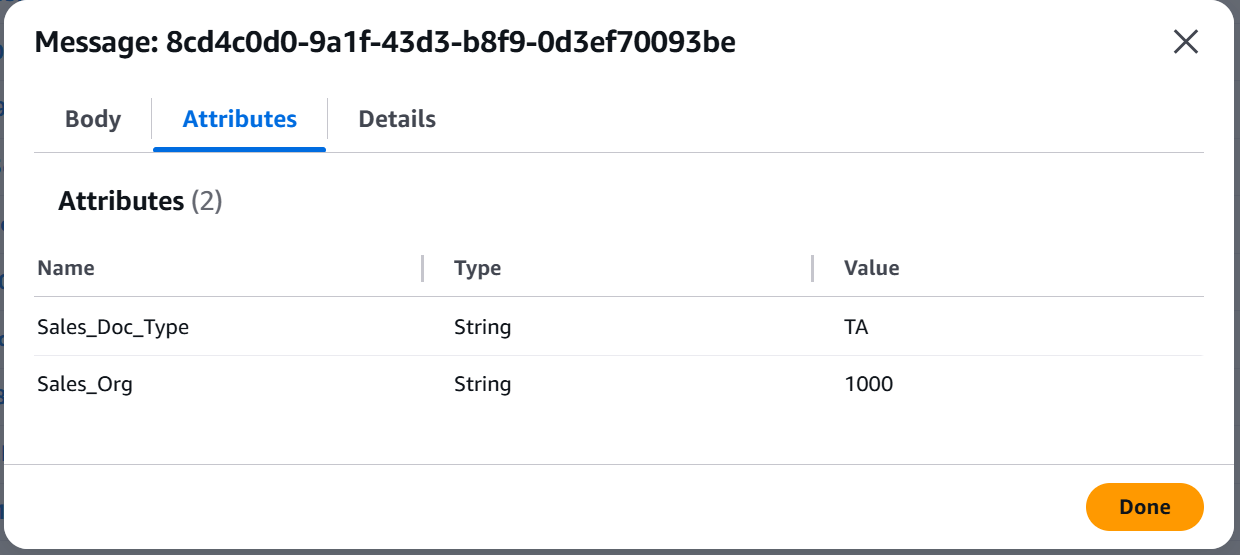
Message attributes are visible in the ASAPIO monitor when tracing is activated: