Docs / Outbound Messaging
Payload Designer
Scope: The SAP GUI Payload Designer flow on this page is applicable for outbound configurations maintained via SAP GUI transactions. For SAP S/4HANA projects, the recommended approach is CDS-based modeling in Event Studio, using the CDS View Builder or another suitable custom CDS view as the payload source.
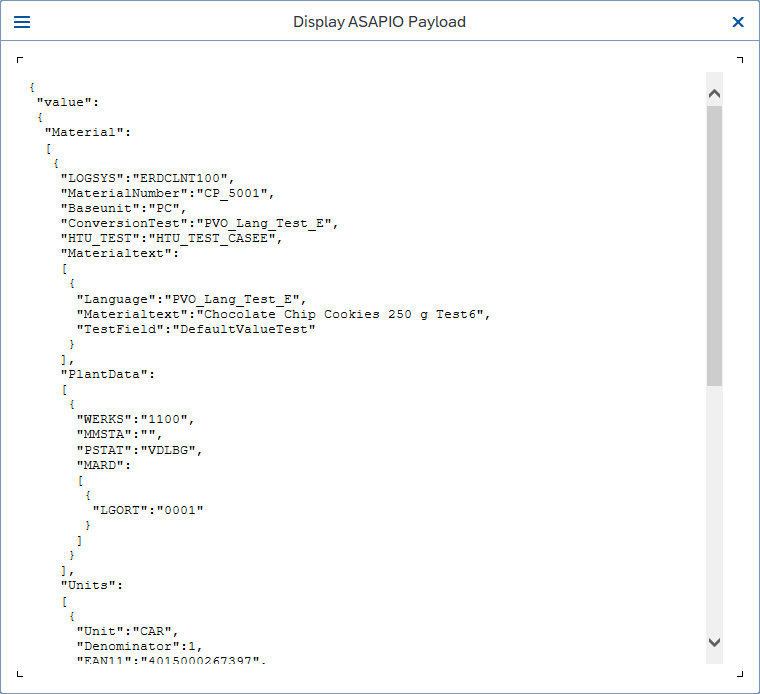
The Payload Designer controls which fields are included in outbound messages, how they are named, and which records are filtered out. It supports field selection, renaming, value filters, and multi-table joins.
Via SAP GUI
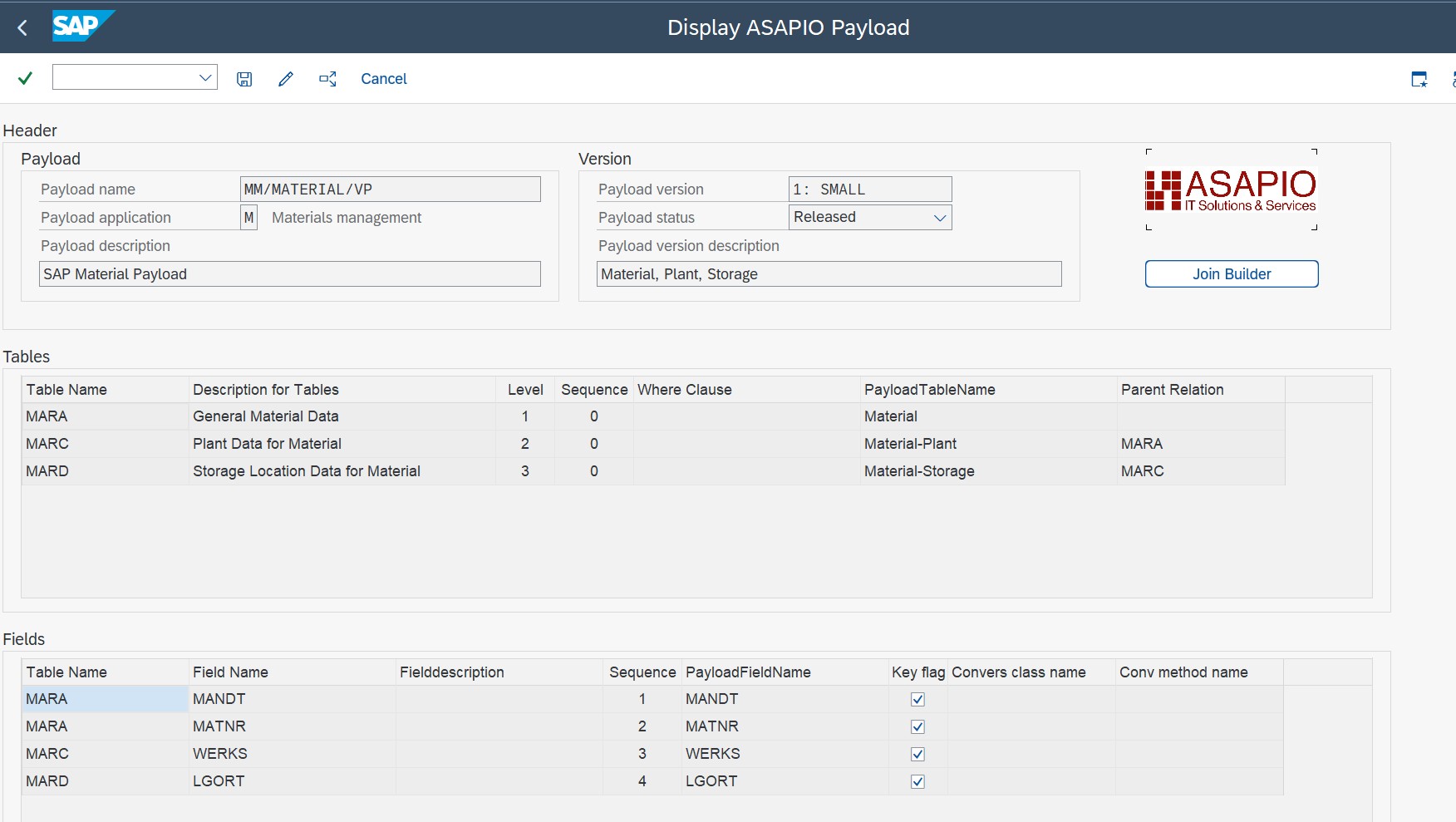
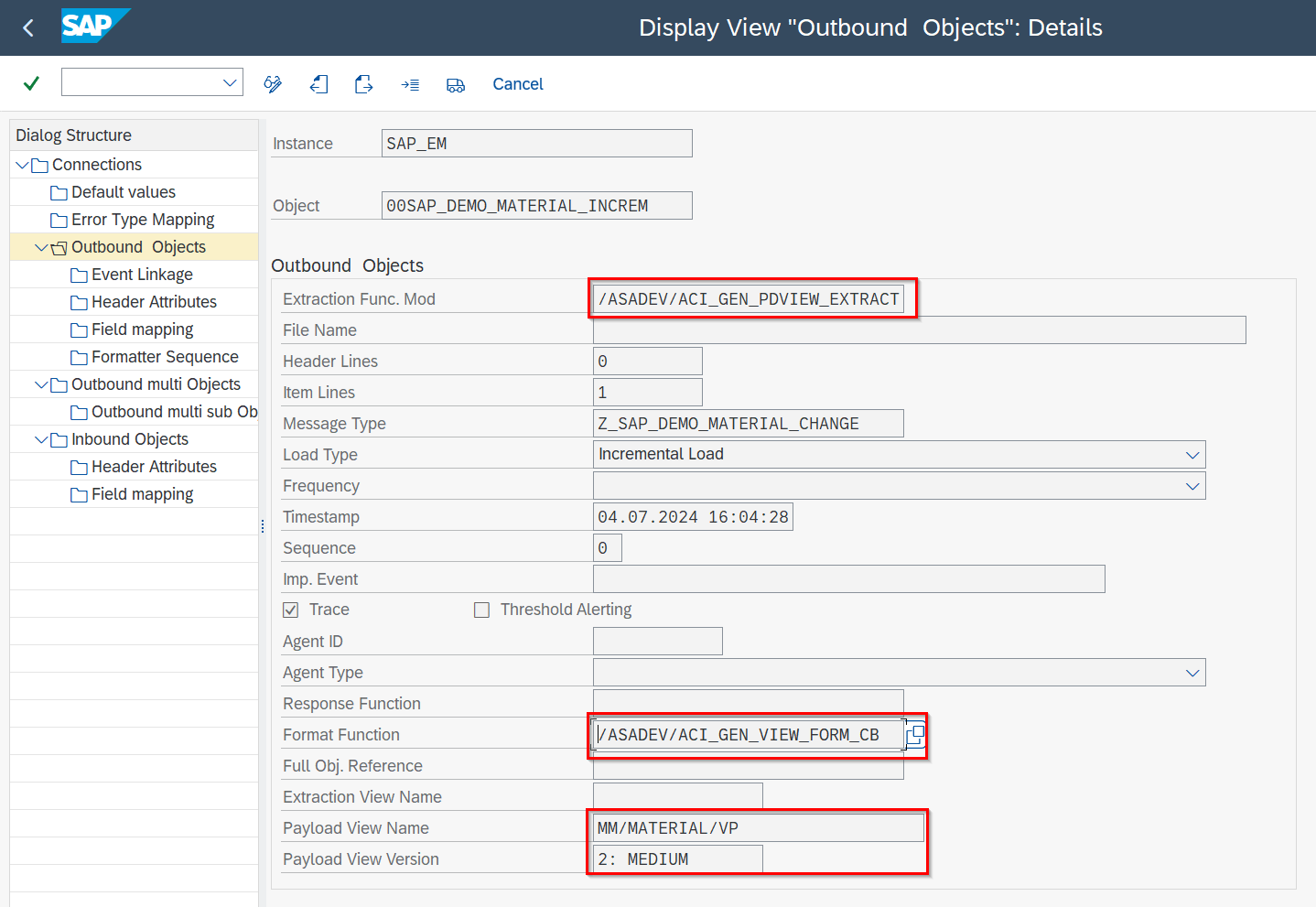
Start transaction /n/ASADEV/DESIGN and select the outbound object to configure.
Field Selection
All fields of the extraction structure are listed. Activate only the fields you need — deactivated fields are excluded from the JSON payload.
Field Renaming
Enter an alias in the JSON Key column to rename a field in the output.
Filters
Define filter conditions on field values to suppress records that should not trigger an outbound message (e.g. block indicator = X).
Join Builder
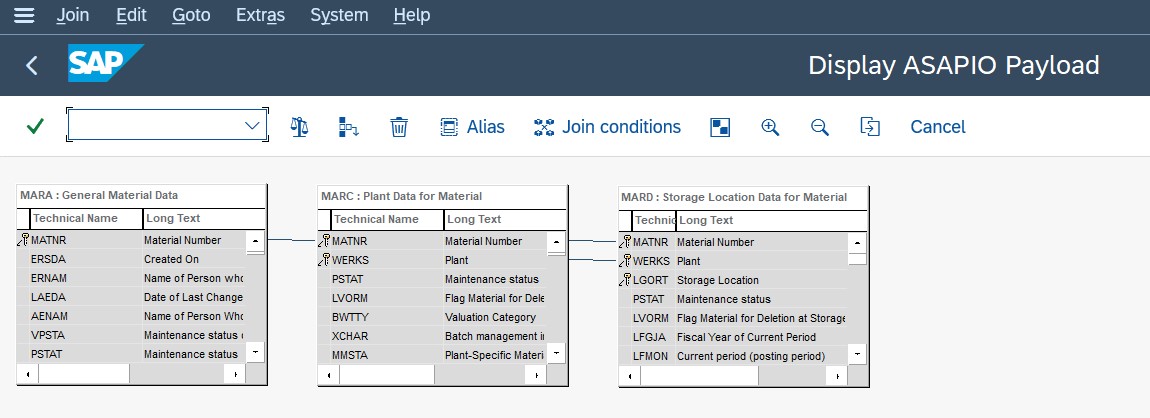
Join additional database tables to enrich the payload. Define the join condition and select fields from the joined table.
Clean Core
The Payload Designer performs a clean-core check. Use CDS Views for extension fields to remain clean-core compliant.
Via Event Studio
In the Data Catalog, click a business object or CDS View and select Payload. The same field selection, filter, and join capabilities are available in the visual UI.
Note: CDS View Entities are only configurable via Event Studio, not via SAP GUI transactions.