Docs / Outbound Messaging
Outbound Messaging Overview
Outbound Messaging is the delivery engine of ASAPIO: it listens to SAP business changes, builds payloads, and dispatches events to your configured target platform with enterprise-grade control over retries, sequencing, and transformation.
Concept
Every outbound process follows the same conceptual chain, regardless of connector or event type:
Trigger -> Enrichment -> Payload -> Connector -> Delivery
A trigger in SAP starts processing. ASAPIO optionally enriches business context, builds the payload (simple or model-based), applies mappings and filters, then publishes to the selected connector endpoint.
Guided Step-by-Step
Define the integration object
Create or select the outbound object, choose extraction/format strategy, and assign the integration package context.
Choose the trigger model
Bind the object to a business trigger such as BOR event, BTE, change document, IDoc, RAP, or a custom ABAP call.
Design and refine payload behavior
Apply mappings, where-clause filters, field conversions, hierarchy adjustments, and optional CloudEvents formatting.
Set connector and delivery controls
Maintain endpoint attributes, retries, sequencing, and load strategy (incremental, packed, or reprocessing) for robust delivery.
Configuration Paths: SAP GUI and Event Studio
ASAPIO supports both implementation styles. They use the same backend object model and can coexist in one landscape.
| Path | Best For | Typical Activities |
|---|---|---|
| SAP GUI | Fine-grained backend customizing and classic operations | Object creation in /ASADEV/ACI_SETTINGS, SWE2 linkages, header attributes, scheduler and retry settings |
| Event Studio | Guided, visual modeling and team collaboration | Data Catalog exploration, visual payload design, object creation and header-attribute maintenance via Interfaces, deployment-oriented configuration aligned with backend fields |
On this page: SAP GUI = classic SAP GUI transactions only · Event Studio = available in Event Studio's UI · both pills together = supported in either, with any differences called out in the text.
Minimal Setup
The smallest set of steps to get one outbound object delivering messages end to end. Everything in Advanced / Optional Configuration further down is a refinement you can add later if you need it.
Trigger Categories SAP GUIEvent Studio
Available trigger categories include SAP Business Object (BOR) events, RAP events, BTEs, Change Documents, IDoc events, and custom ABAP trigger calls.
| Trigger Category | Event Studio Support |
|---|---|
| SAP Business Object (BOR) events | Normal event linkages are set up directly on the Events page — no SWE2 customizing needed. |
| RAP events | Predefined for all supported RAP Business Objects; custom event definitions follow the same flow. |
| BTEs, Change Documents, IDoc events, custom ABAP calls | Not yet available in Event Studio — configure via SAP GUI (FIBF, SWEC, WE20, etc.). |
Normal event linkages to BOR and RAP events can easily be set up in Event Studio's Events page — see the RAP Events guide for the full list of predefined RAP events. Filtering logic such as Check FM or BAdI-based filtering (see Filtering Events) still requires SAP GUI.
SAP Business Object Events SAP GUI
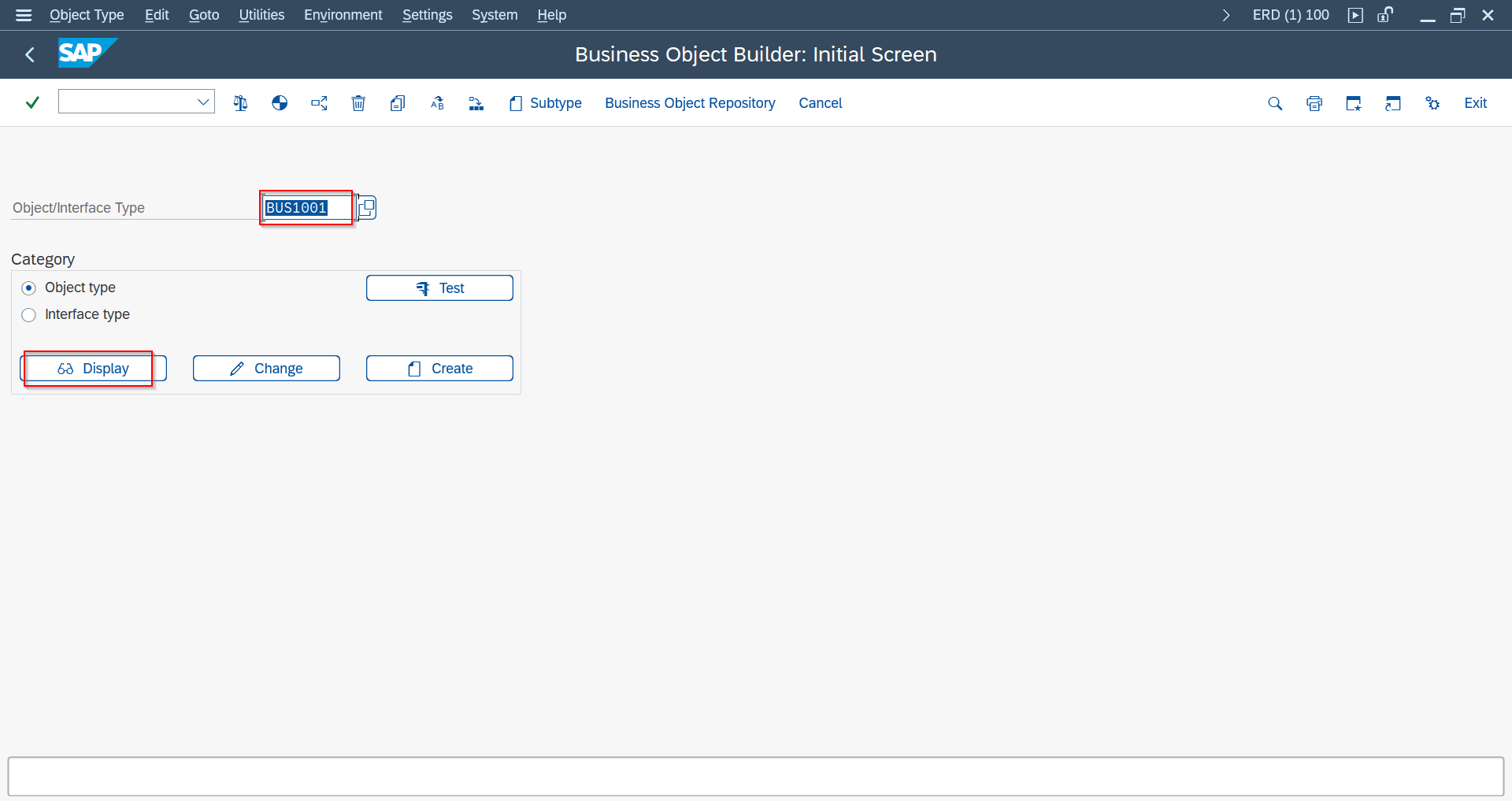
Use transaction SWO3 to inspect available objects and events. Typical objects:
| Object Name | Object Type |
|---|---|
| Material | BUS1001 |
| Sales Order | BUS2032 |
| Purchase Order | BUS2012 |
| Delivery | LIKP |
| Business Partner | BUS1006 |
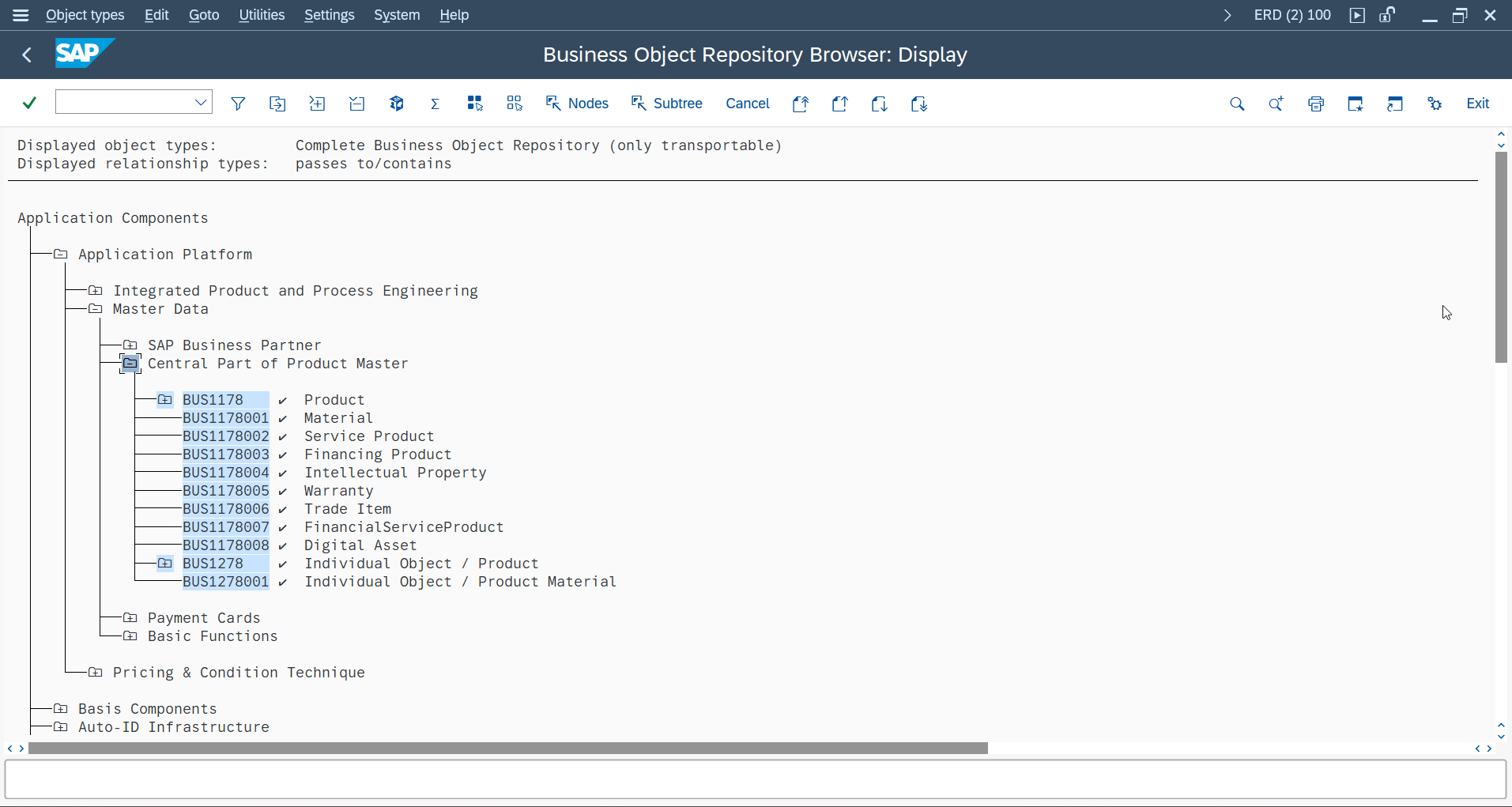
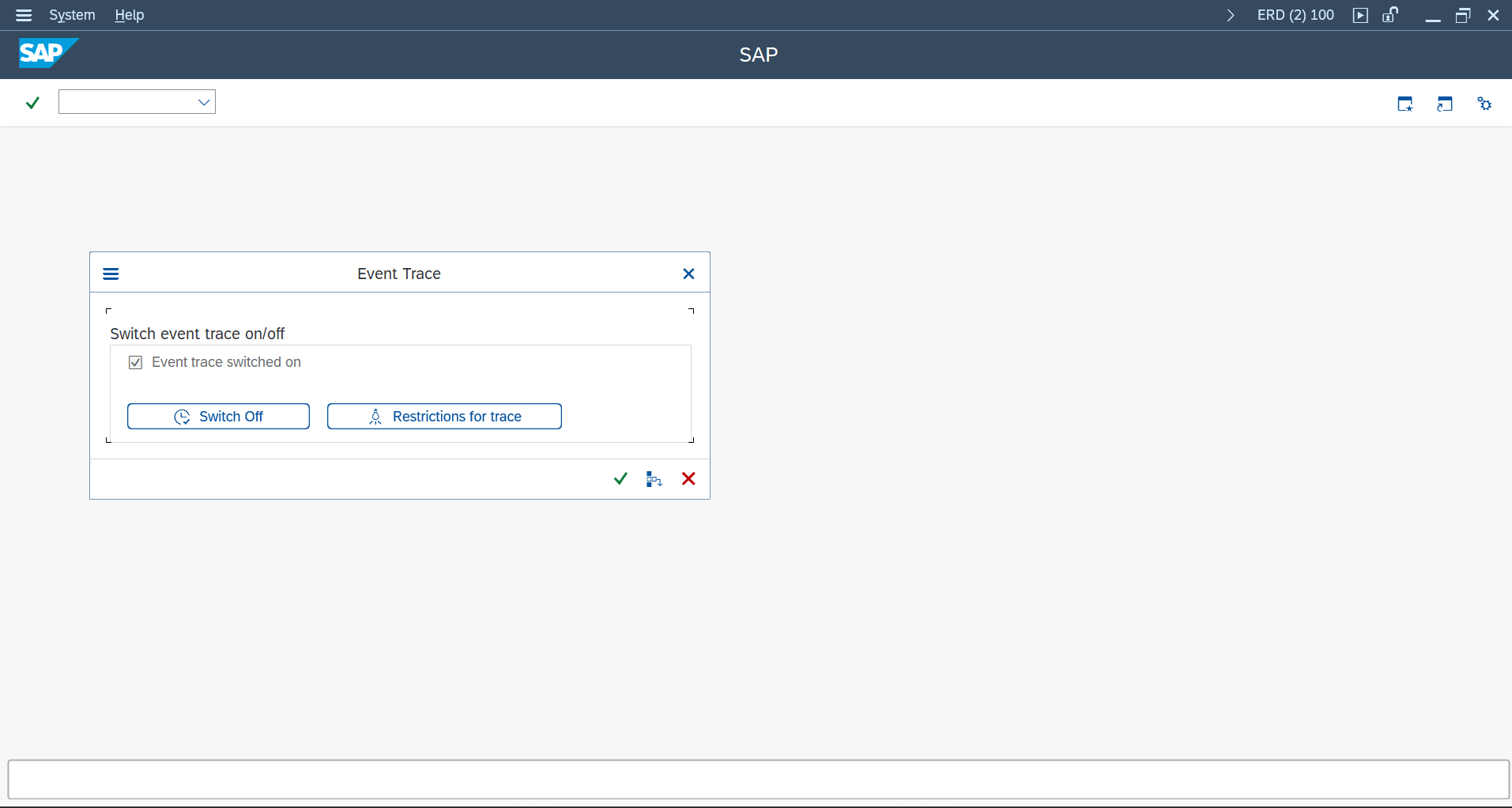
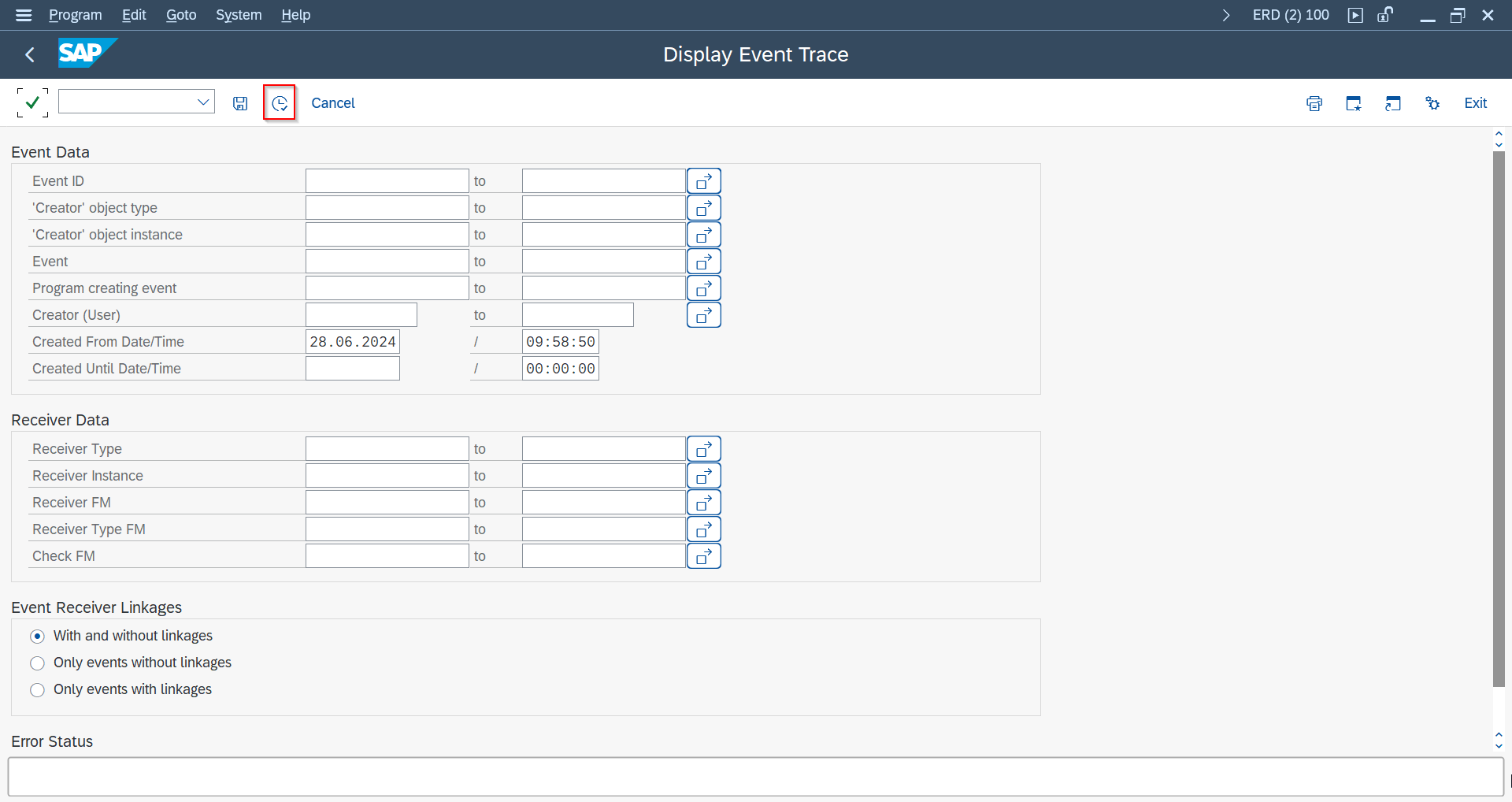
To discover event triggers, enable traces in SWELS and inspect events in SWEL after executing representative business transactions.
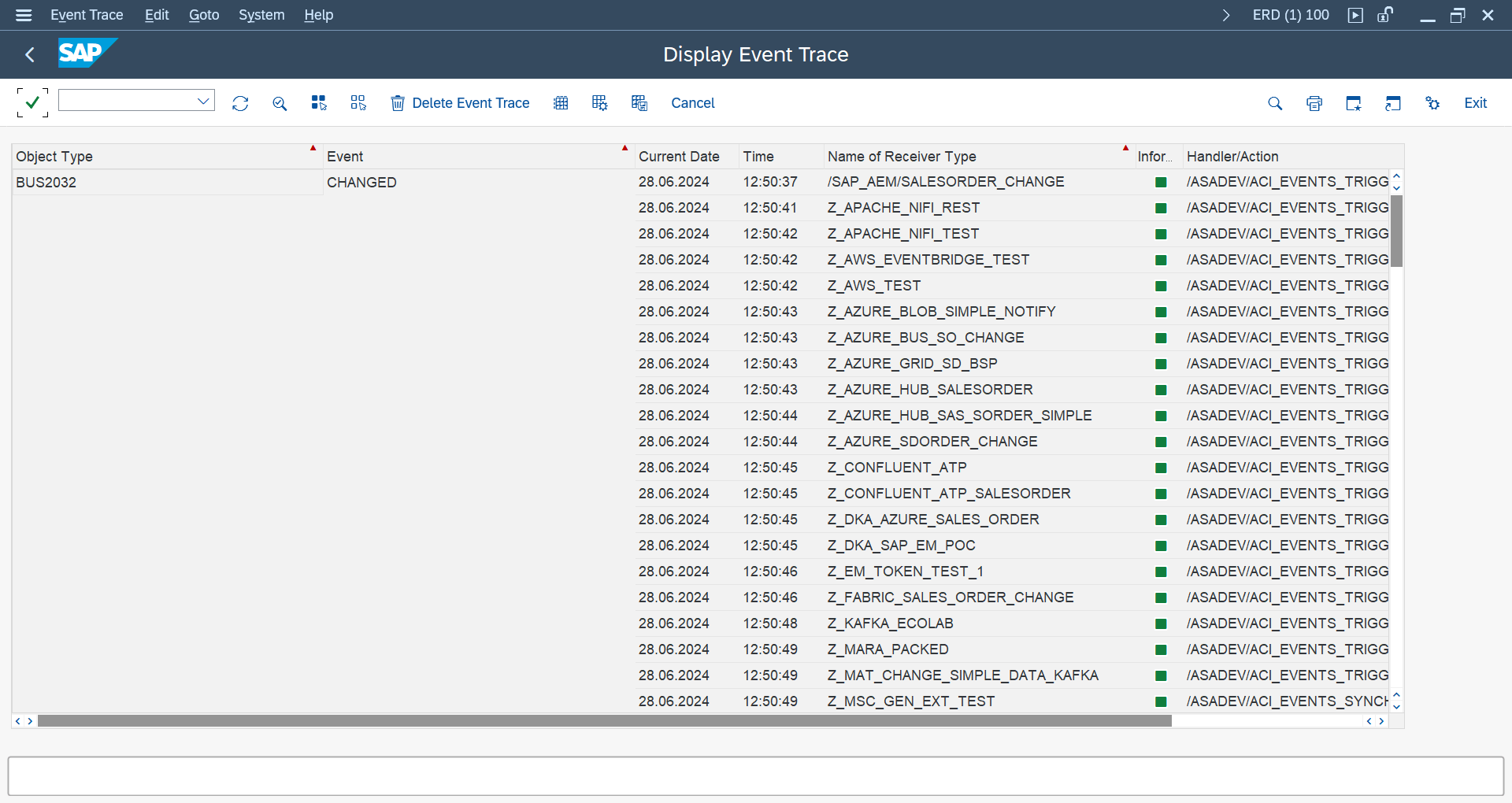
Once you've identified the Business Object and event here, set up the actual event linkage in Event Studio's Events page or via SWE2 (see Simple Notifications below) — see Trigger Categories above.
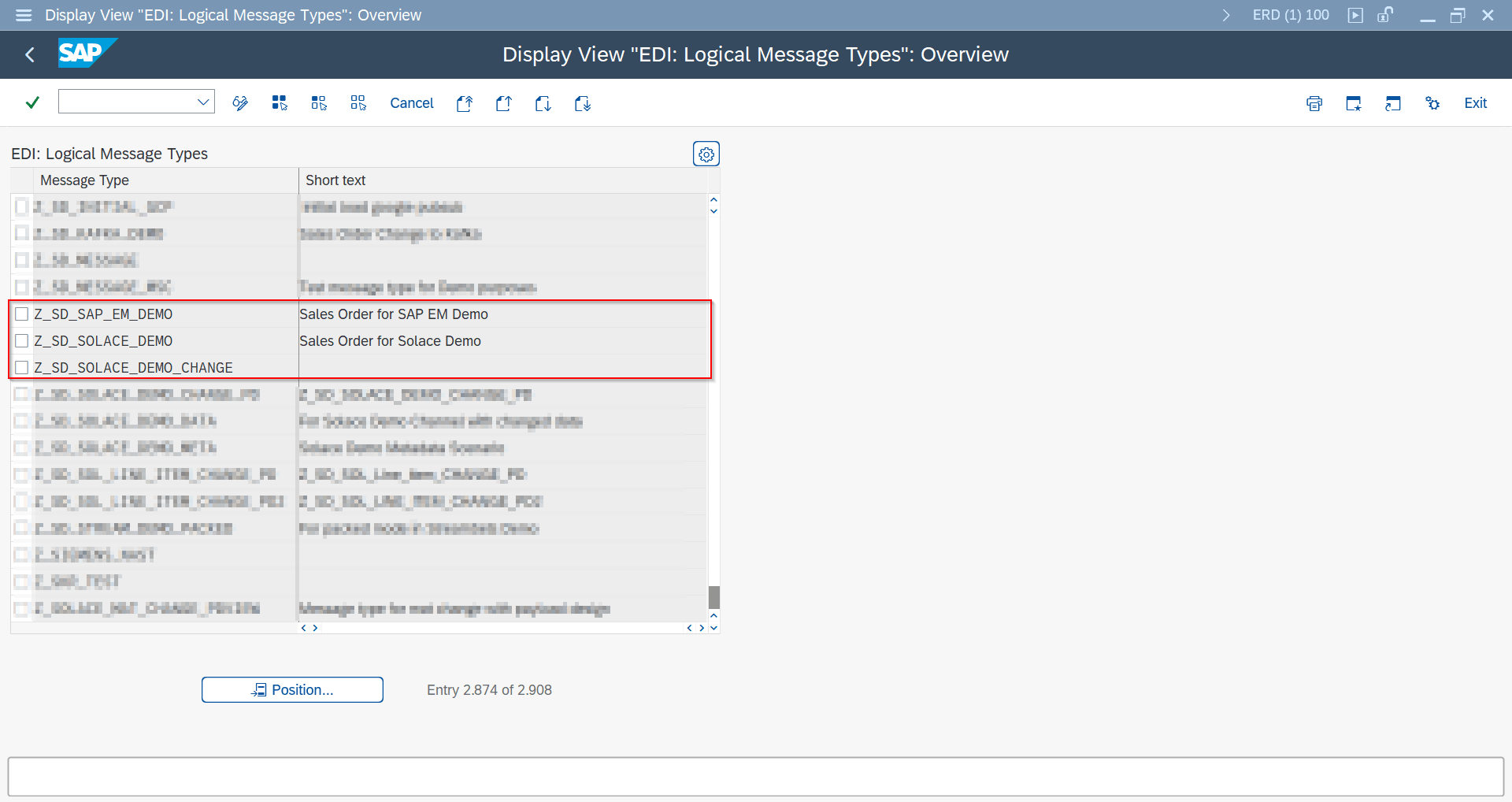
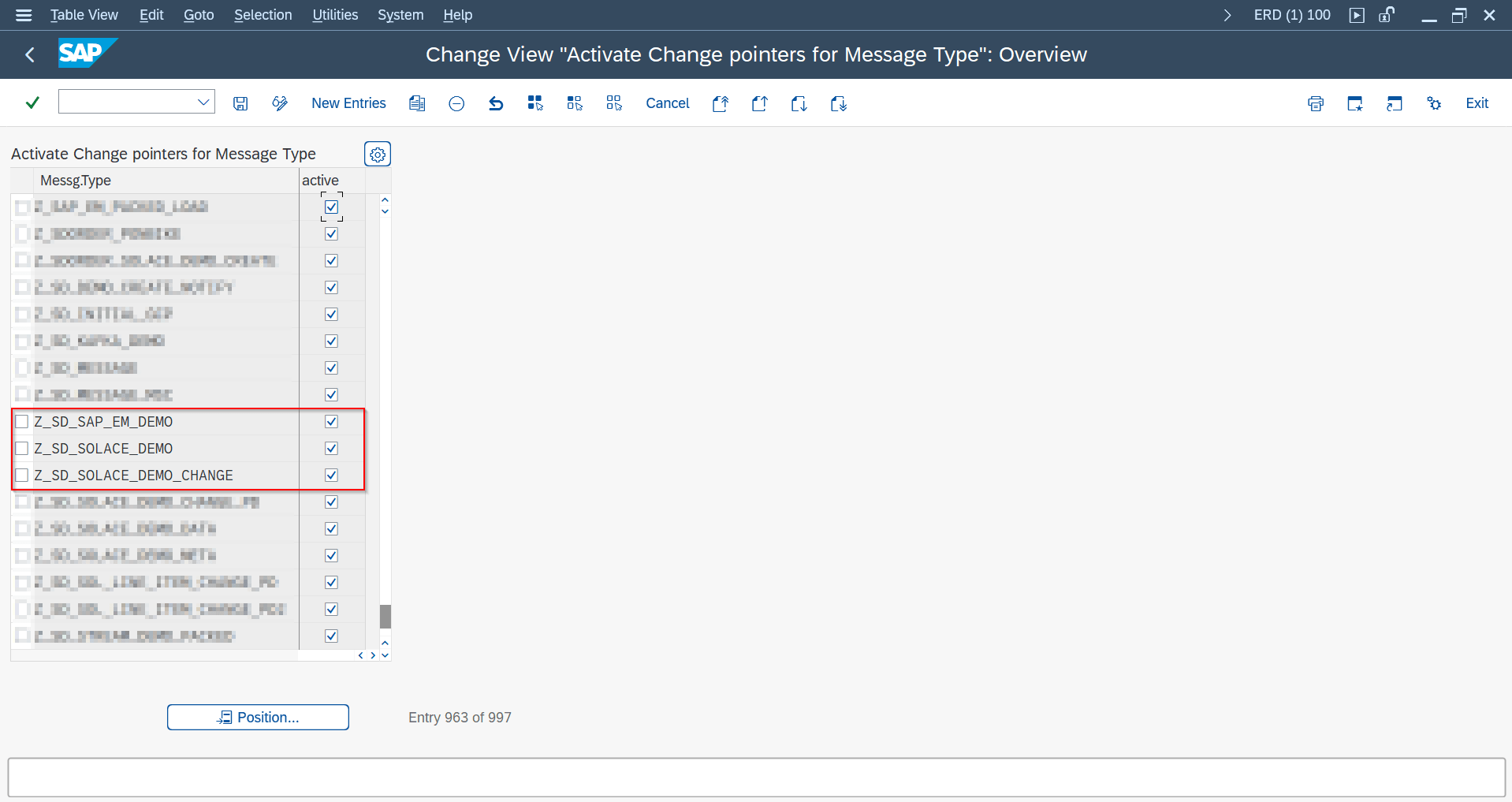
Create Message Type SAP GUI
Only needed for classic ALE message-type-based distribution (for example certain IDoc scenarios). Simple Notifications and Message Builder below don't require this step.
- Create message type in WE81.
- Activate message type in BD50.
Simple Notifications SAP GUI
The simplest way to notify a target platform that a business event happened, without building a structured payload.
- Create outbound object in /ASADEV/ACI_SETTINGS with extraction FM
/ASADEV/ACI_SIMPLE_NOTIFY. - Set endpoint header attribute (for example
AZURE_TOPIC). - Create SWE2 linkage to
/ASADEV/ACI_EVENTS_TRIGGER.
Assigning the /ASADEV/ACI_SIMPLE_NOTIFY extraction FM is what defines this recipe, and that assignment is only possible in SAP GUI today — see Creating Objects in Event Studio below for the Event-Studio-native alternative.

/ASADEV/ACI_SIMPLE_NOTIFY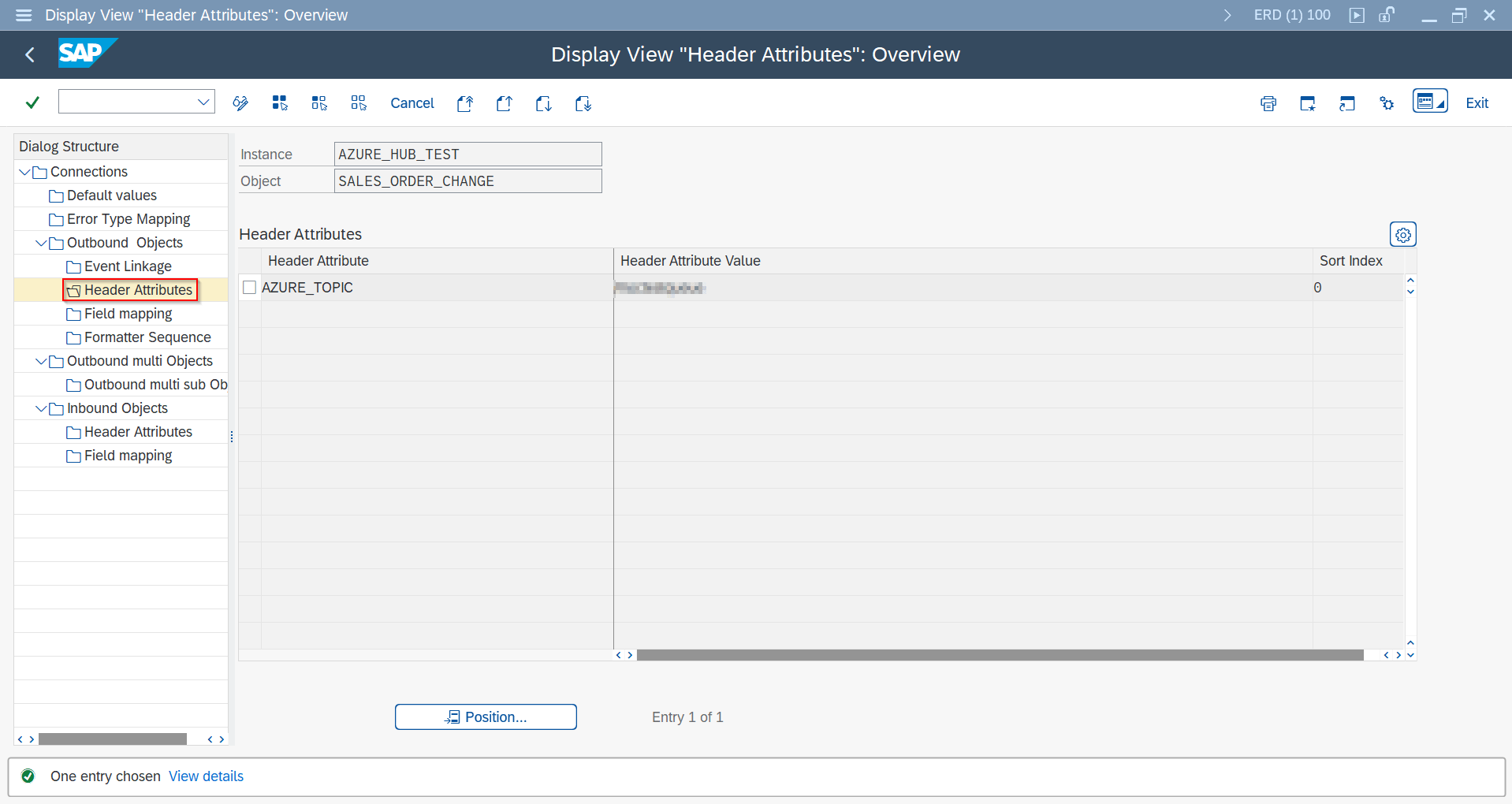
AZURE_TOPIC as the target endpoint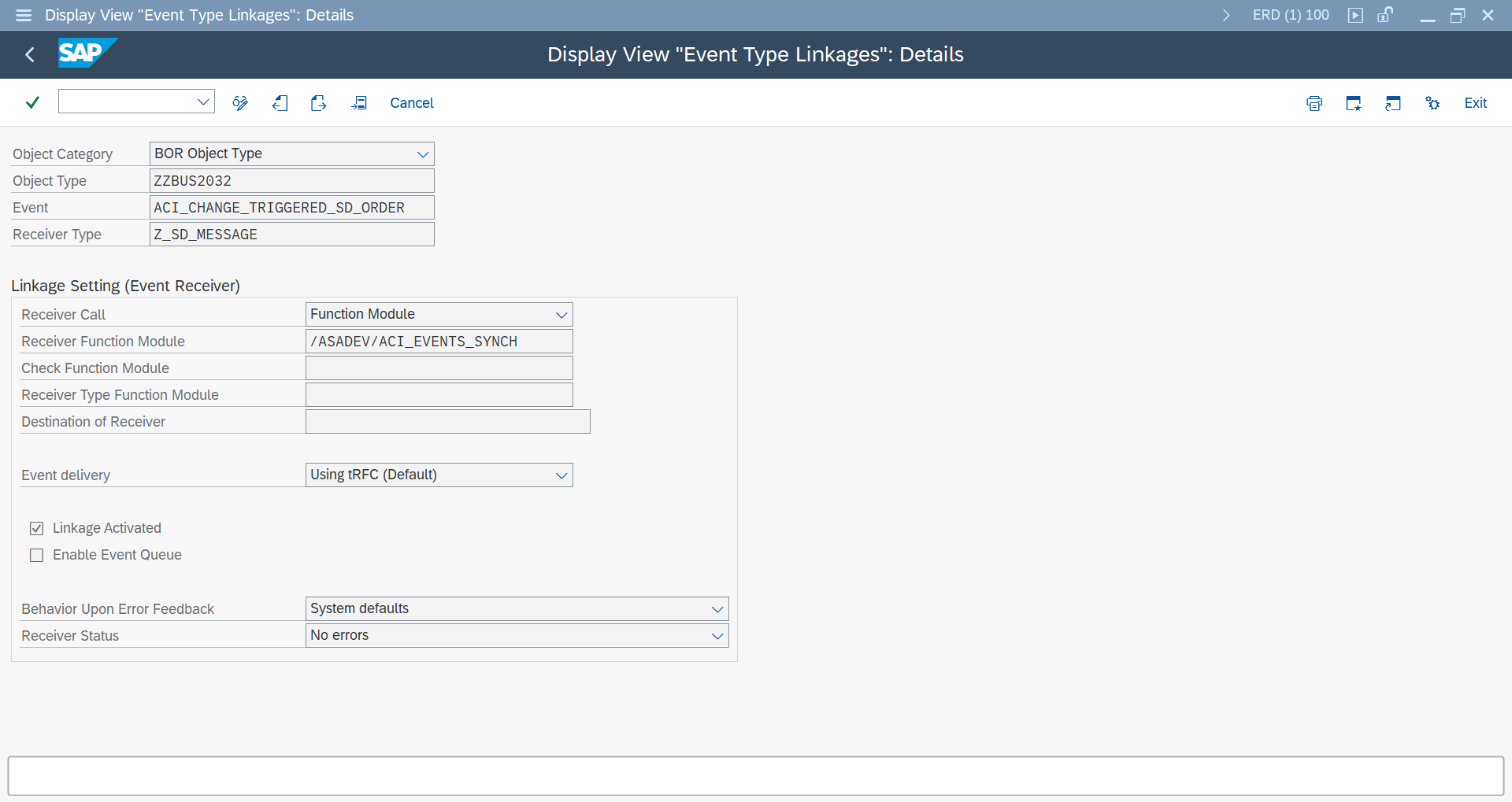
Message Builder (DB/CDS View Payload) SAP GUI
For a structured payload sourced from a database or CDS view.
- Create extraction view in SE11 or CDS tooling.
- Configure outbound object with
/ASADEV/ACI_GEN_VIEW_EXTRACTORand/ASADEV/ACI_GEN_VIEW_FORM_CB. - Maintain connector-specific and optional global header attributes.
Event Studio assigns the /ASADEV/ACI_GEN_VIEW_EXTRACTOR / _FORM_CB function modules automatically — see Creating Objects in Event Studio below for the Event-Studio-native alternative.
| Header Attribute | Purpose | Example |
|---|---|---|
AZURE_TOPIC | Azure topic/queue/event hub target | MaterialMaster |
ACI_ADD_LOGSYS | Add logical system to payload root | X |
SWITCH_OFF_LASTRUN_TIMESTAMP | Performance optimization in high frequency scenarios | X |
ACI_CP_INFO | Include change pointer fields in payload | X |
Header attribute names and expected values are connector-specific — see your connector's guide: Azure, Apache Kafka, Solace, Confluent, SAP Advanced Event Mesh, Google Pub/Sub, Microsoft Fabric (Open Mirroring), or AWS.

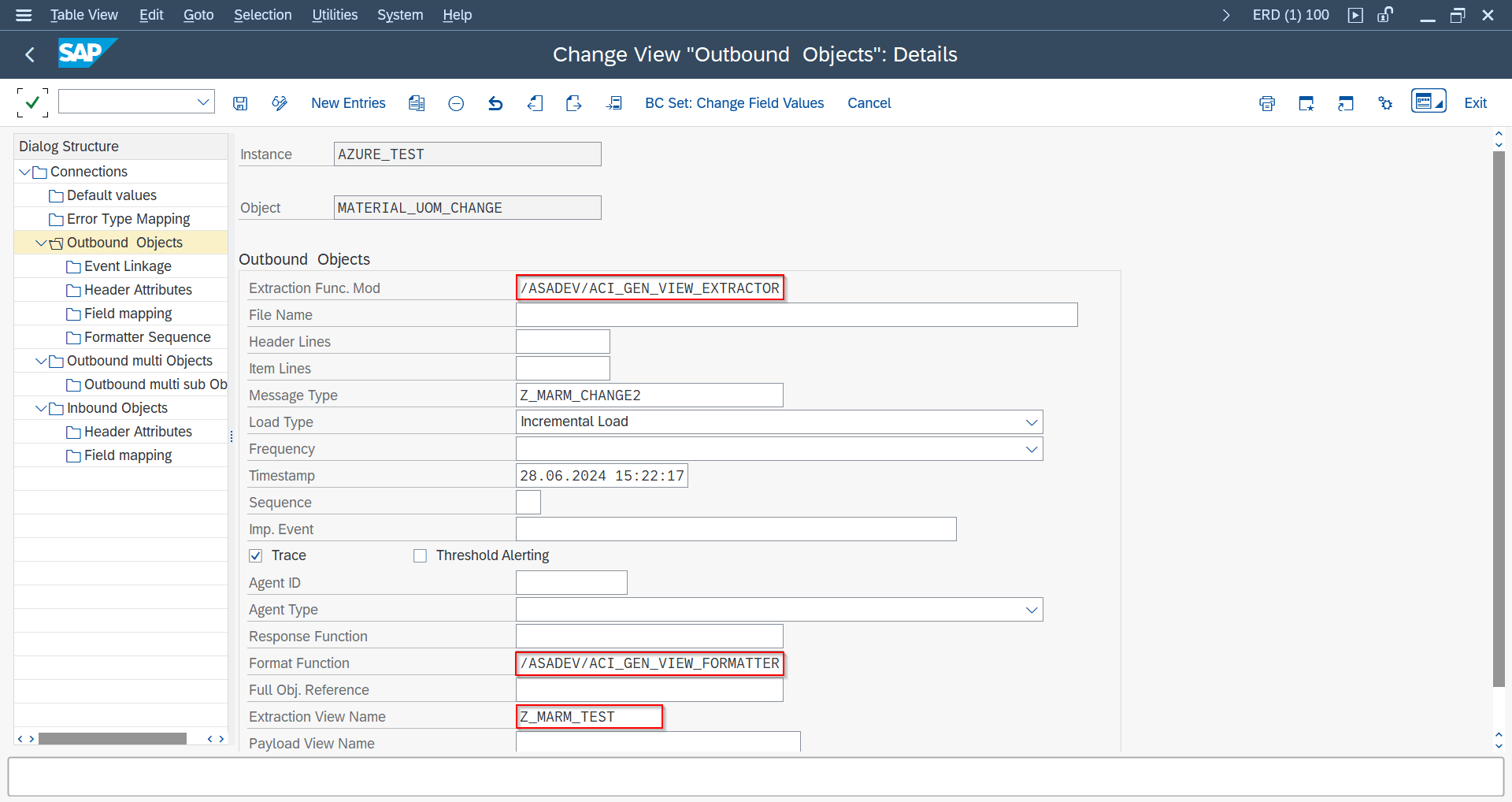
/ASADEV/ACI_GEN_VIEW_EXTRACTOR / _FORMATTER
AZURE_TOPIC, ACI_ADD_LOGSYS, SWITCH_OFF_LASTRUN_TIMESTAMP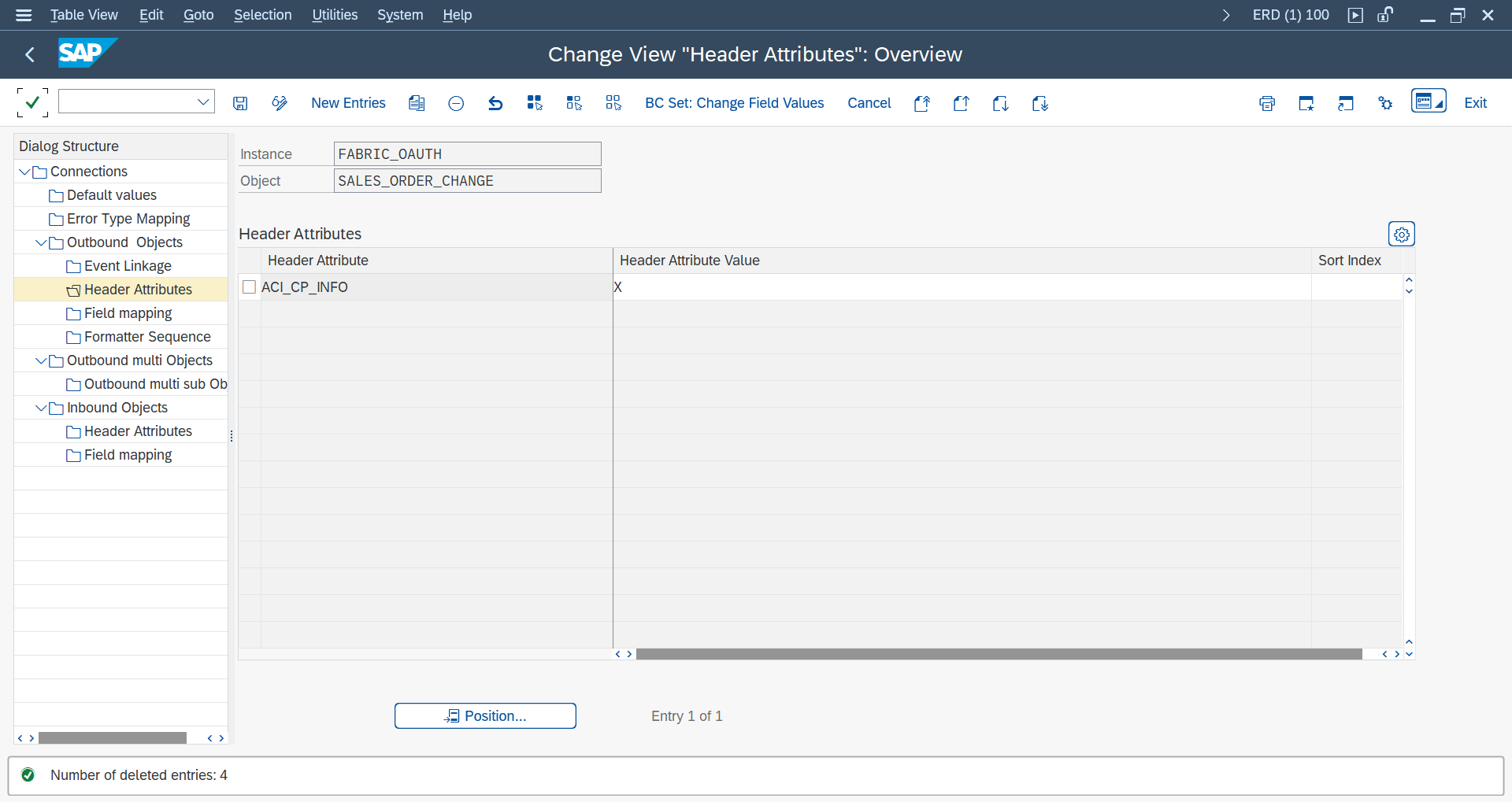
ACI_CP_INFO configuration for change-pointer fields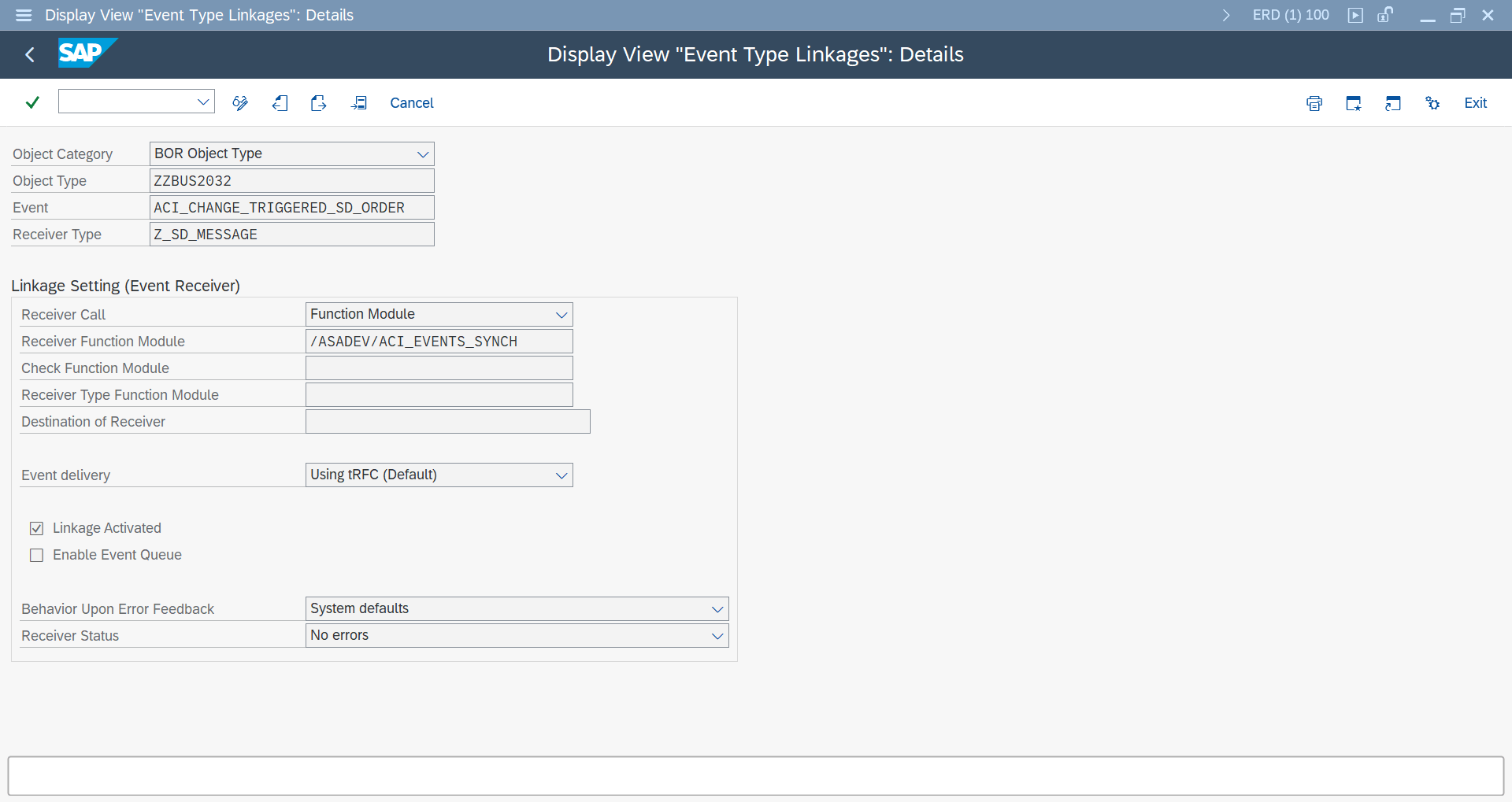
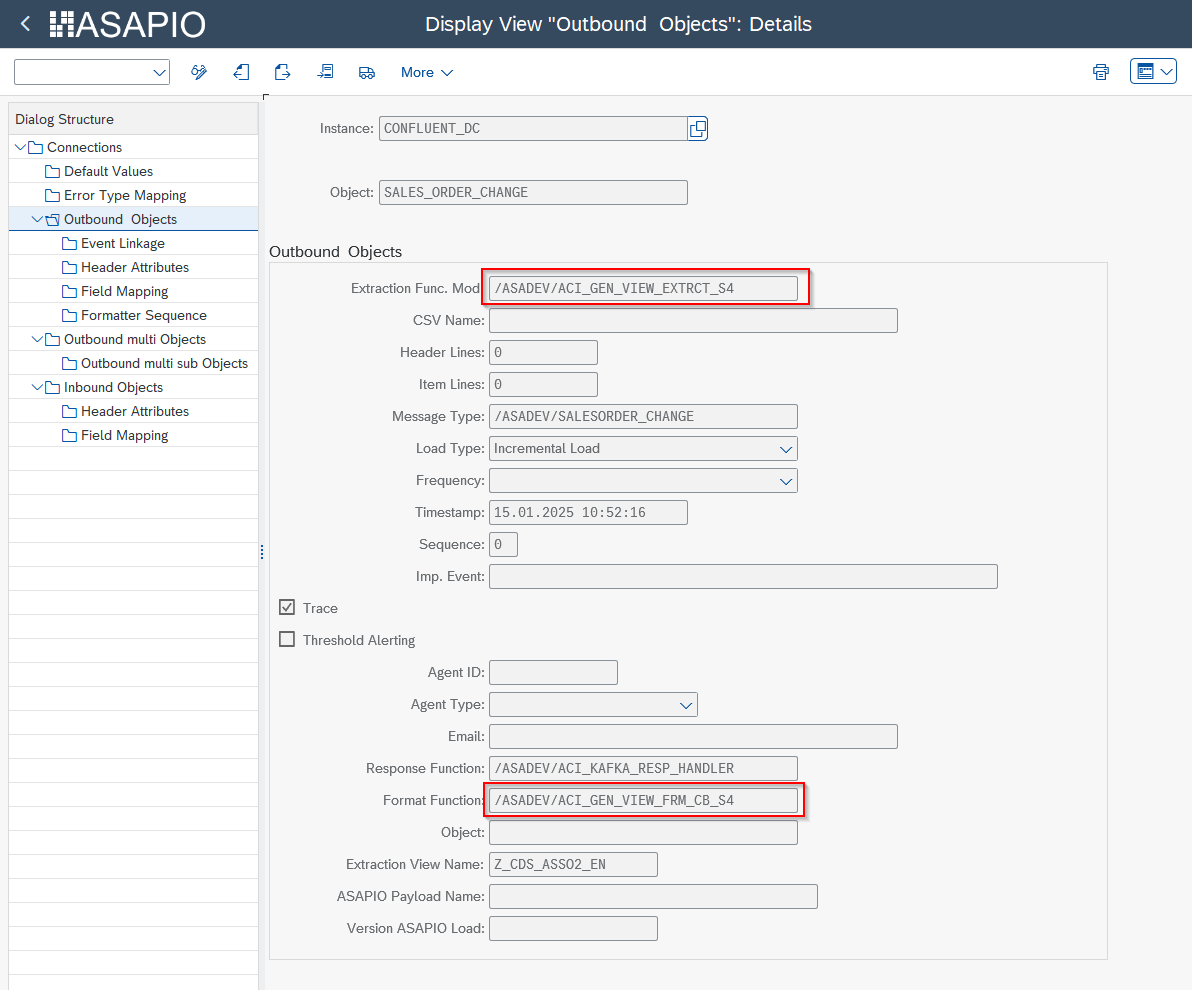
Creating Objects in Event Studio Event Studio
Event Studio has its own native path to create an outbound object and maintain its header attributes, for any Load Type it supports (including Packed Load) — through the Interfaces and Data Catalog pages:
- Create the outbound object: open Interfaces and click Create Interface. Set the Connection and Load Type.
- Maintain Header Attributes: on the same Create Interface screen (or the Data Catalog deployment page for standard objects), fill in the Header Fields Table — any header attribute name/value can be entered there, e.g.
AZURE_TOPICorACI_ADD_LOGSYS. - Deploy: click Create/Deploy to activate. Existing deployments can be updated later from the interface's Active Instances table via the Interface Deployment Page.
Current limitation: exchanging the extraction or formatter function module itself (for example to /ASADEV/ACI_SIMPLE_NOTIFY or /ASADEV/ACI_GEN_VIEW_EXTRACTOR/_FORMATTER, as used by Simple Notifications and Message Builder above) is not yet possible from Event Studio — those two recipes still require maintaining the object directly in SAP GUI (/ASADEV/ACI_SETTINGS).
Advanced / Optional Configuration
Everything below is an optional refinement — alternate trigger sources, event filtering, payload transformation, high-volume load strategies, retry tuning, and custom development. Most outbound objects only need Minimal Setup above.
Business Transaction Events (BTE) SAP GUI
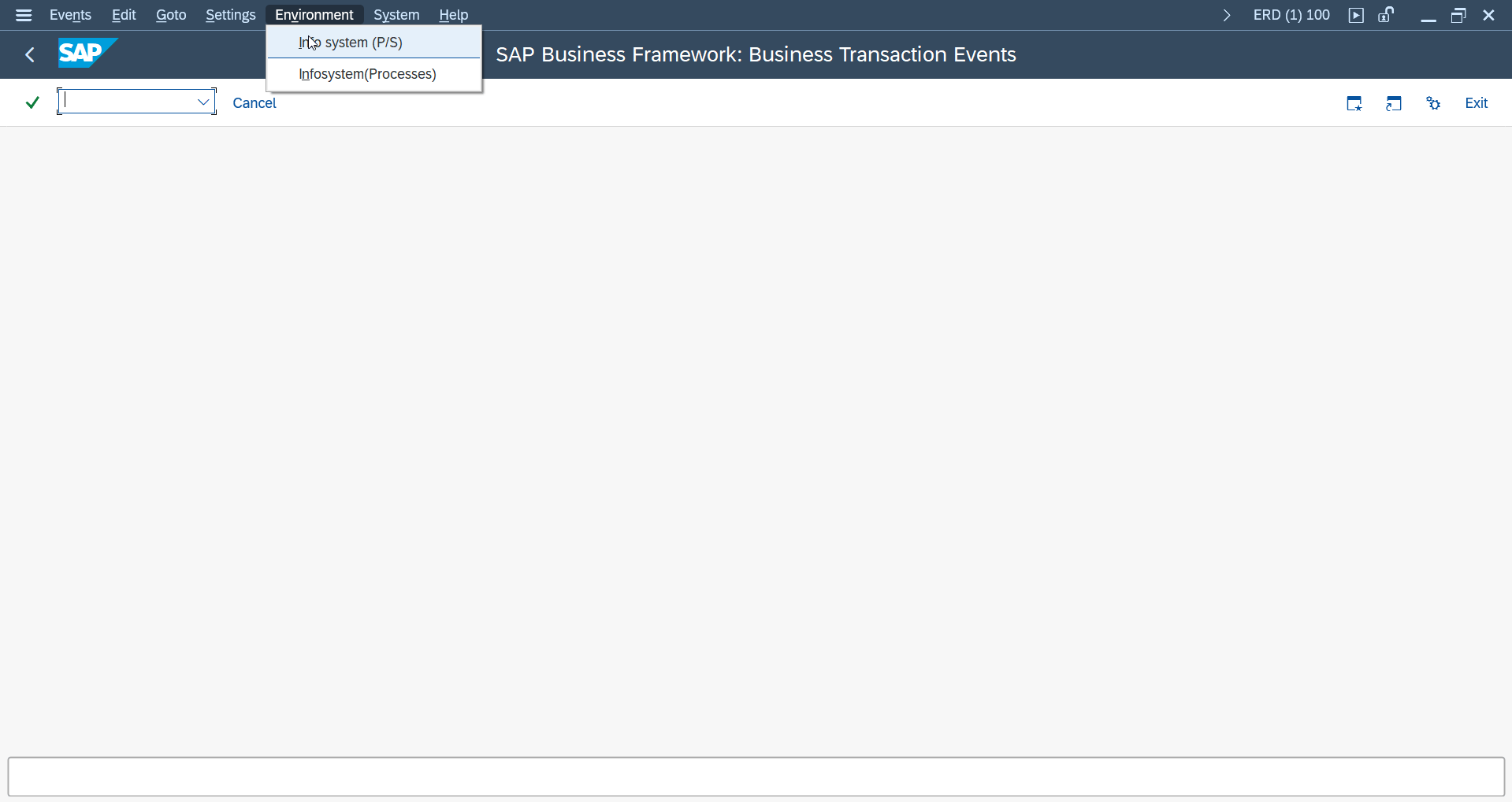
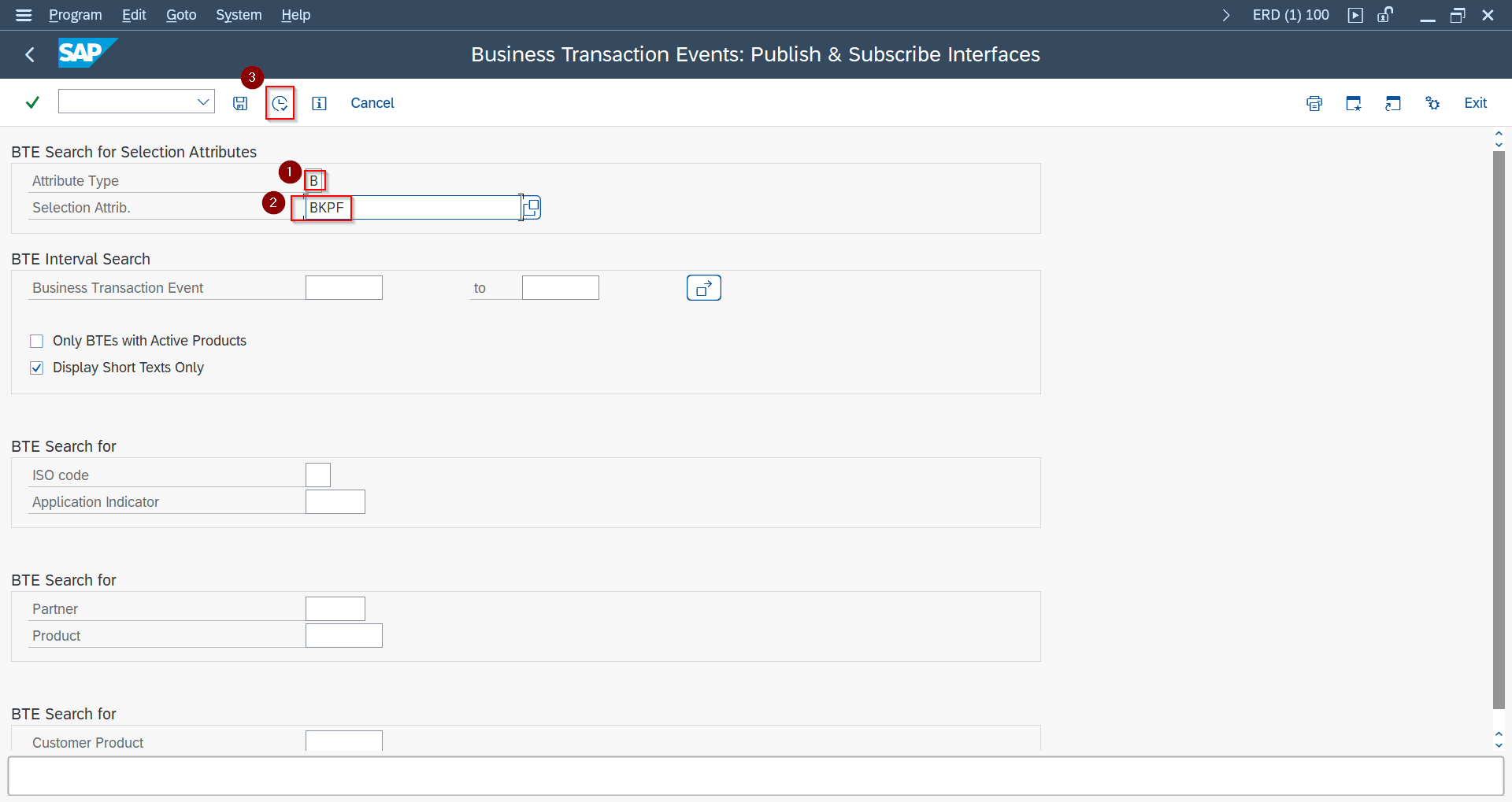
For modules where BOR events are not triggered directly, use BTE integration in FIBF:
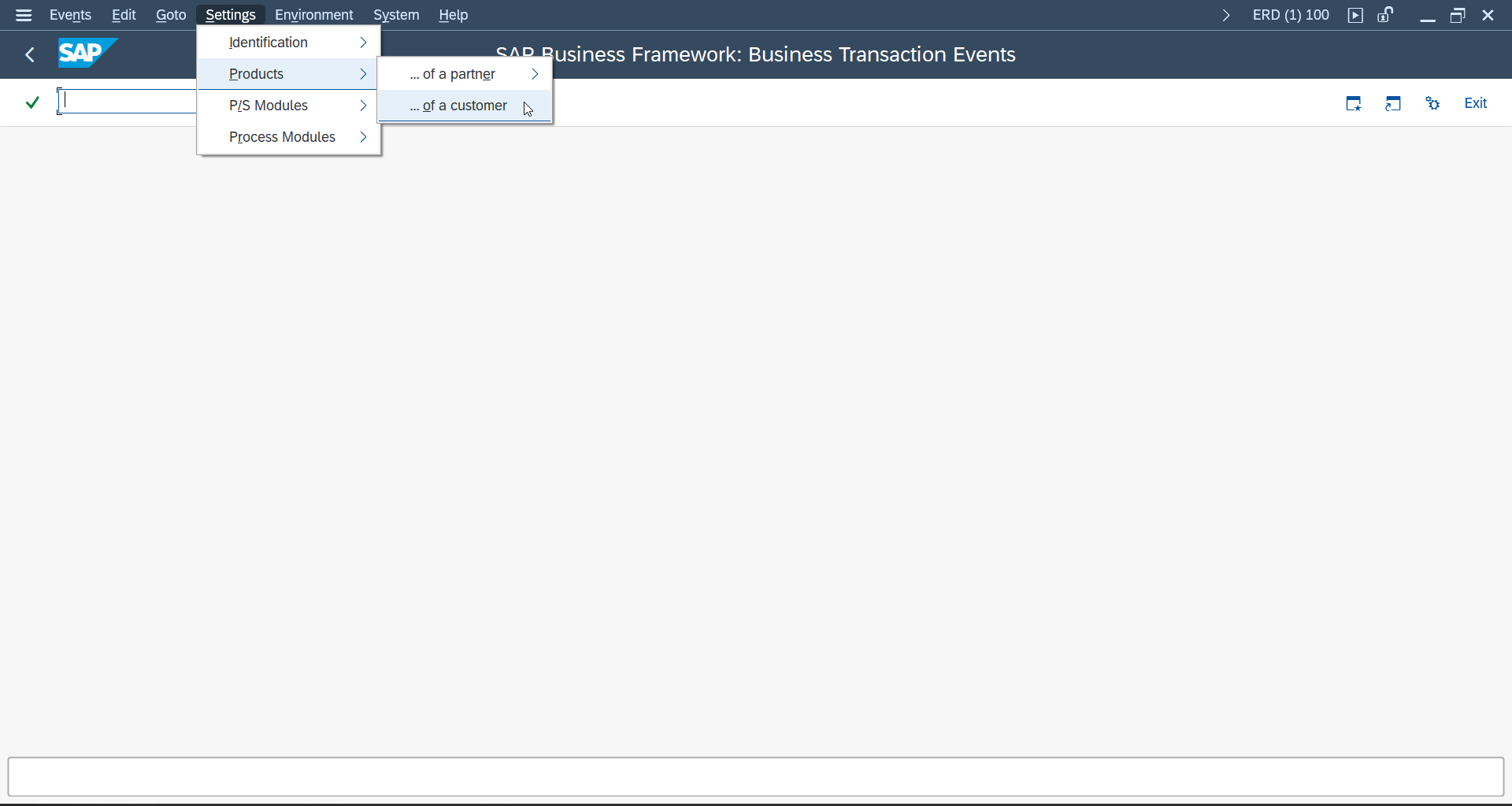
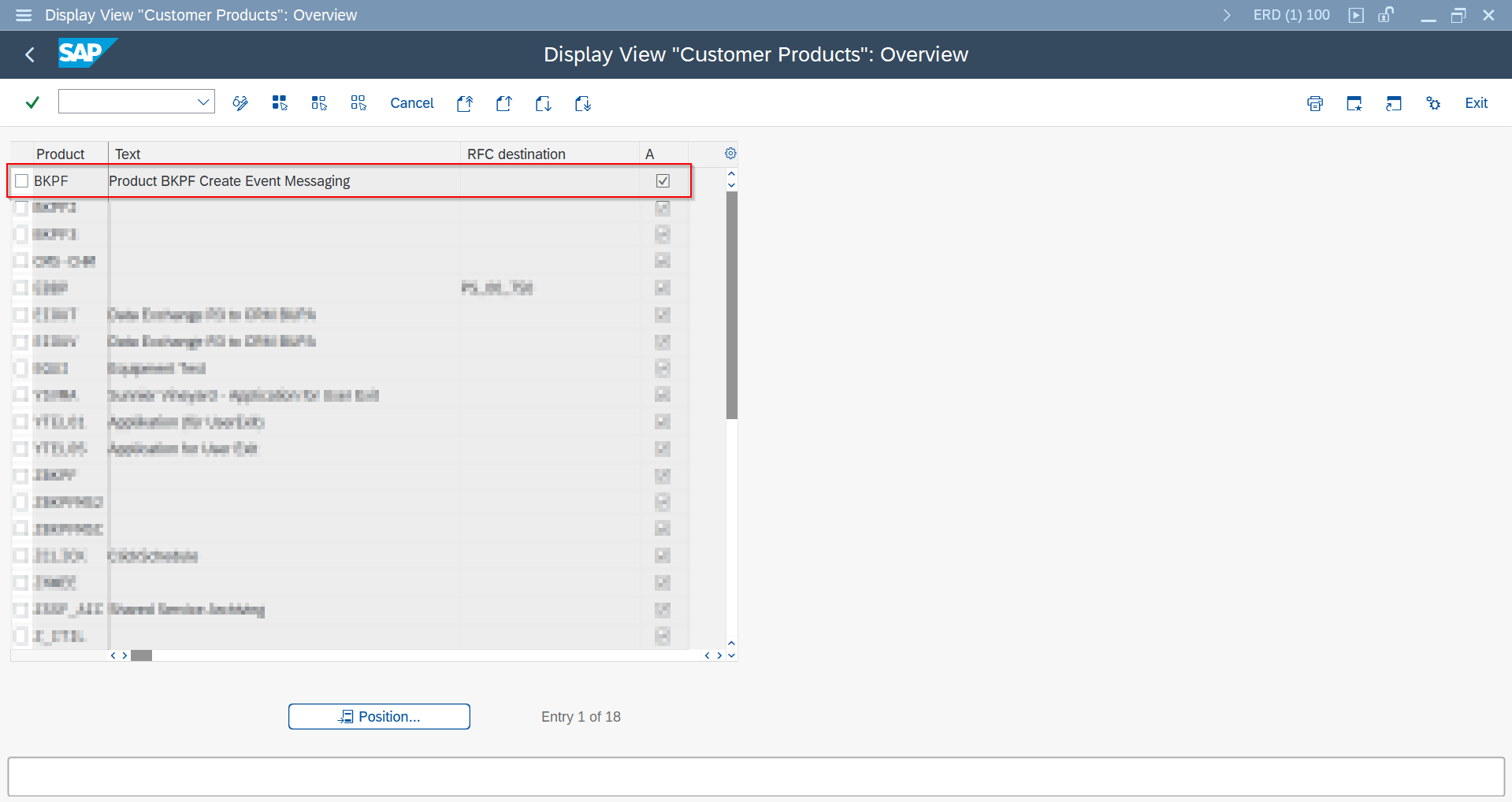
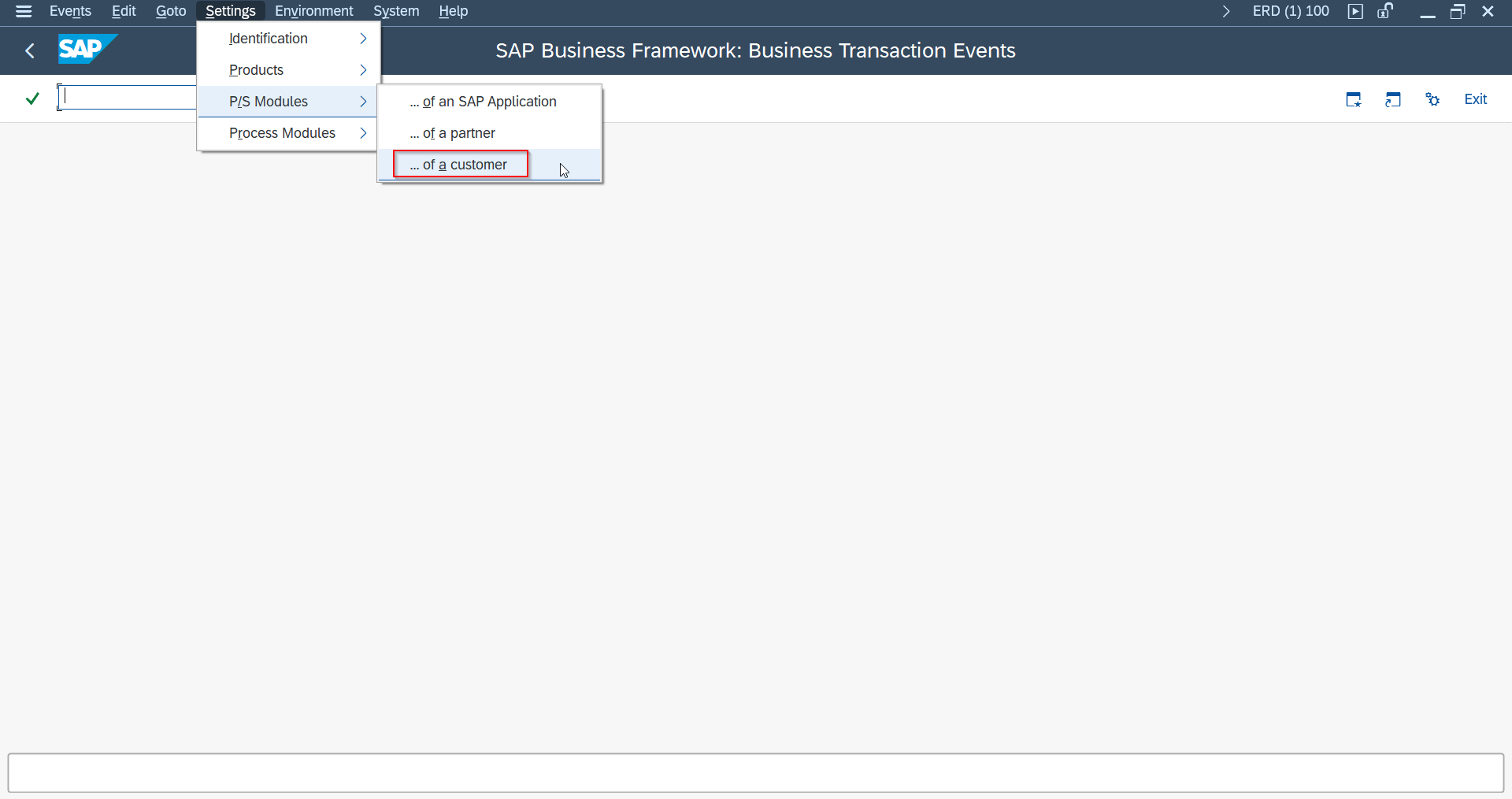
- Create Product (Settings -> Products).
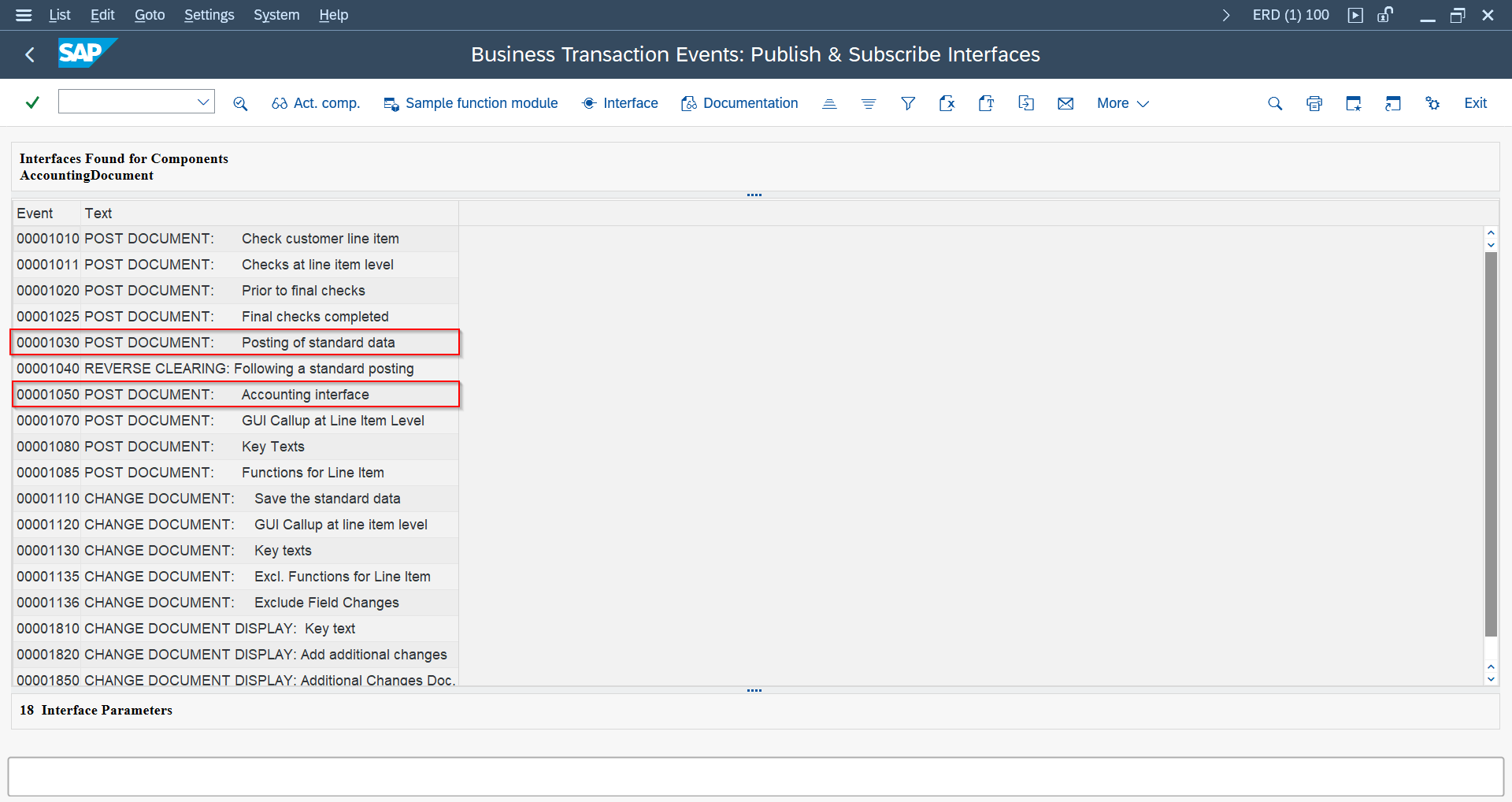
- Copy sample function module for the BTE and implement trigger logic.
- Register FM in P/S Modules customizing.

Filtering Events
Refine which triggered events actually result in a message — none of this is required for a basic setup.
Standard Check FM SAP GUI
Use /ASADEV/ACI_EVENTS_CHECK and maintain BOR attribute-based header attributes (for example BOR_ATTRIBUTE_MaterialGroup).
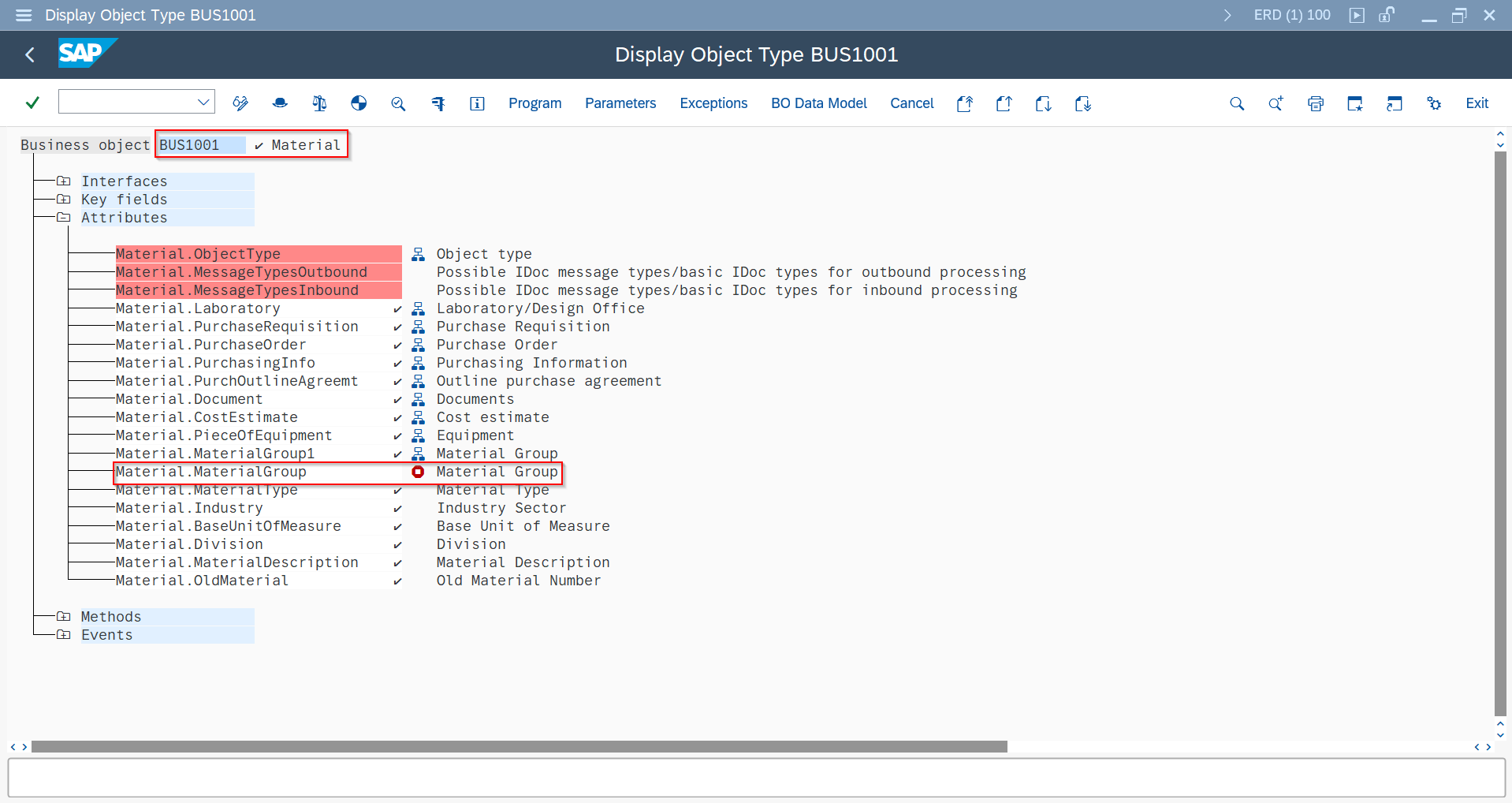
BOR_ATTRIBUTE_<name> configuration
BOR_ATTRIBUTE_MaterialGroup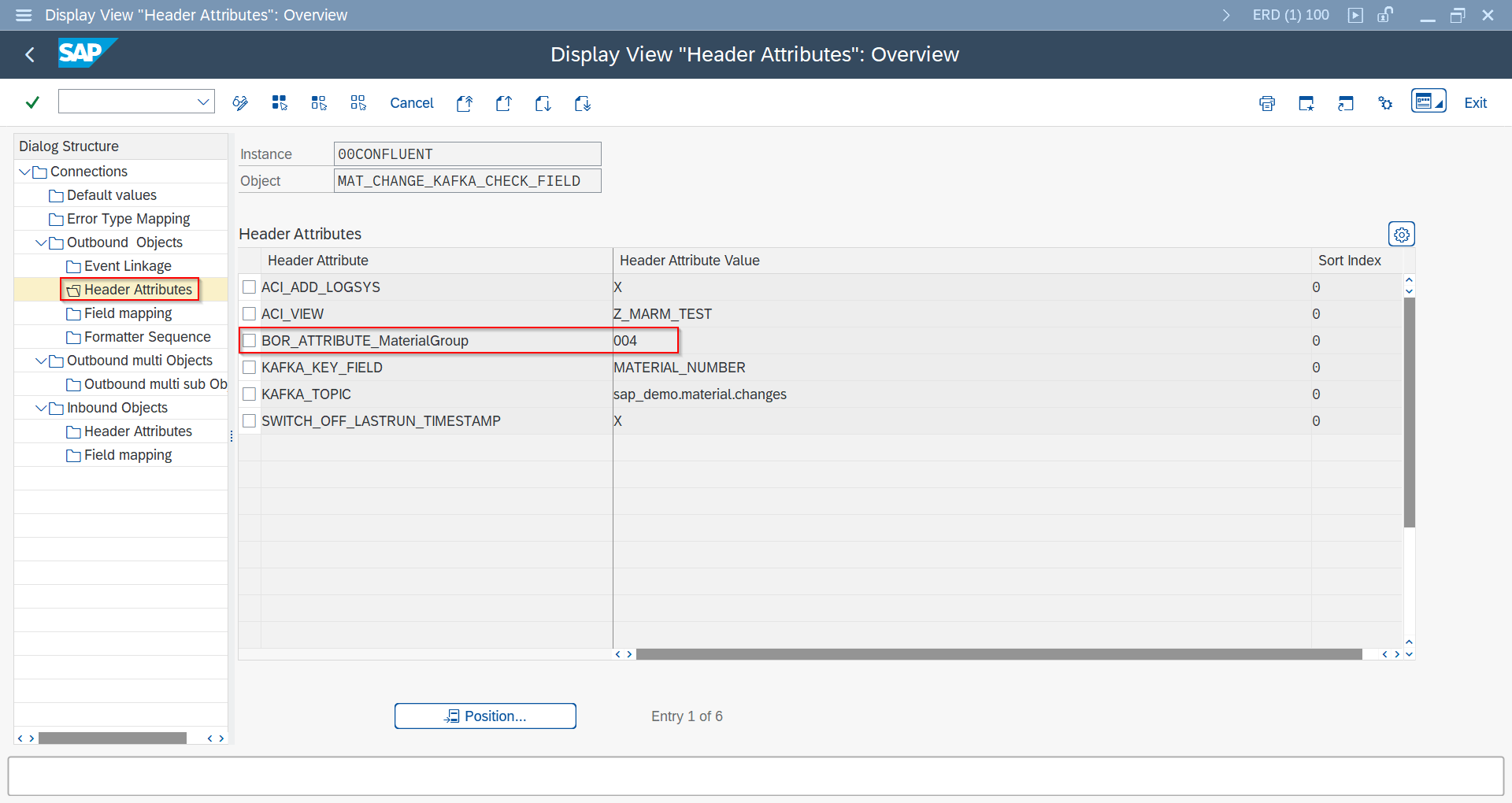
Custom Check FM SAP GUI
Create custom FM with same interface as standard check FM and maintain it in Event Linkage.
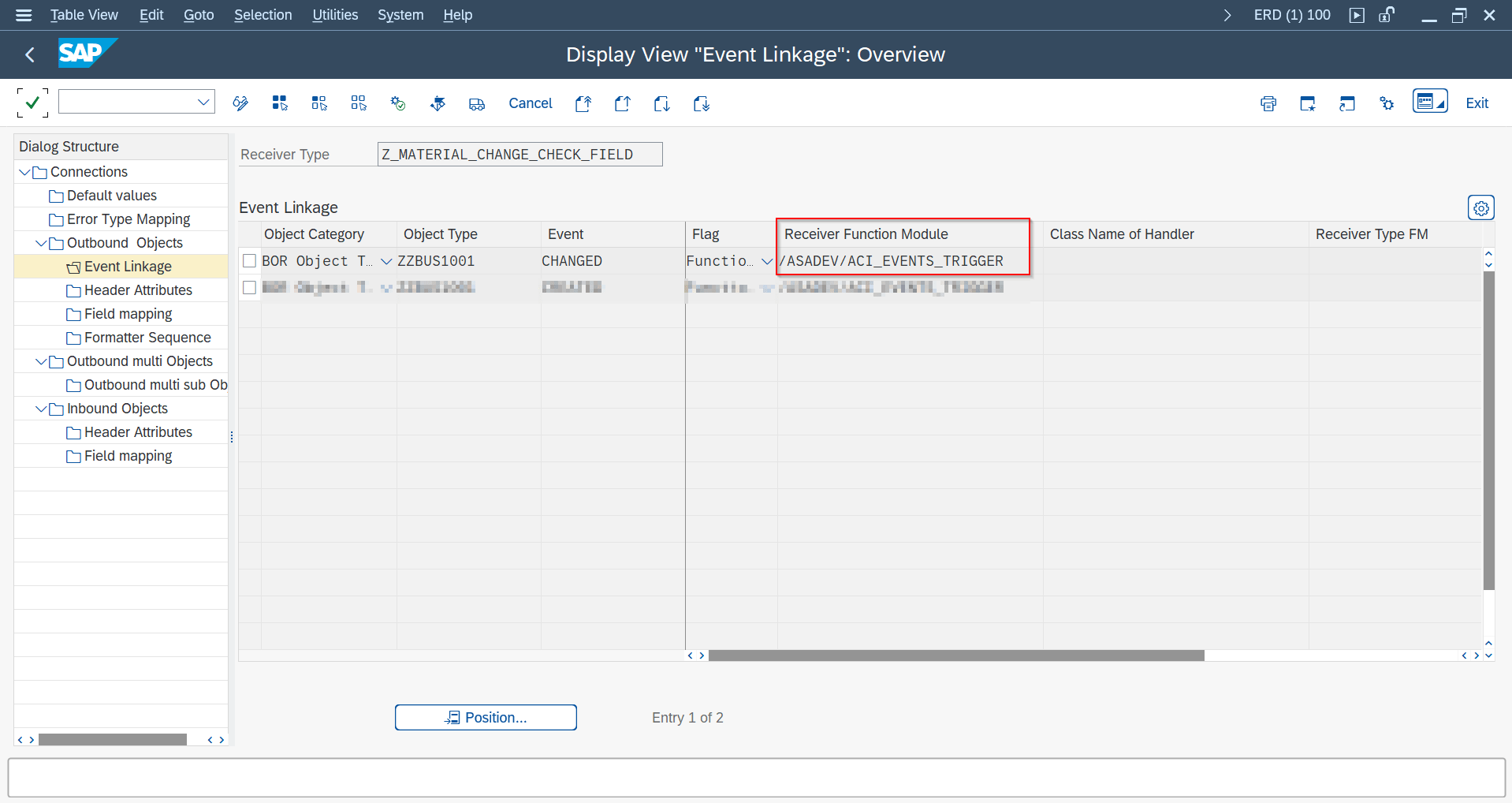
/ASADEV/ACI_EVENTS_CHECK interfaceBAdI-Based Filtering SAP GUI
Implement /ASADEV/TRIGGER_BADI method /ASADEV/TRIGGER_IF~SET_BDCP_LINES to modify/clear change pointer lines before processing.

/ASADEV/TRIGGER_BADI — example filter logic clearing BDCP lines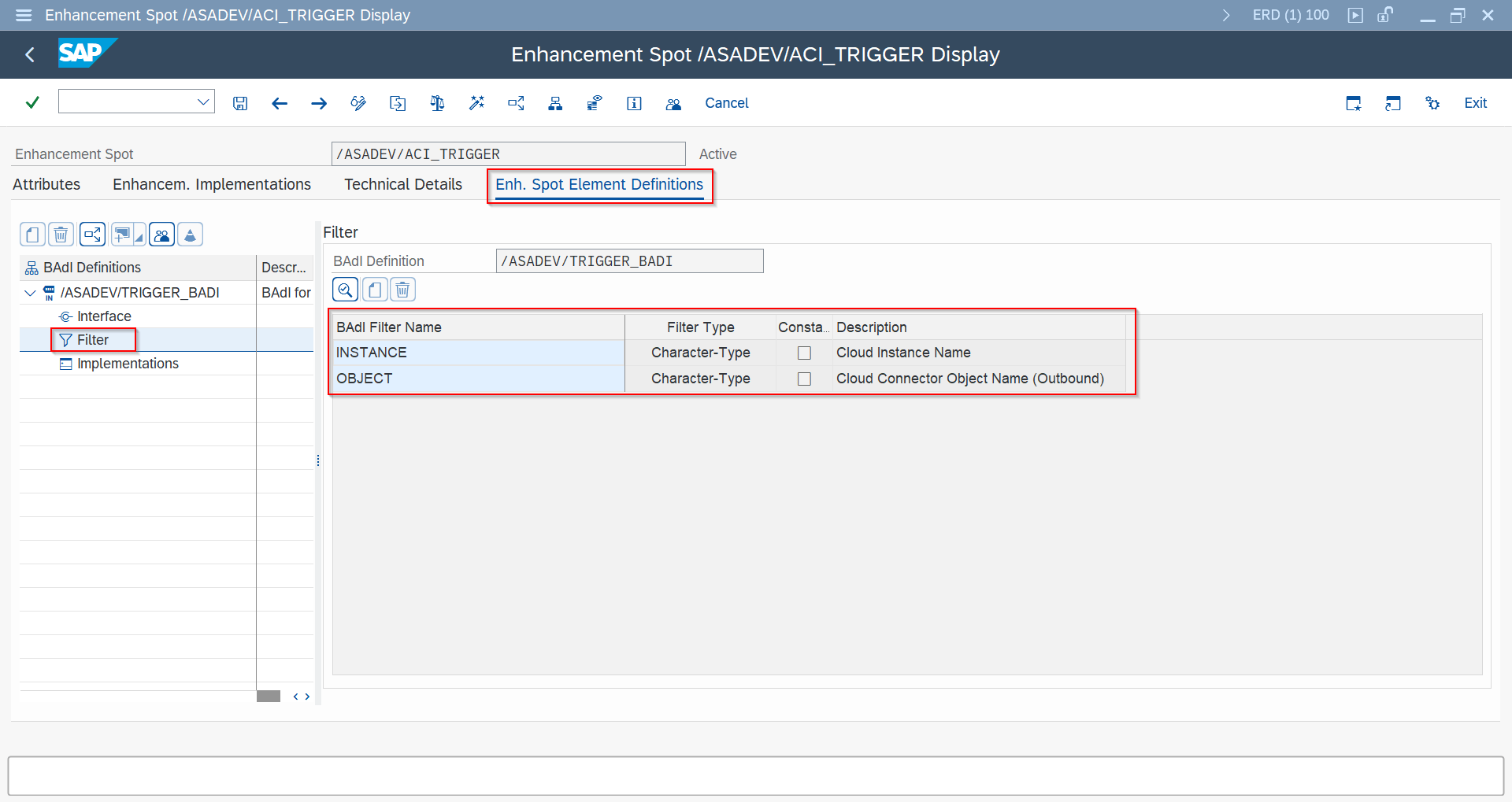
SET_BDCP_LINES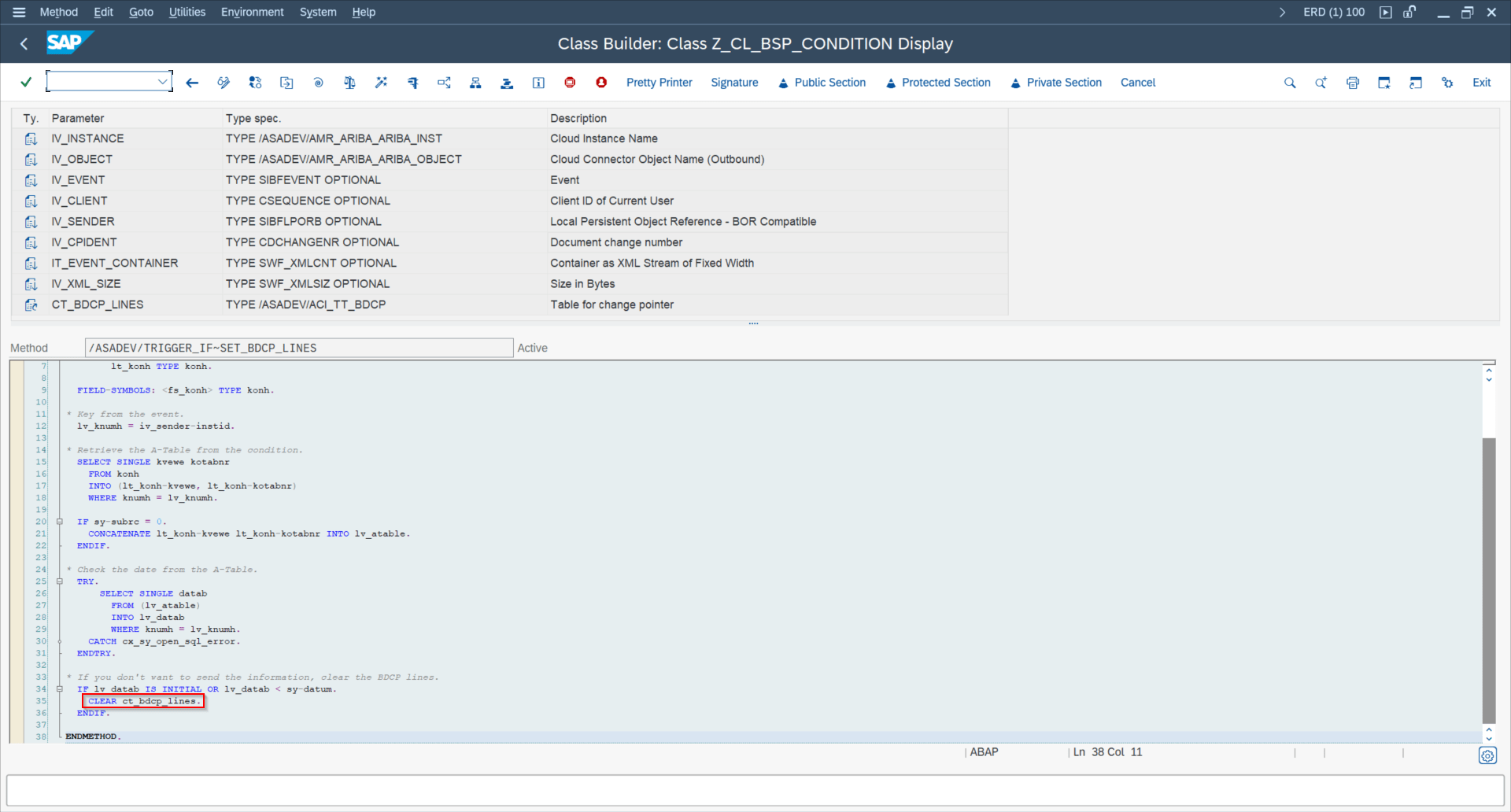
Payload Designer Where Clause SAP GUI
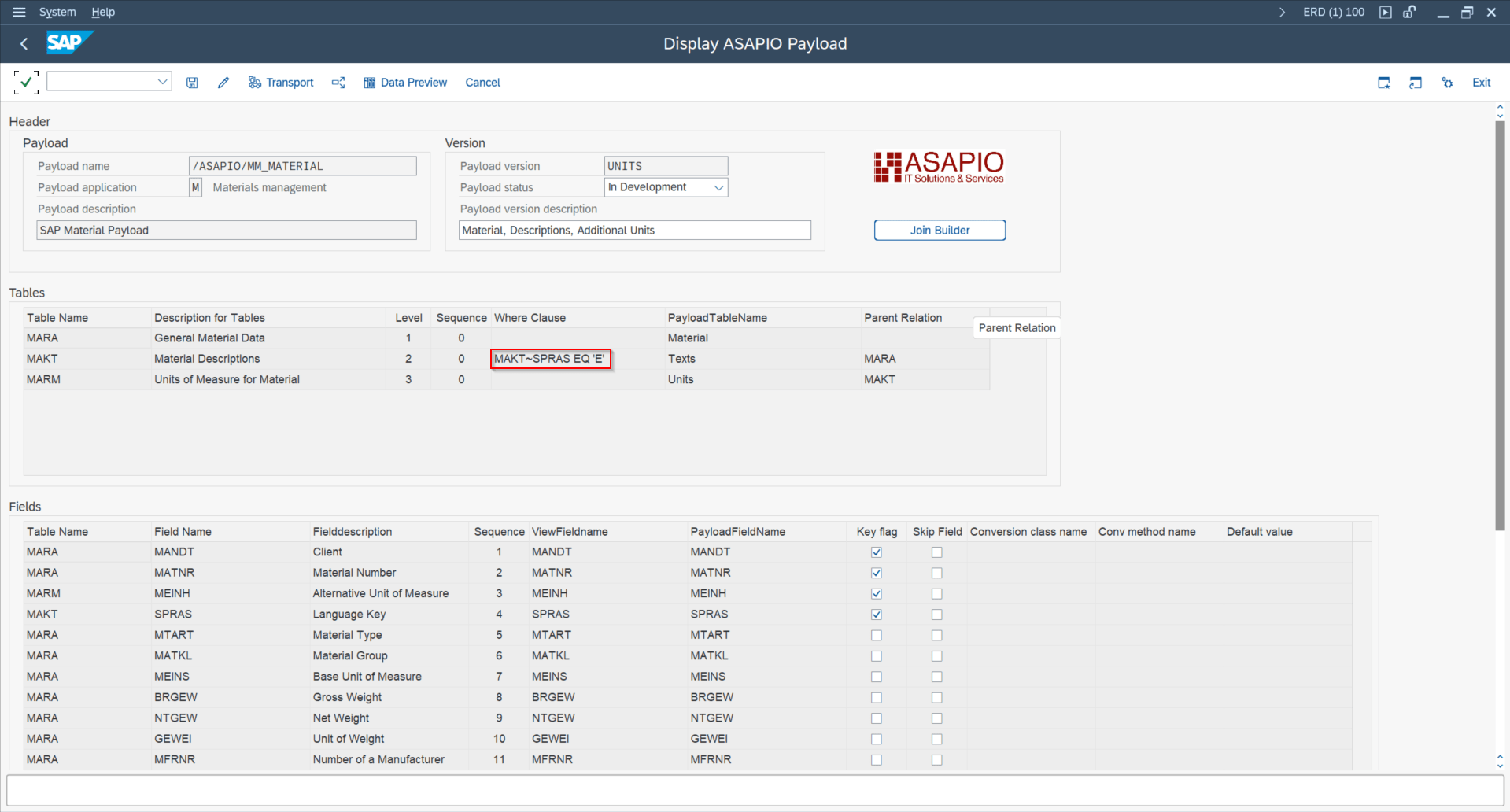
For extraction-level filtering, use where conditions in Payload Designer.
Reachable from Event Studio's Data Catalog via the Payload link on any object tile, which opens Payload Designer in SAP GUI for HTML.
How to Change the Payload SAP GUIEvent Studio
Field Mapping entries (rename, append, convert, skip field, hierarchy, cardinality) are maintained in SAP GUI only. The header-attribute-style options (camel case, disable conversion exit, unique message ID) can also be set via Event Studio's Header Fields Table.
- Rename table/field:
TABLE_RENAME,FIELD_RENAME - Append new field:
APPEND_<TABLE> - Conversion method:
FIELD_CONVERSIONusing interface/ASADEV/IF_ACI_CONVERSION - Skip field:
SKIP_FIELD - Camel case: header
FIELD_CAMELCASE_ACTIVE = X - Change hierarchy:
TABLE_PARENT - Change cardinality:
CARDINALITY_FUNCTIONALITY - Disable conversion exits:
DISABLE_CONVERSION_EXIT = X - Unique message id:
ENABLE_MESSAGE_ID = X

TABLE_RENAME / FIELD_RENAME configuration example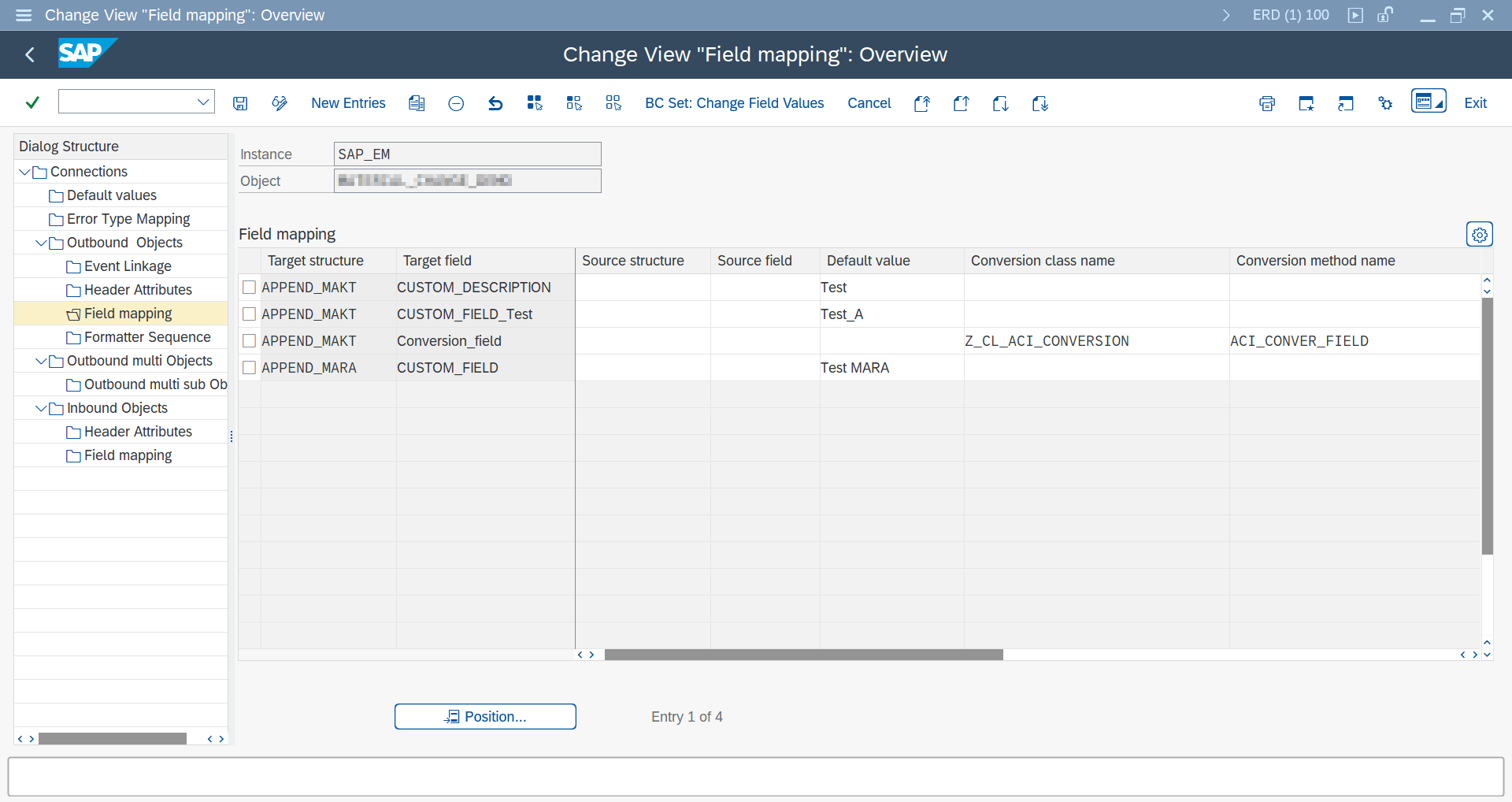
APPEND_<TABLE> with a conversion class/method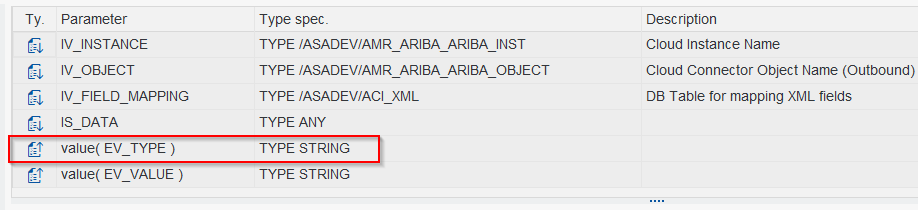
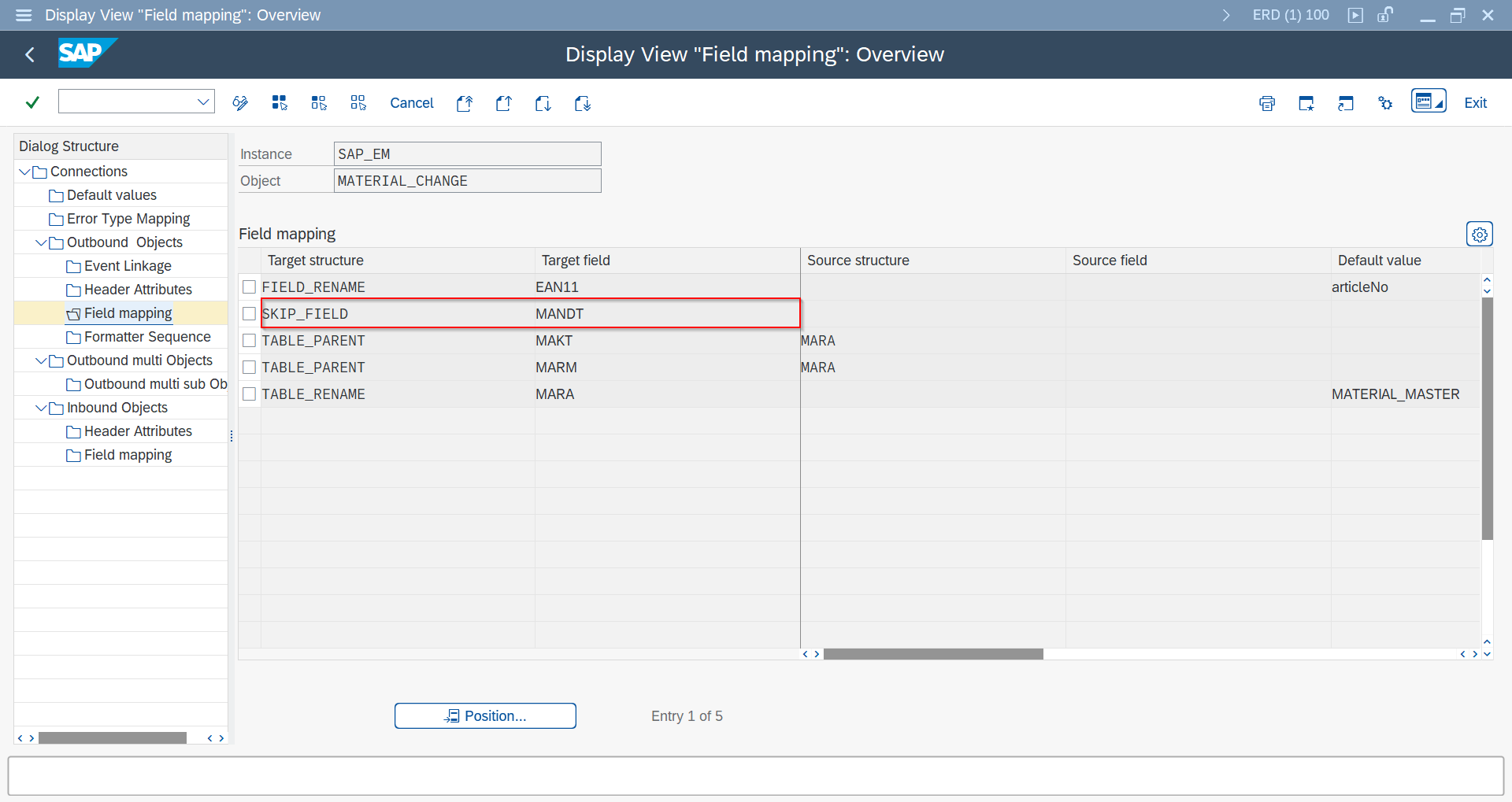
SKIP_FIELD configuration example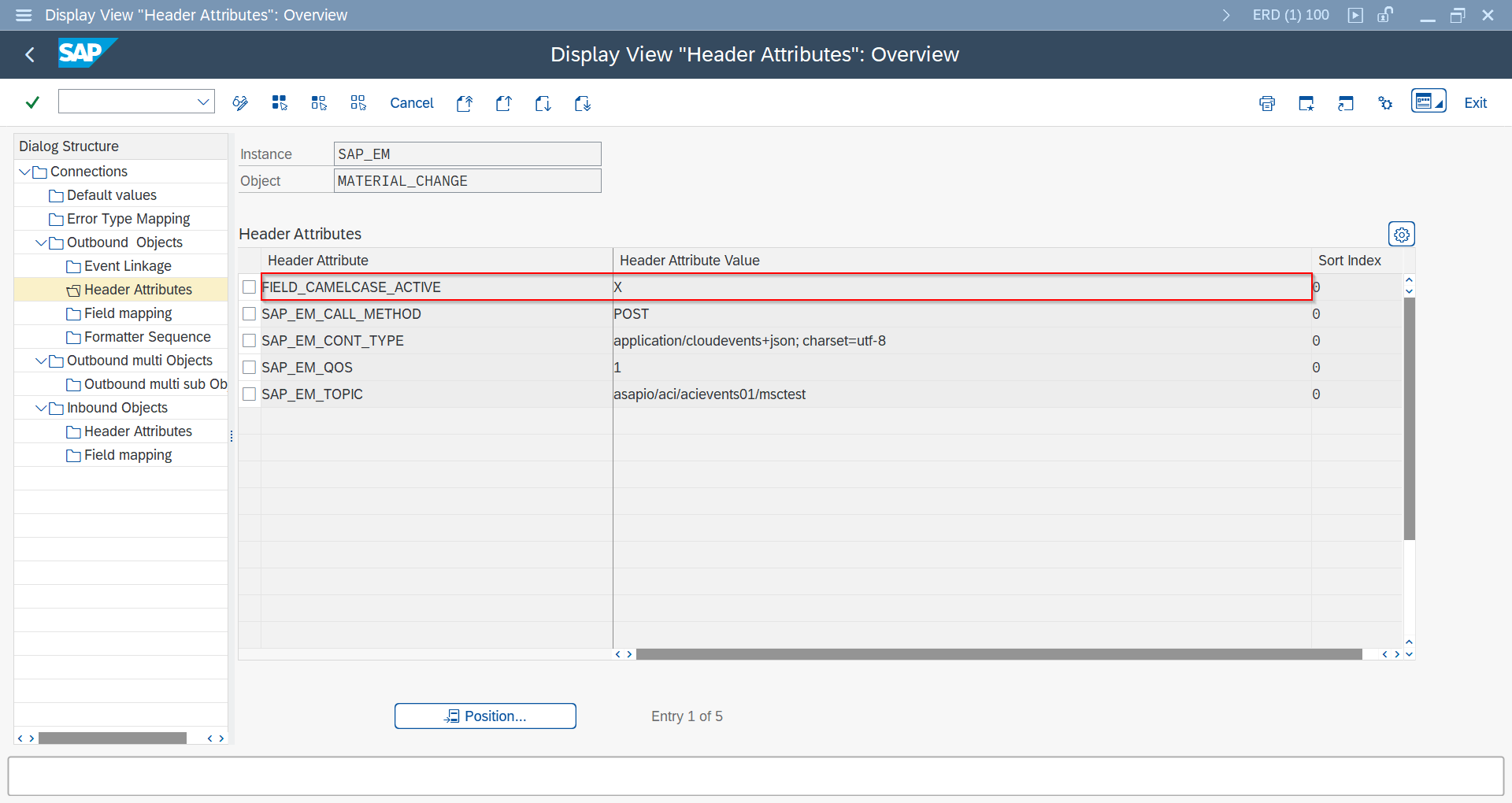
FIELD_CAMELCASE_ACTIVE configuration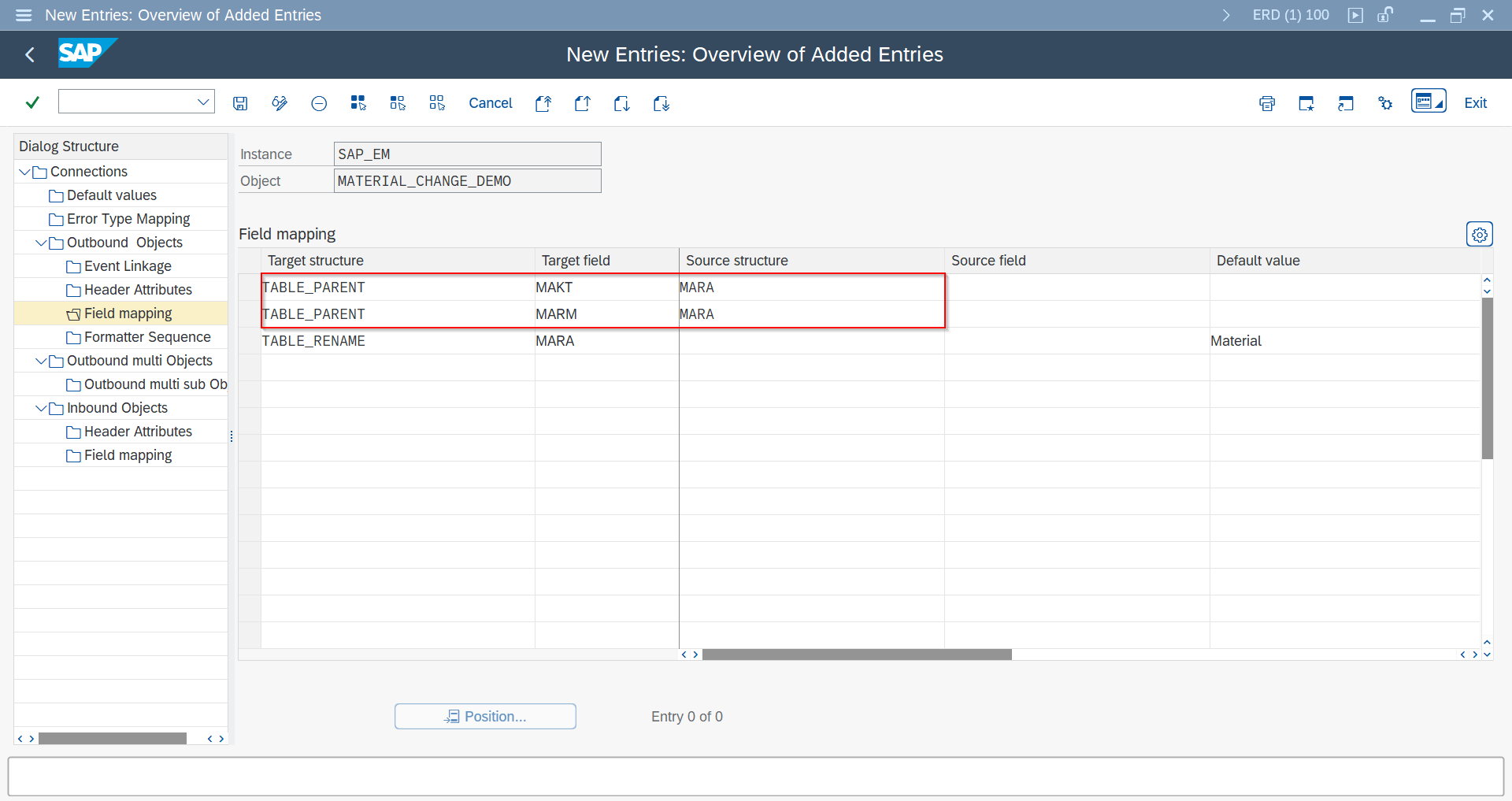
TABLE_PARENT configuration for parent/child hierarchy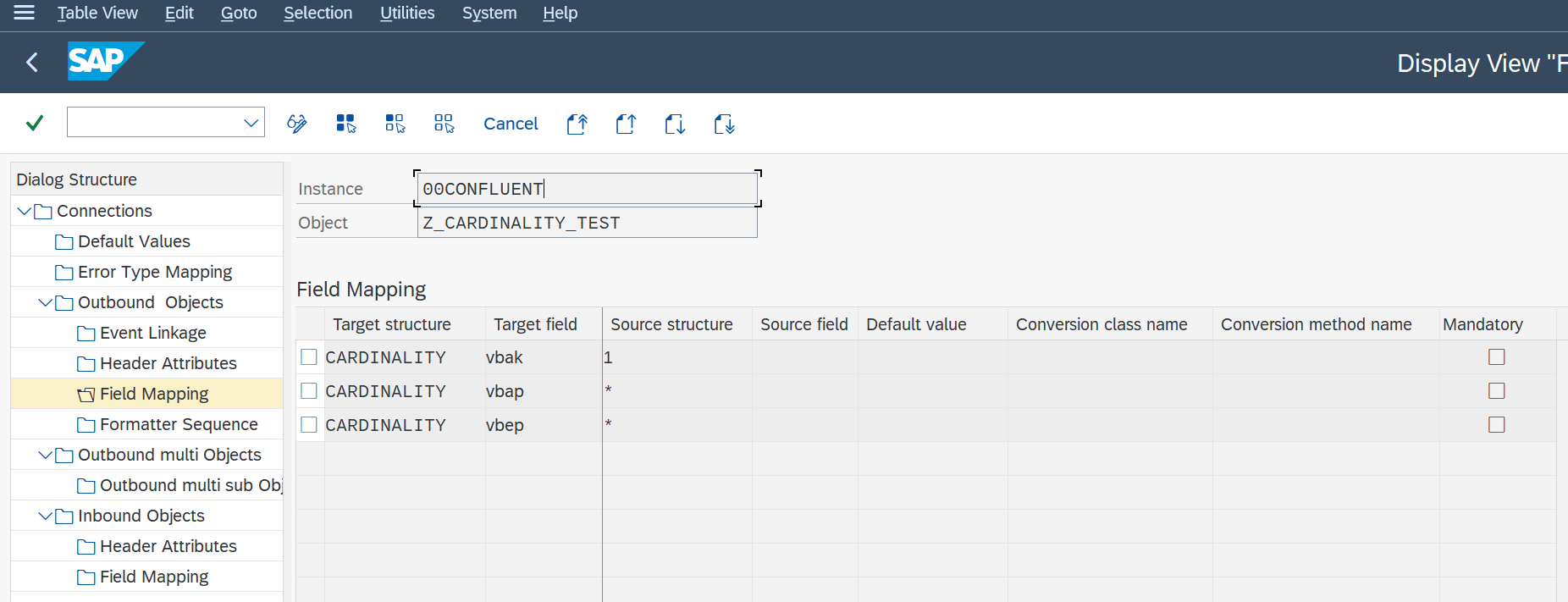
CARDINALITY_FUNCTIONALITY set to 1 or *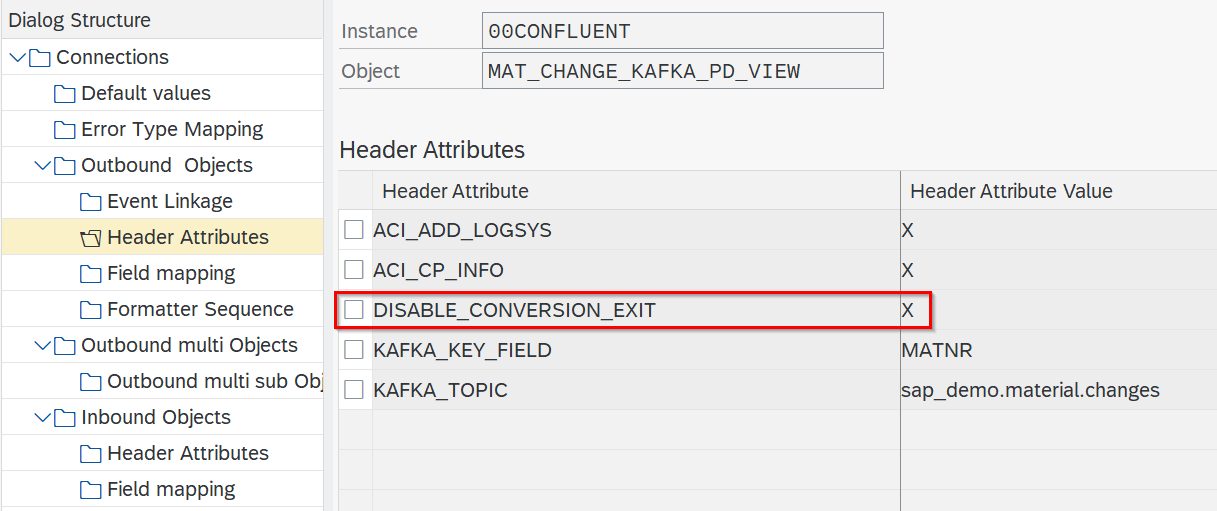
DISABLE_CONVERSION_EXIT configuration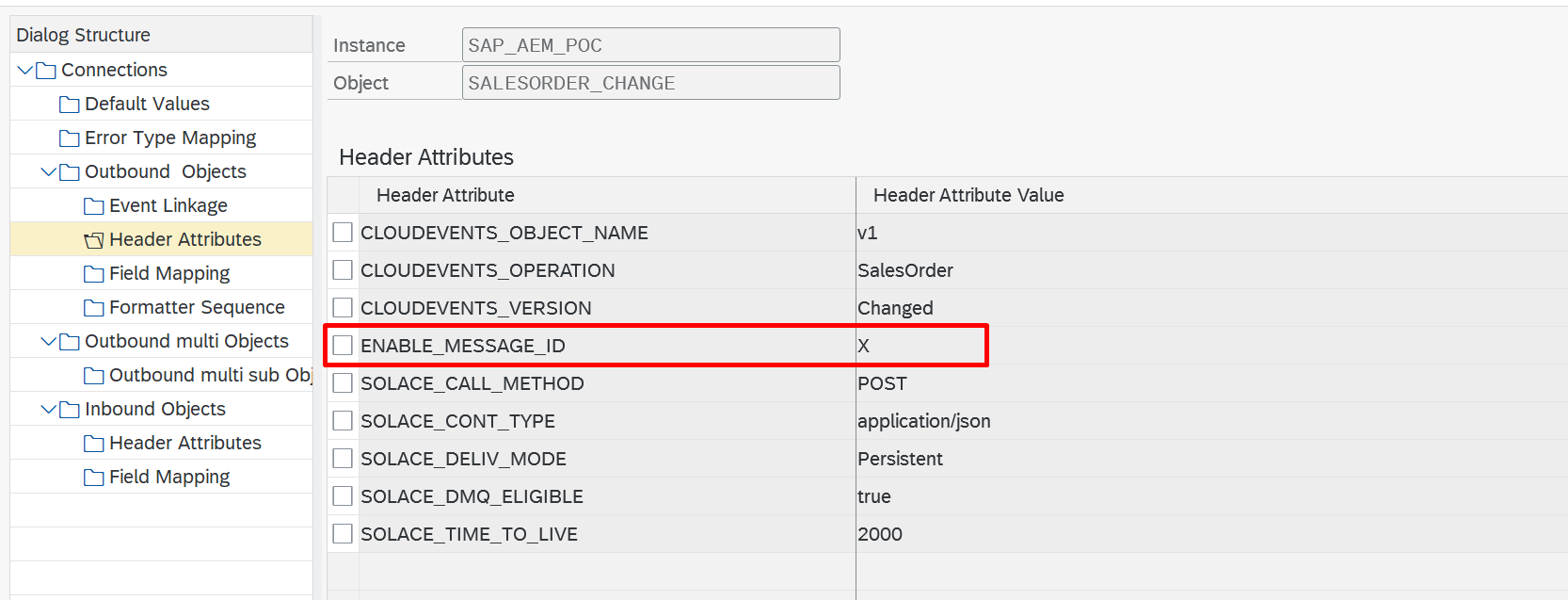
ENABLE_MESSAGE_ID configuration (release 9.32507)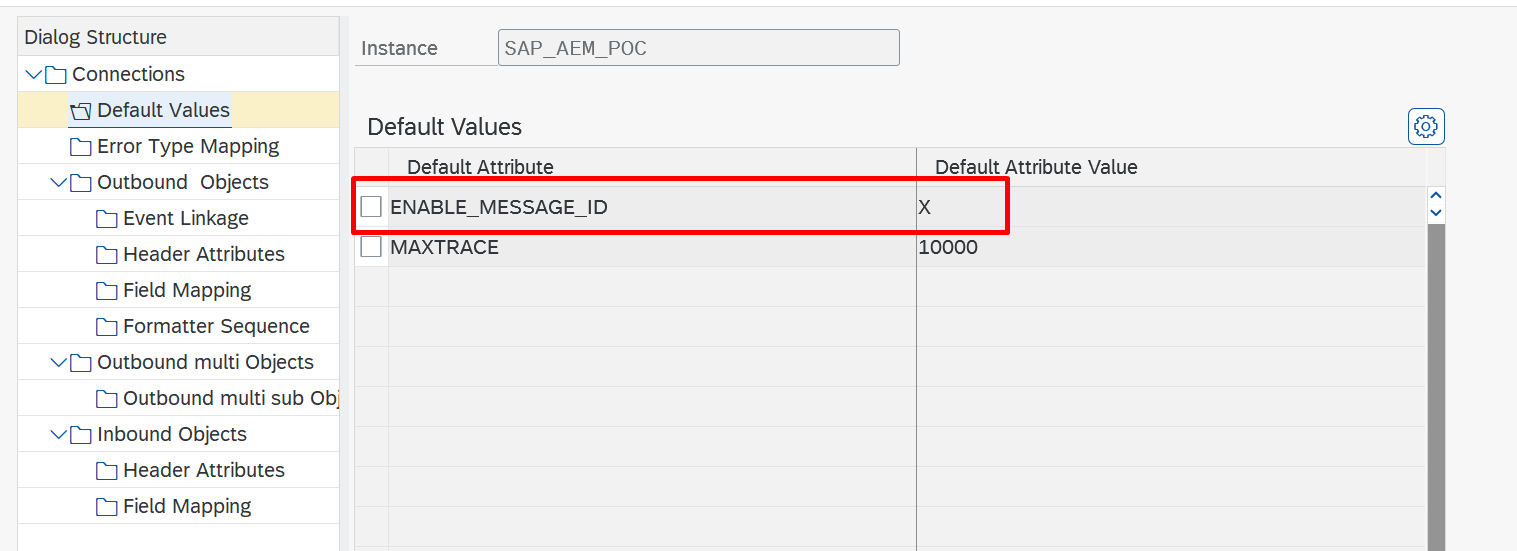
ENABLE_MESSAGE_ID across all Outbound Objects of an Instance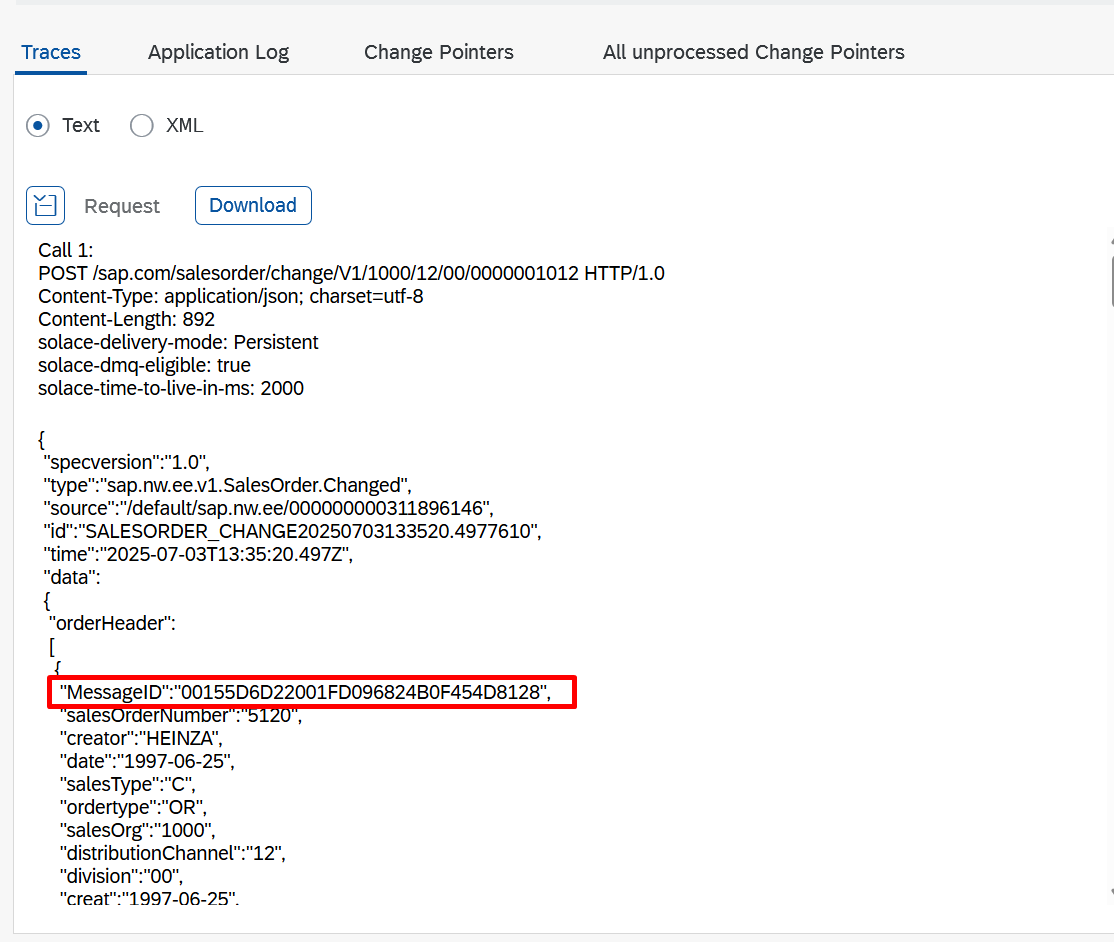
/ASADEV/LGCP_LNK — storage location for the unique message ID and log infoCustom Field Conversion (/ASADEV/IF_ACI_CONVERSION) SAP GUI
With a custom conversion class you can change field values in the payload before the message is sent. The conversion logic is implemented once in an ABAP class and can then be reused for any outbound object. Typical use cases:
- Convert ABAP booleans (
X/ empty) totrue/false - Combine date and time fields into one timestamp field
- Concatenate several source fields into one new field
- Apply any custom mapping or formatting logic
When ASAPIO builds the payload, it checks the Field Mapping (or the Payload Design) for each field. If a conversion class and method are maintained, ASAPIO calls your method, passes the source data, and writes the returned value into the payload.
Trigger → Extraction → Your conversion method → Payload → ConnectorCreate the Conversion Class
- Open transaction SE24 and create a new class in your customer namespace, for example
ZCL_ACI_CONVERSION. - On the Interfaces tab, add the interface
/ASADEV/IF_ACI_CONVERSION. - The interface provides the conversion method. Implement your logic inside it.
any), so they can be reused across objects without changes.Method Parameters
The conversion method receives the Field Mapping configuration and the extracted source data, and returns the converted value:
| Parameter | Direction | Purpose |
|---|---|---|
IV_INSTANCE (TYPE /ASADEV/AMR_ARIBA_ARIBA_INST) | Importing | The Cloud Instance name under which the message is processed. |
IV_OBJECT (TYPE /ASADEV/AMR_ARIBA_ARIBA_OBJECT) | Importing | The Cloud Connector object name (outbound object) that triggered the call. |
IV_FIELD_MAPPING (TYPE /ASADEV/ACI_XML) | Importing | The Field Mapping entry that triggered the call. Contains the configured source field name(s). |
IS_DATA (TYPE any) | Importing | The extracted data record. Typed generically so any structure can be processed. |
EV_VALUE (TYPE string) | Exporting | The converted value that is written into the payload. |
EV_TYPE (TYPE string) | Exporting | Controls the JSON output format. Leave empty for a quoted string. Set to 'raw' for an unquoted value, for example true, false or numbers. |
Example: Read Long Text as JSON
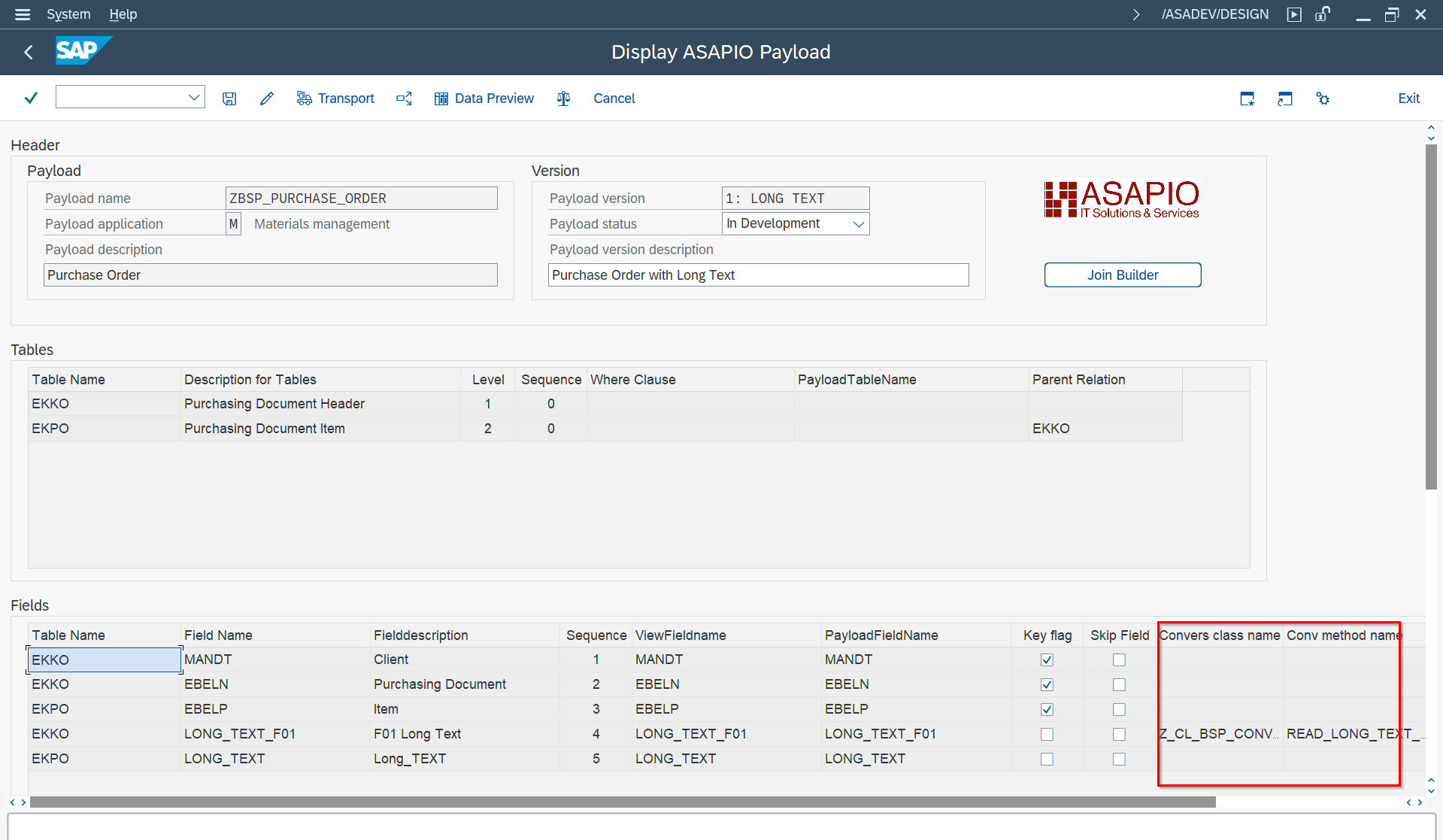
This example reads the header text (text ID F01) of a purchasing document (EKKO) via READ_TEXT, builds a JSON array with one entry per text line, and returns it in EV_VALUE. Setting EV_TYPE = 'raw' is necessary so the array is written into the payload as a JSON substructure instead of a quoted string. The method uses the signature of /ASADEV/IF_ACI_CONVERSION~GET_FIELD_VALUE and is referenced as the conversion method in the configuration.
METHOD read_long_text_ekko_f01.

  DATA: lv_name     TYPE thead-tdname,
        lt_lines    TYPE TABLE OF tline,
        ls_lines    TYPE tline,
        lv_json     TYPE string,
        lv_entry    TYPE string,
        lv_first    TYPE abap_bool,
        lv_text_esc TYPE string.

  FIELD-SYMBOLS: <fs_value> TYPE any.

  CONSTANTS:
    lc_tdid    TYPE thead-tdid     VALUE 'F01',
    lc_object  TYPE thead-tdobject VALUE 'EKKO',
    lc_ebeln   TYPE fieldname      VALUE 'EBELN'.

  ASSIGN COMPONENT lc_ebeln OF STRUCTURE is_data TO <fs_value>.
  IF <fs_value> IS NOT ASSIGNED.
    " Field not found - return empty, caller must handle
    RETURN.
  ENDIF.

  lv_name = <fs_value>.

* ev_type = 'string'.
  ev_type = 'raw'. " Necessary to create a JSON substructure

  CALL FUNCTION 'READ_TEXT'
    EXPORTING
      id                      = lc_tdid     " Text ID of text to be read
      language                = sy-langu    " Language of text to be read
      name                    = lv_name     " Name of text to be read
      object                  = lc_object   " Object of text to be read
    TABLES
      lines                   = lt_lines    " Lines of text read
    EXCEPTIONS
      id                      = 1
      language                = 2
      name                    = 3
      not_found               = 4
      object                  = 5
      reference_check         = 6
      wrong_access_to_archive = 7
      OTHERS                  = 8.
  IF sy-subrc = 0.

    lv_first = abap_true.
    lv_json = '['. " Start JSON array

    LOOP AT lt_lines INTO ls_lines.

      " Escape double quotes in text to avoid broken JSON
      lv_text_esc = ls_lines-tdline.
      REPLACE ALL OCCURRENCES OF '\' IN lv_text_esc WITH '\\'.
      REPLACE ALL OCCURRENCES OF '"' IN lv_text_esc WITH '\"'.

      " Build JSON object string
      IF lv_first = abap_true.
        lv_first = abap_false.
      ELSE.
        CONCATENATE lv_json ',' INTO lv_json.
      ENDIF.

      CONCATENATE lv_json
                  '{"format":"' ls_lines-tdformat
                  '","text":"'  lv_text_esc
                  '"}'
             INTO lv_json.

    ENDLOOP.

    CONCATENATE lv_json ']' INTO lv_json.  " Close JSON array

    ev_value = lv_json.

  ELSE.
    ev_value = '{}'.

  ENDIF.

ENDMETHOD.
Result in the payload:
{
  "HeaderText": [
    { "format": "*", "text": "First line of the header text" },
    { "format": "*", "text": "Second line of the header text" }
  ]
}
Configuration
You can maintain the conversion in two places. Both lead to the same result.
Option A: Field Mapping (Outbound Object)
- Open
/ASADEV/ACI_SETTINGSand select your outbound object. - Open the Field Mapping.
- Create an entry with the following values:
- Target structure:
FIELD_CONVERSION - Target field: the field name to be converted
- Conversion class: your class, for example
ZCL_ACI_CONVERSION - Conversion method: the method to call
- Target structure:
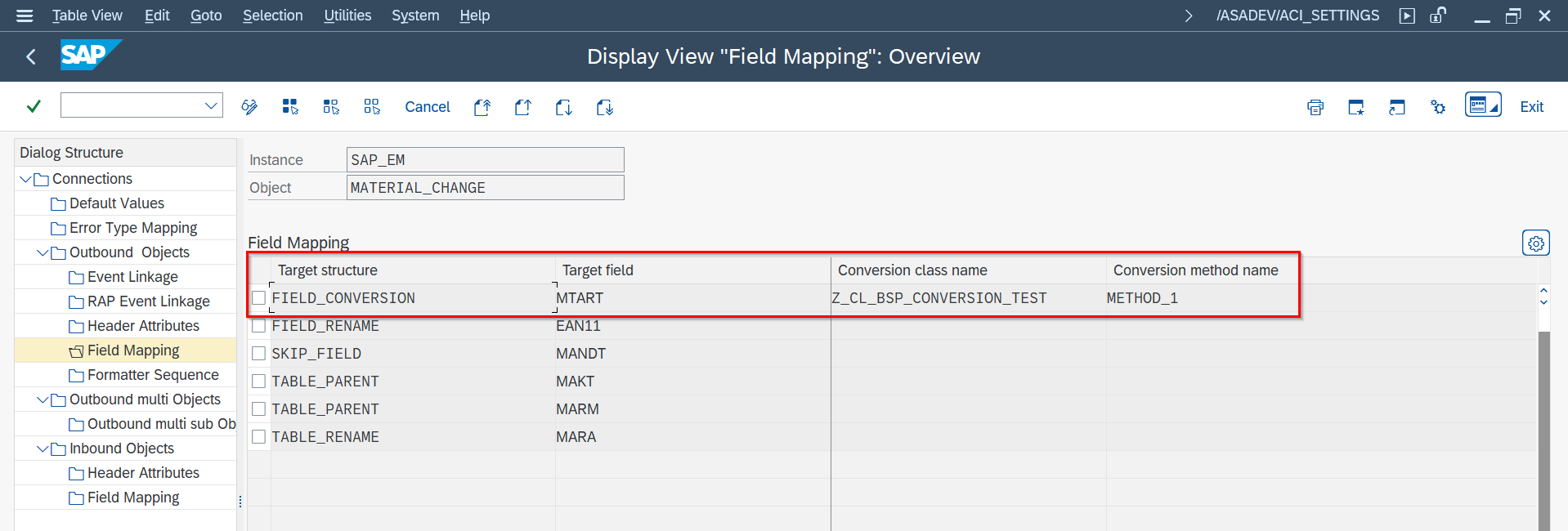
FIELD_CONVERSION entry with conversion class and method nameOption B: Payload Designer
- Open transaction
/ASADEV/DESIGNand select or create a payload design. - Select the field to be converted.
- Enter the conversion class and conversion method directly on the field.
Change Pointer Enhancements SAP GUI
Release 9.32405 introduced change indicator mapping (I/U/D) by event naming convention and optional mapping table /ASADEV/ACI_CP_I.
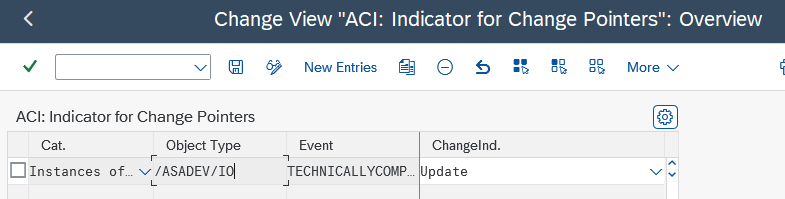
/ASADEV/ACI_CP_I mapping event names to change indicators (I/U/D)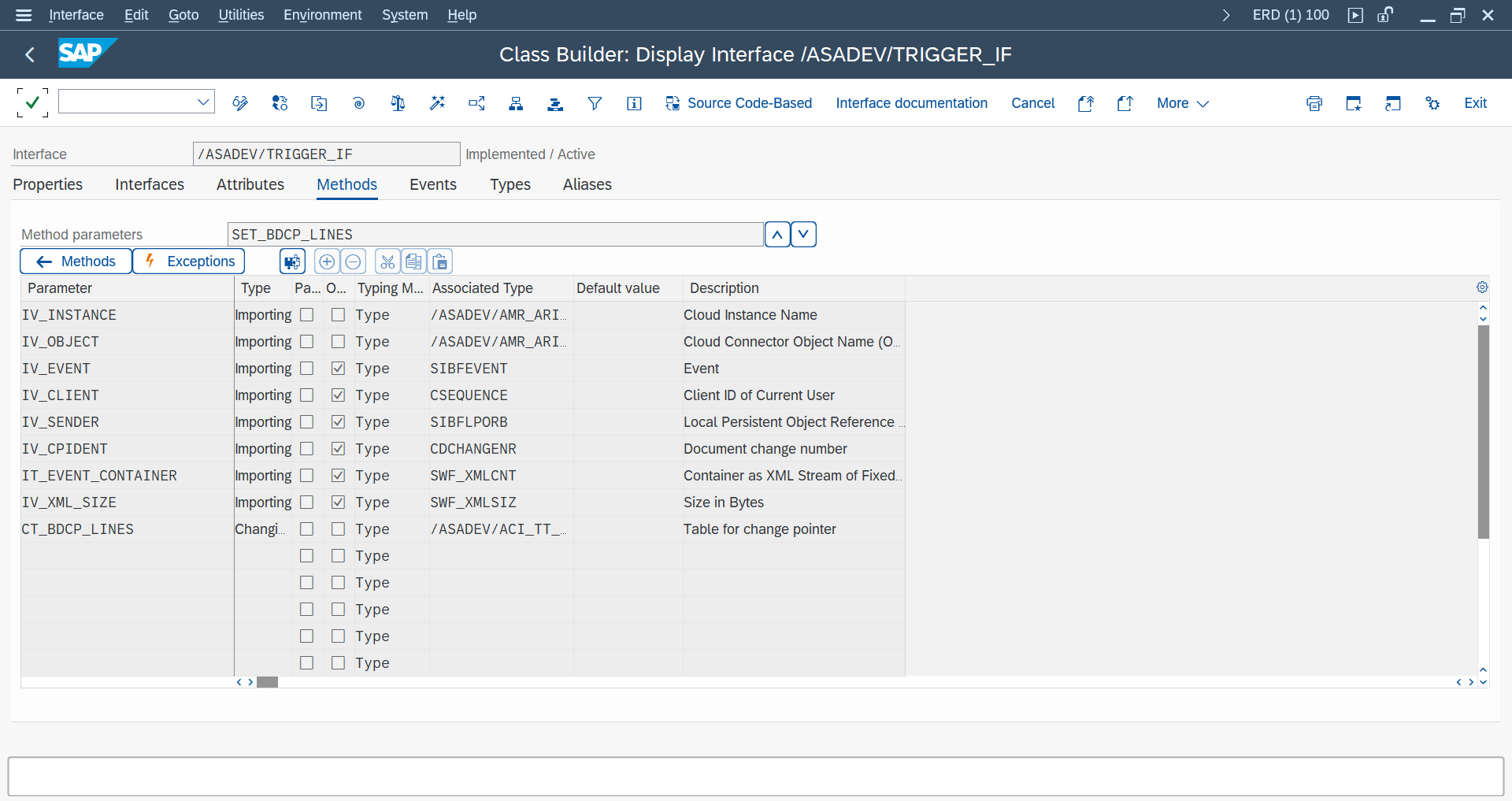
/ASADEV/TRIGGER_BADI — implementation guidelines and method signature
/ASADEV/TRIGGER_BADI — example key-translation use caseBatch Job (Job Processed Messaging) SAP GUI
- Set message type as async in
/ASADEV/ACI_SYNC(Sync Off). - Create variant in
/ASADEV/ACI. - Schedule
/ASADEV/AMR_REPLICATORvia SM36.
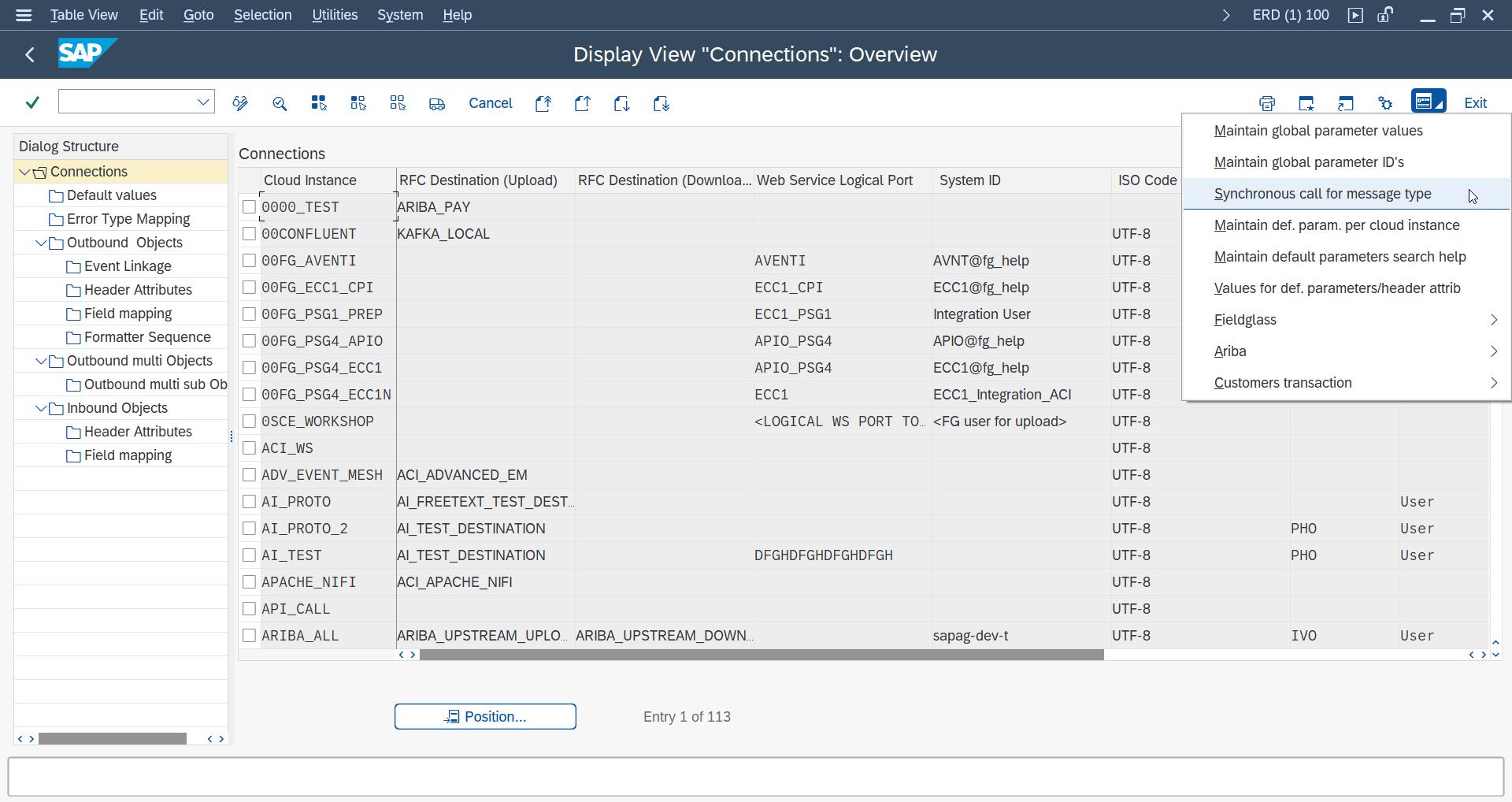
/ASADEV/ACI_SYNC — configuring the message type for job-processed (synchronous) messaging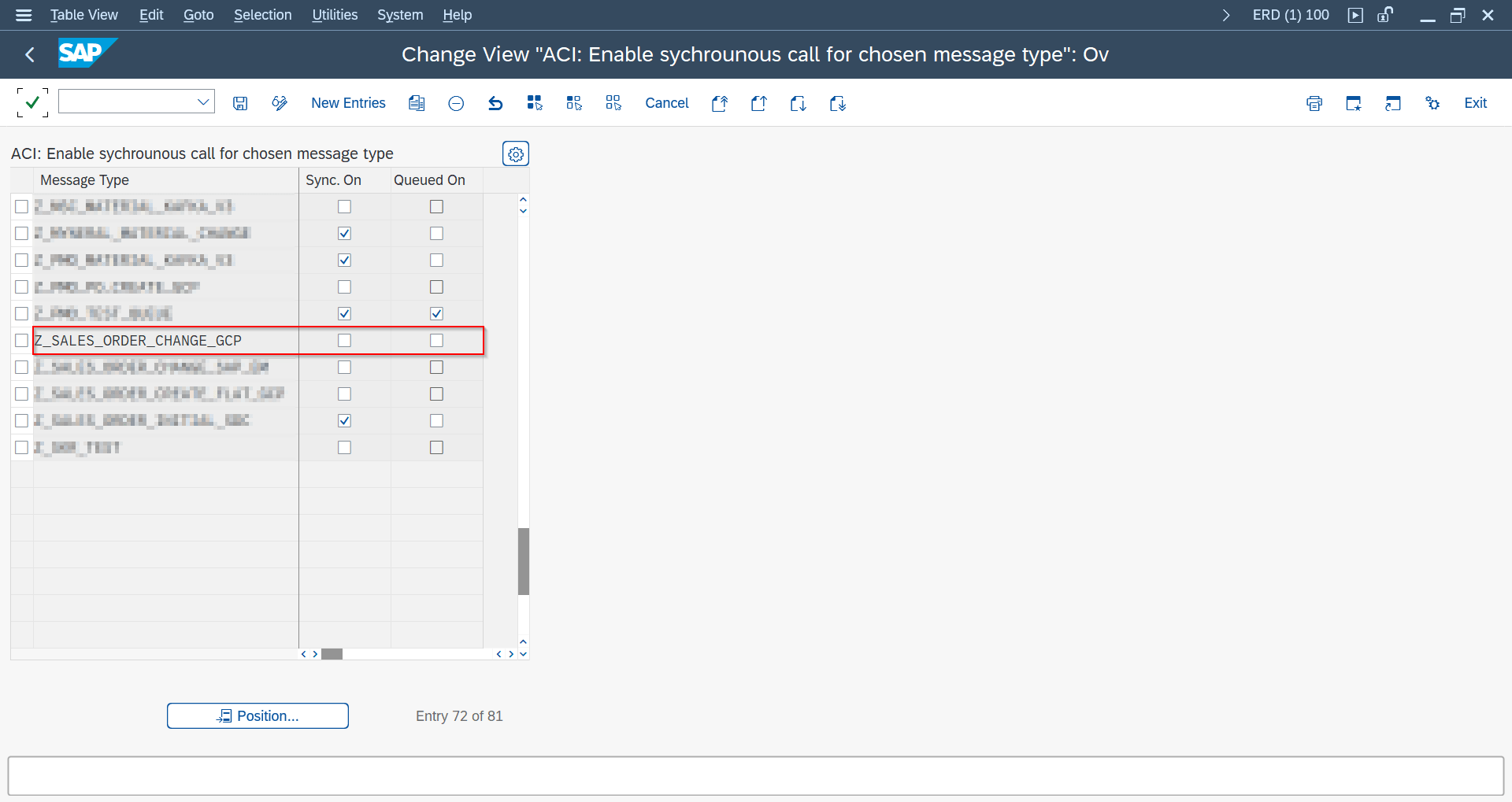
/ASADEV/ACI_SYNC — configuration detail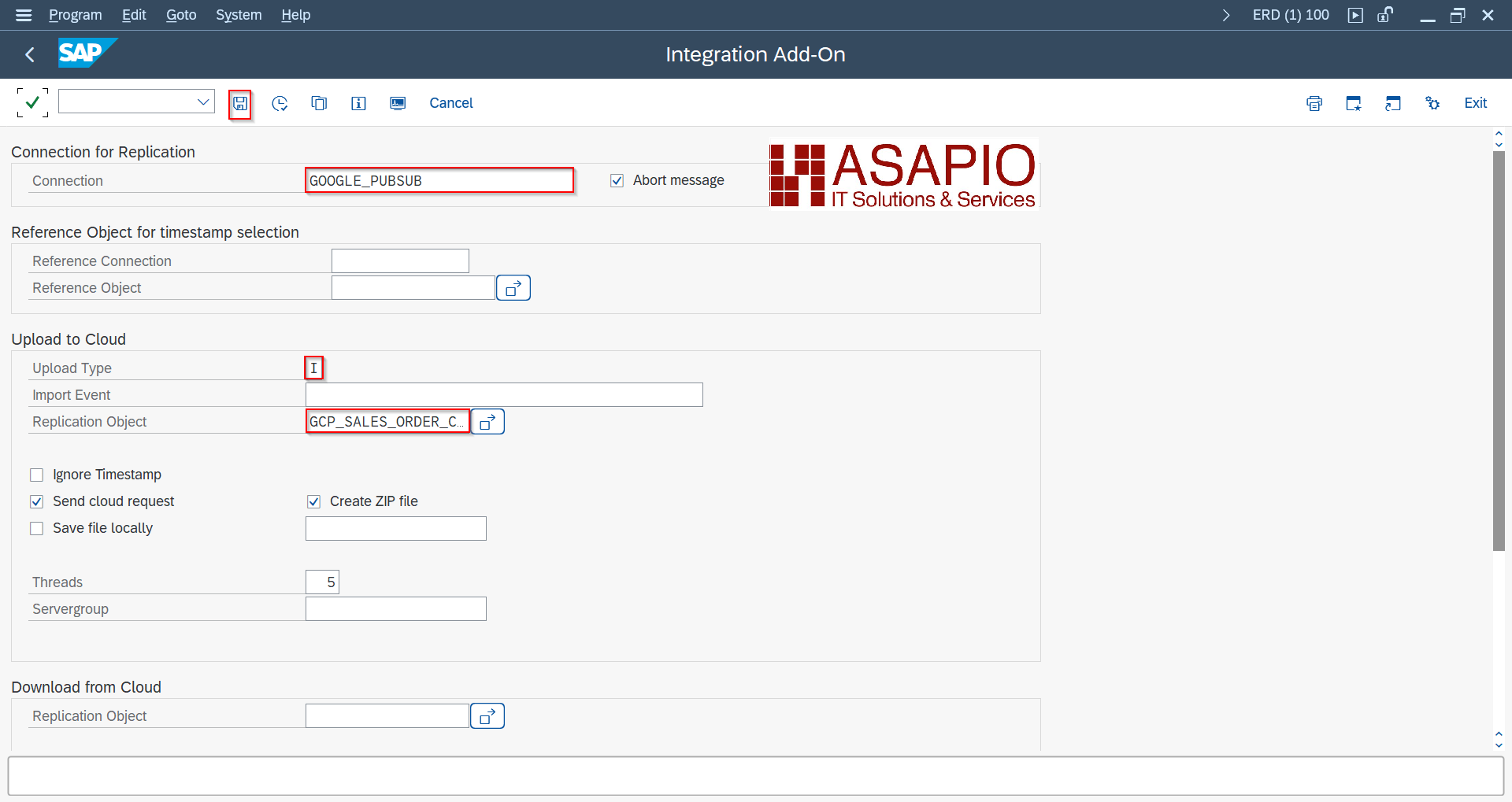
/ASADEV/ACI — defining and saving a replication variant (Upload Type I)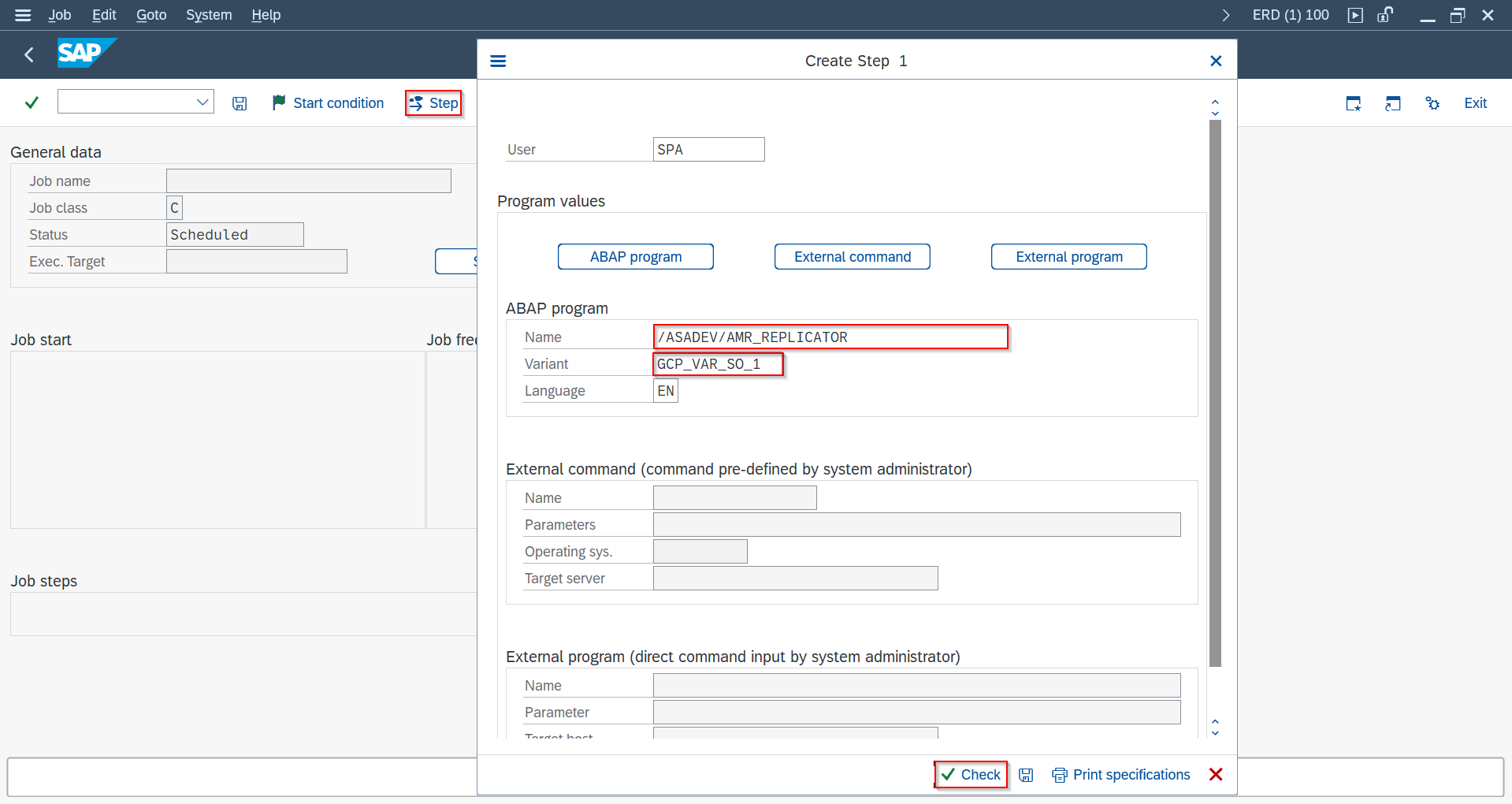
/ASADEV/AMR_REPLICATOR with the saved variant
/ASADEV/ACI_MONITOR — trace output after running the scheduled jobPacked Load / Initial Load SAP GUIEvent Studio
Use load type Packed Load for large-volume extraction and reprocessing.
Selecting Load Type = Packed Load and maintaining its header attributes (ACI_PACK_*) can be done via Event Studio's Create Interface and Header Fields Table. The underlying database view (SE11) and the Max Threads / Thread Buffer / WHERE condition options on /ASADEV/ACI still require SAP GUI.
| Header Attribute | Description |
|---|---|
ACI_PACK_BDCP_COMMIT | Create change pointers per packed entry |
ACI_PACK_TABLE | Header table used for key slicing |
ACI_PACK_RETRY_TIME | Resource retry timeout in seconds |
ACI_PACK_WHERE_COND | Extraction constraint condition |
ACI_PACK_SIZE | Package size |
ACI_PACK_KEY_LENGTH | Key length for chunking |

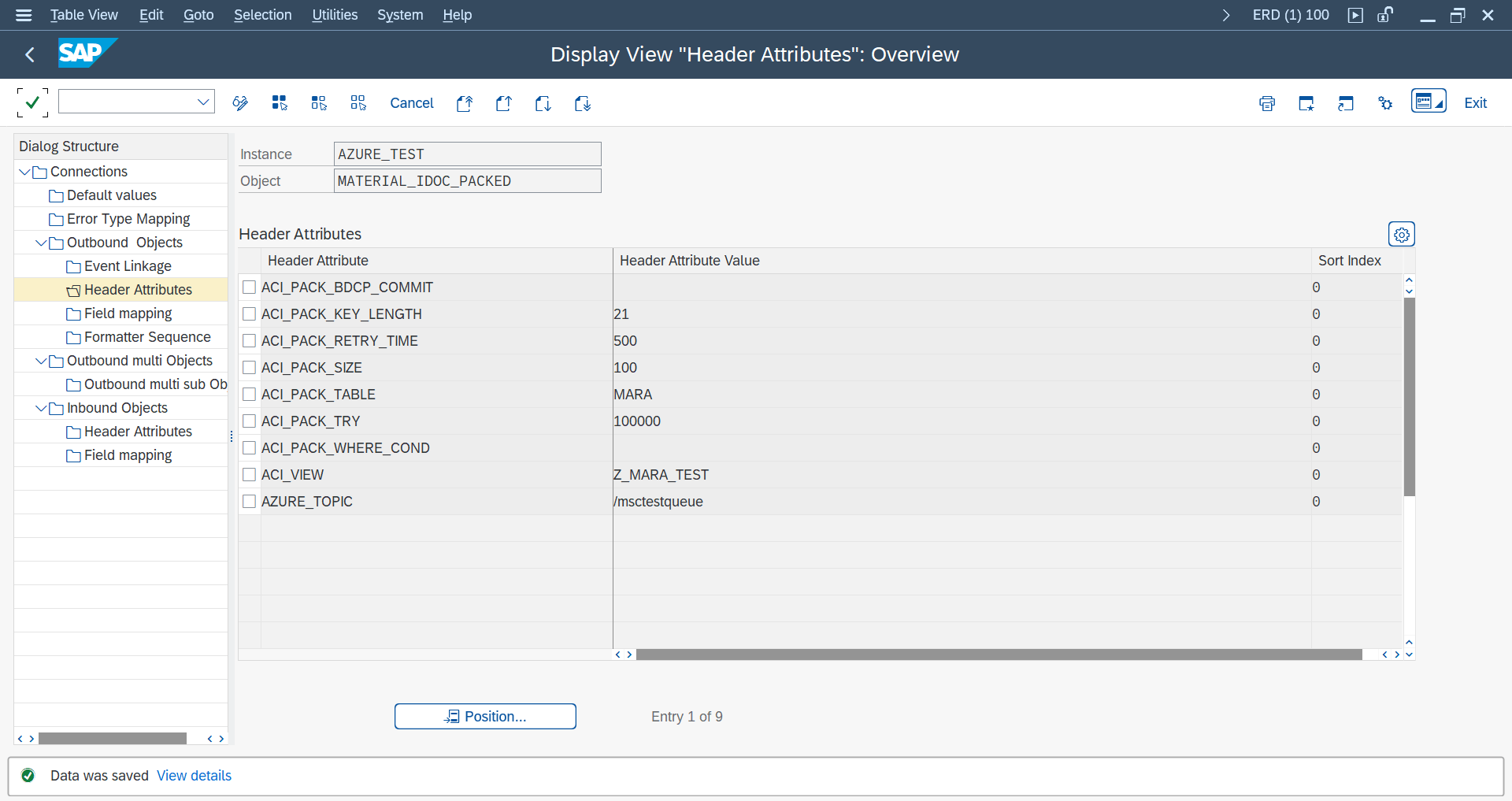
ACI_PACK_* configuration for Packed/Initial Load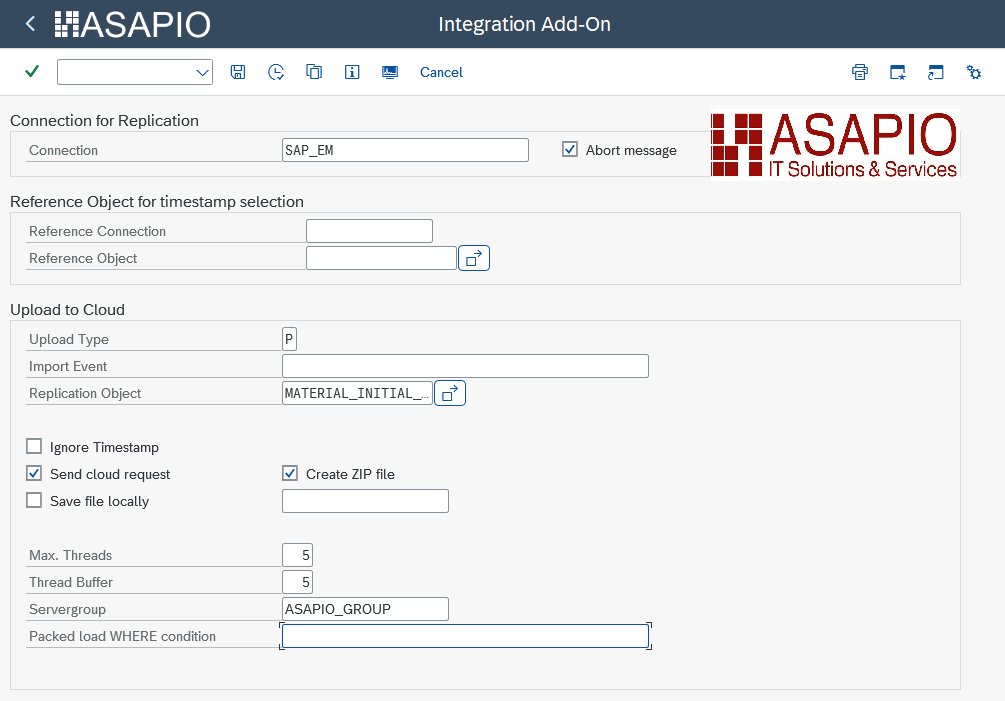
/ASADEV/ACI — Max. Threads, Thread Buffer and WHERE condition options (release 9.32504/SP11)Packed Reprocessing SAP GUIEvent Studio
Use a reprocessing object with Load Type = Packed Load and maintain Full Obj. Reference to the incremental object.
For reprocessing, configure the following header attributes:
| Release | Attribute | Value |
|---|---|---|
| Older than 9.32604 SP13 | ACI_PACK_TABLE | BDCP2 |
ACI_PACK_KEY_LENGTH | 43 | |
| 9.32604 SP13 and newer | ACI_PACK_TABLE | /ASADEV/MESG_STS |
ACI_PACK_KEY_LENGTH | 43 |
The Load Type = Packed Load selection and its header attributes (ACI_PACK_TABLE, ACI_PACK_KEY_LENGTH) can be maintained via Event Studio. The Full Obj. Reference field, which links the reprocessing object to its incremental counterpart, is not available as a header attribute in Event Studio and is currently maintained in SAP GUI.
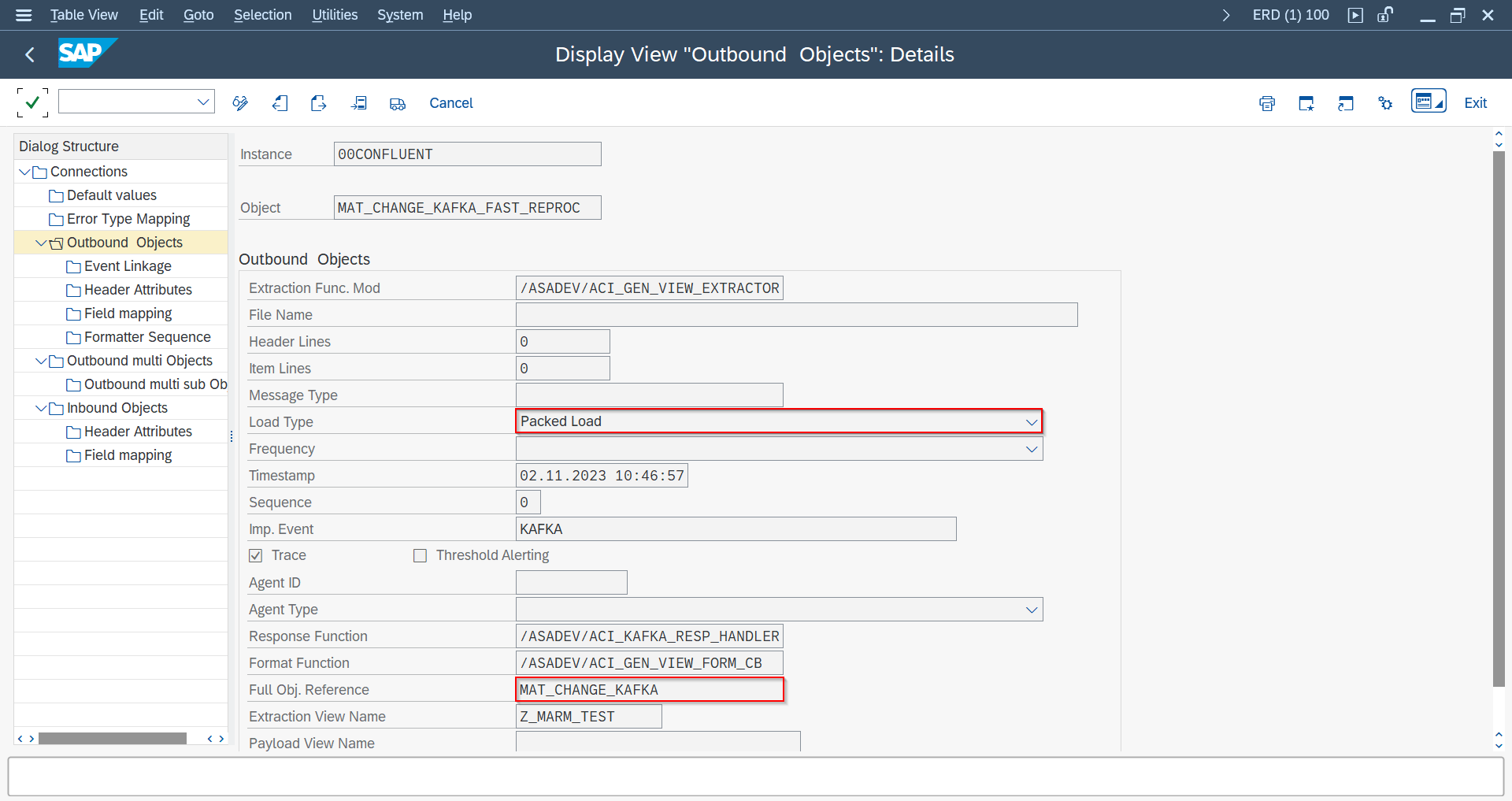
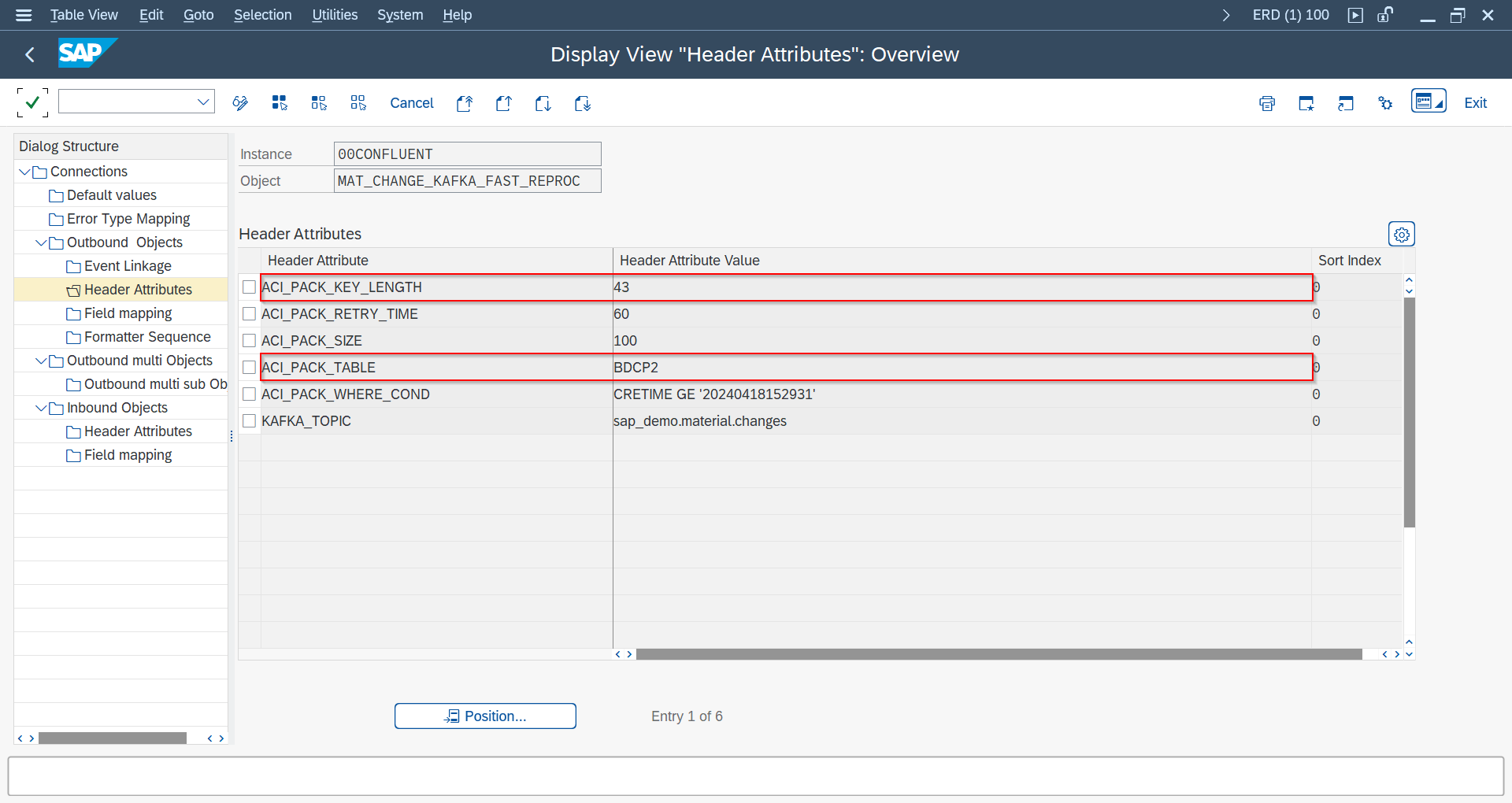
ACI_PACK_TABLE = BDCP2, ACI_PACK_KEY_LENGTH = 43 for reprocessing (releases older than 9.32604 SP13)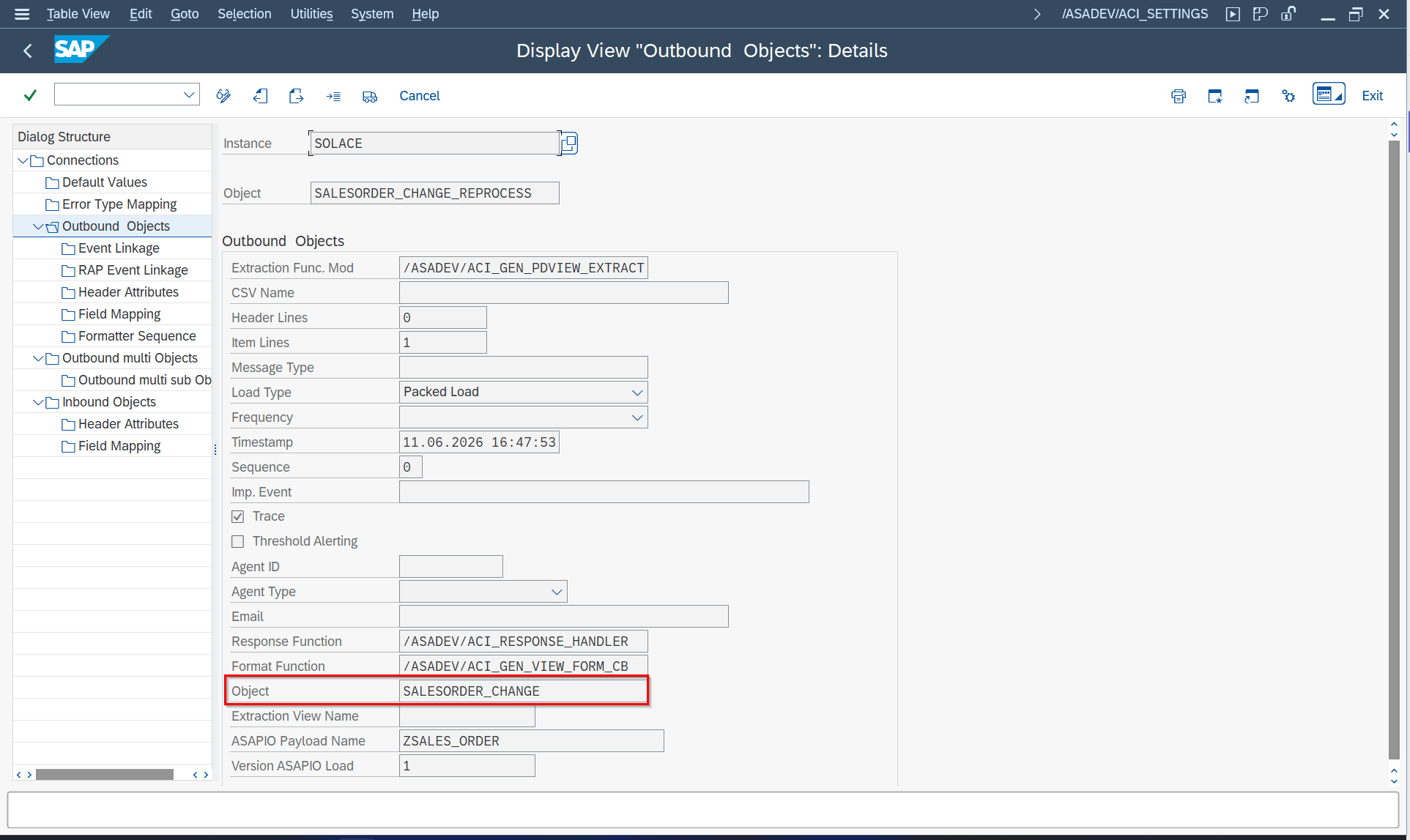
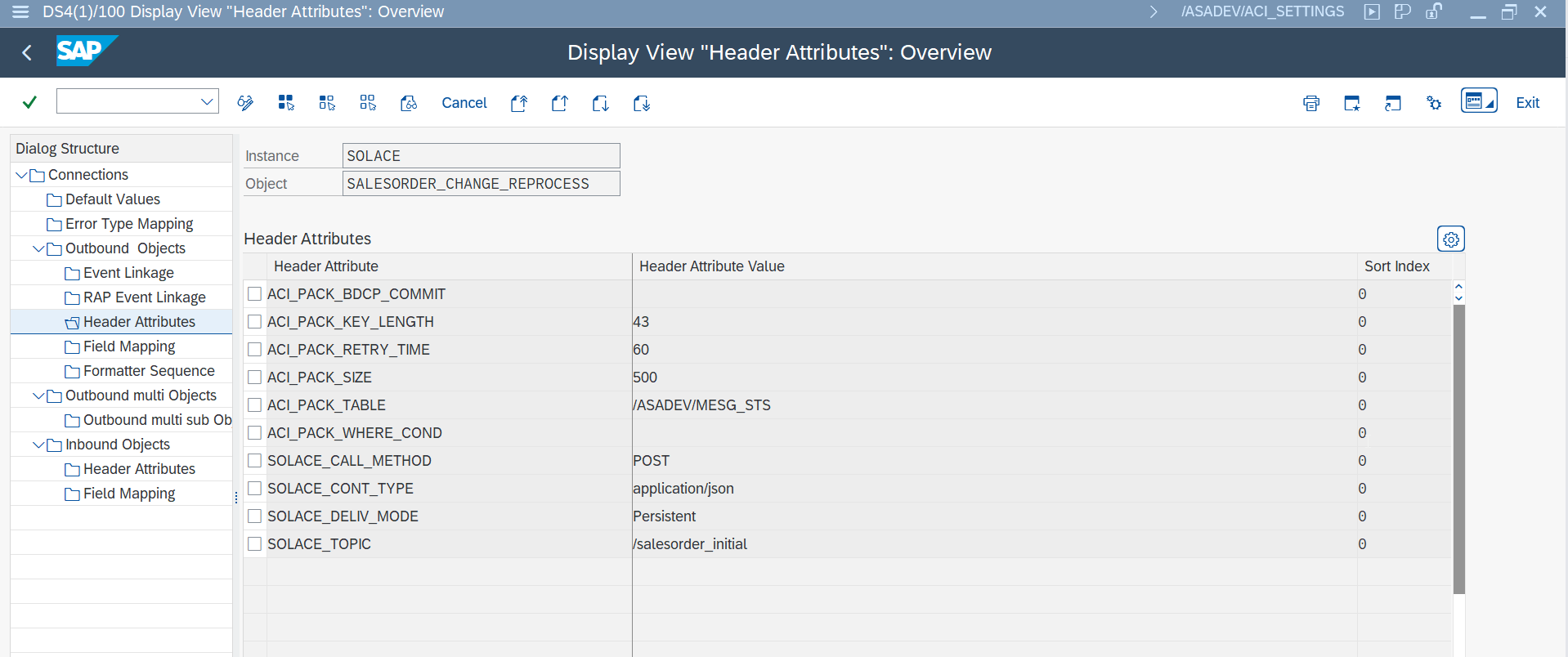
ACI_PACK_TABLE = /ASADEV/MESG_STS, ACI_PACK_KEY_LENGTH = 43 for reprocessing (release 9.32604 SP13 and newer)Immediate Retry Feature SAP GUIEvent Studio
Since release 9.32410:
ACI_IMMEDIATE_RETRIES: number of immediate retriesACI_RETRY_WAIT_TIME: wait time in seconds between retries
Object-level overrides (both attributes above, set as header attributes) can be maintained via Event Studio's Header Fields Table. The connection-level default is edited from Event Studio's Connections page, which hands off to SAP GUI for HTML.
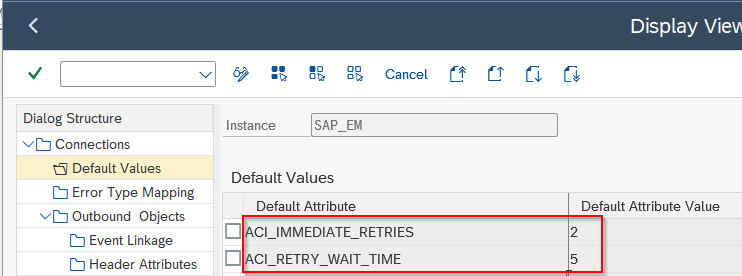
ACI_IMMEDIATE_RETRIES and ACI_RETRY_WAIT_TIME at connection level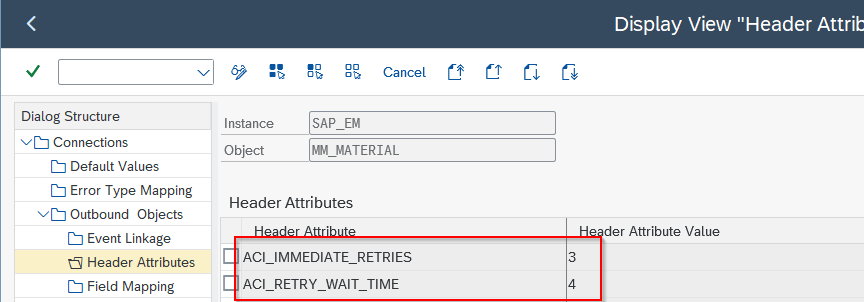
ACI_IMMEDIATE_RETRIES / ACI_RETRY_WAIT_TIME at object level (overrides connection default)Custom Triggers, Extractors, and Formatters SAP GUI
For advanced scenarios, implement custom events and trigger logic via SWU_EWCD, user exits, BAdIs, or SLT enhancements. This is especially useful where no standard SAP trigger exists.
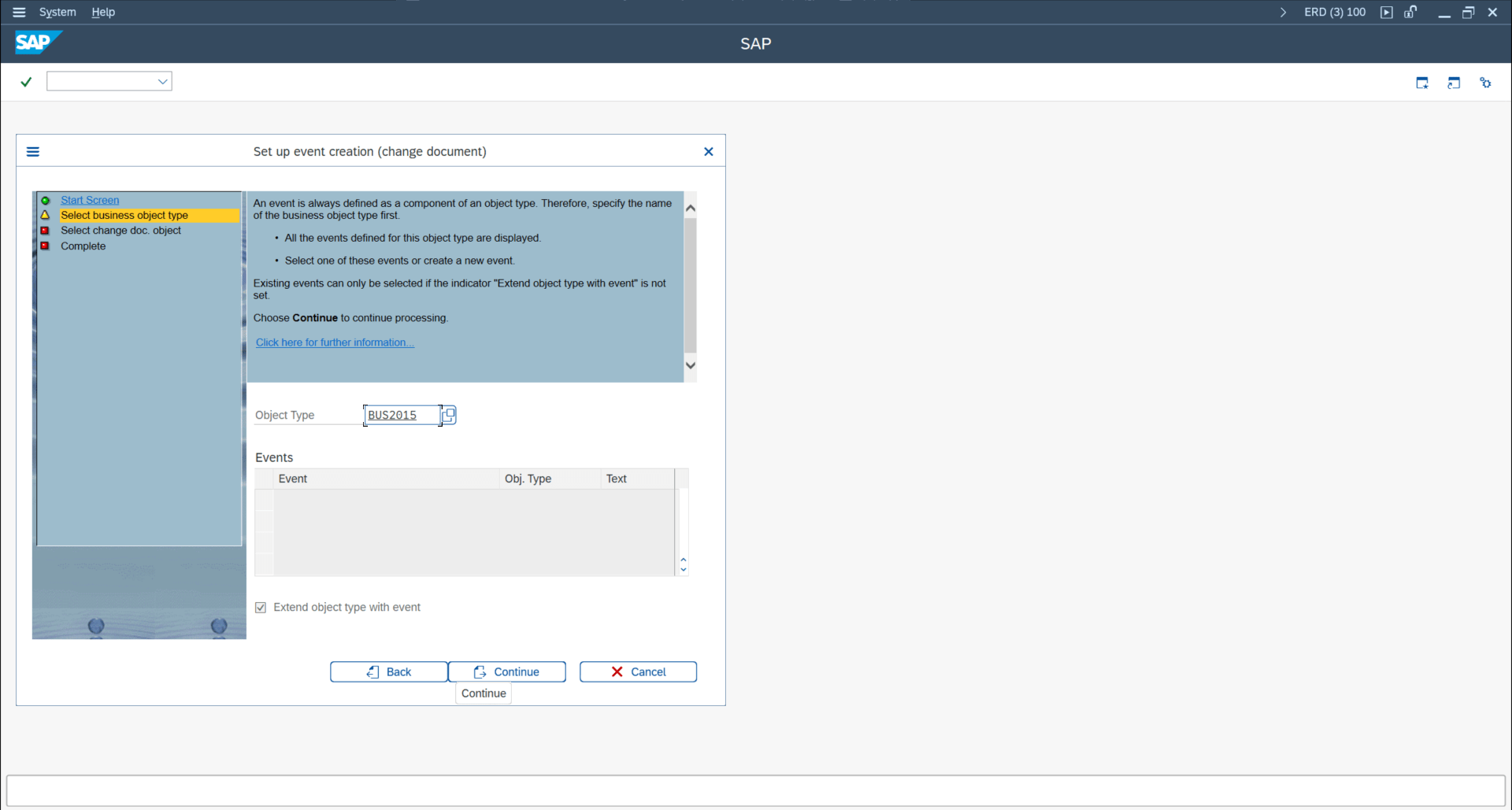
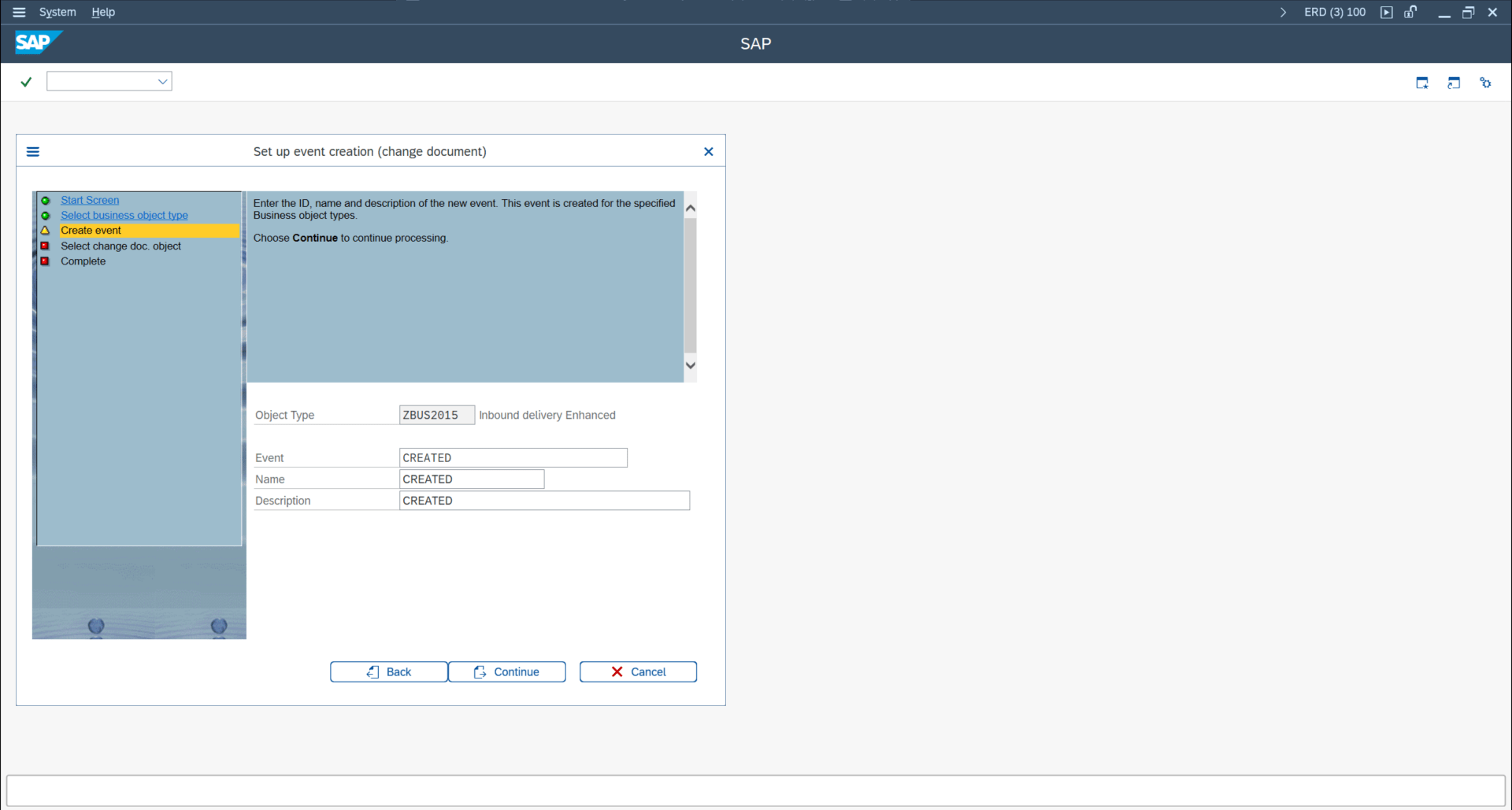
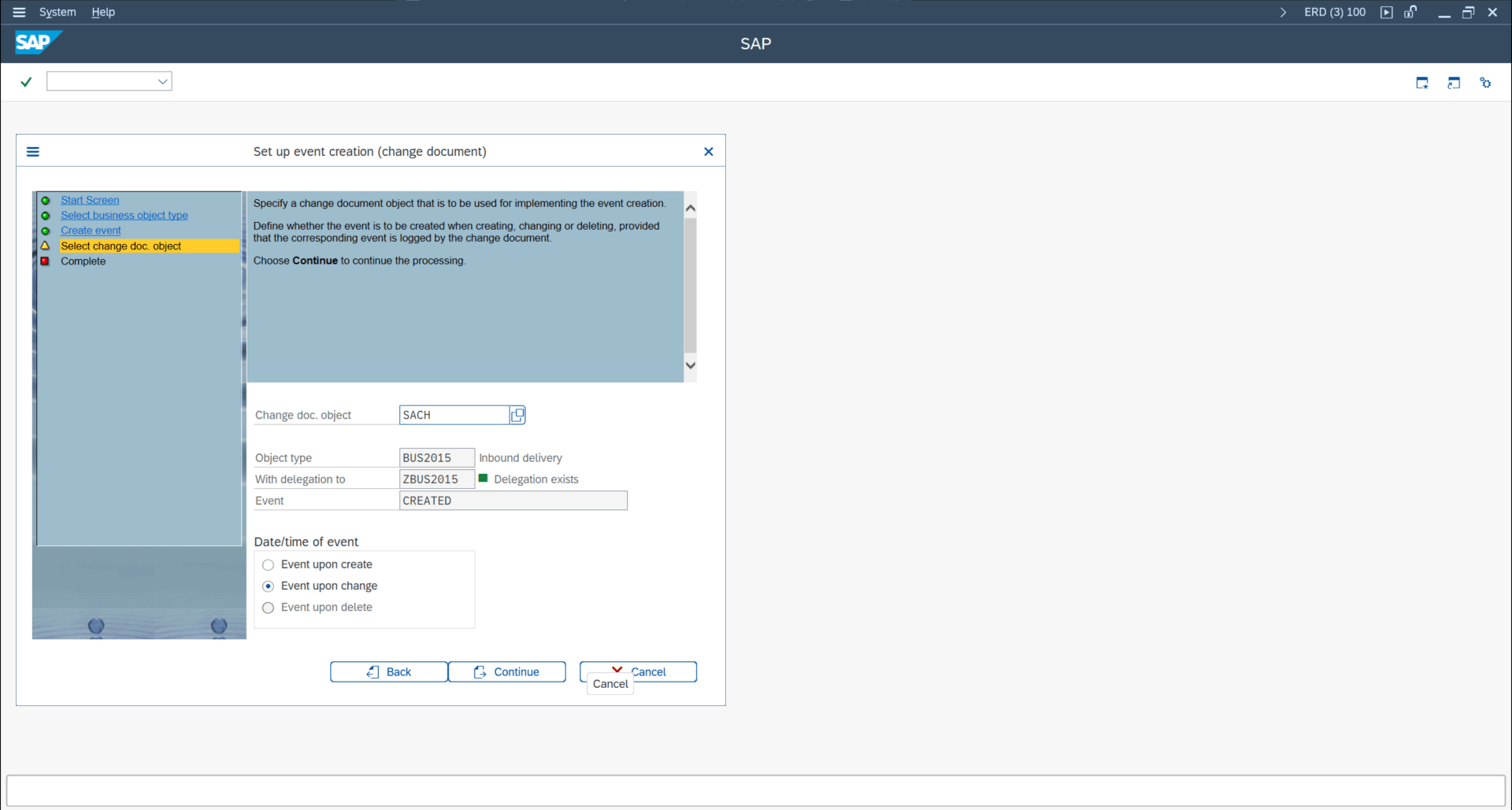

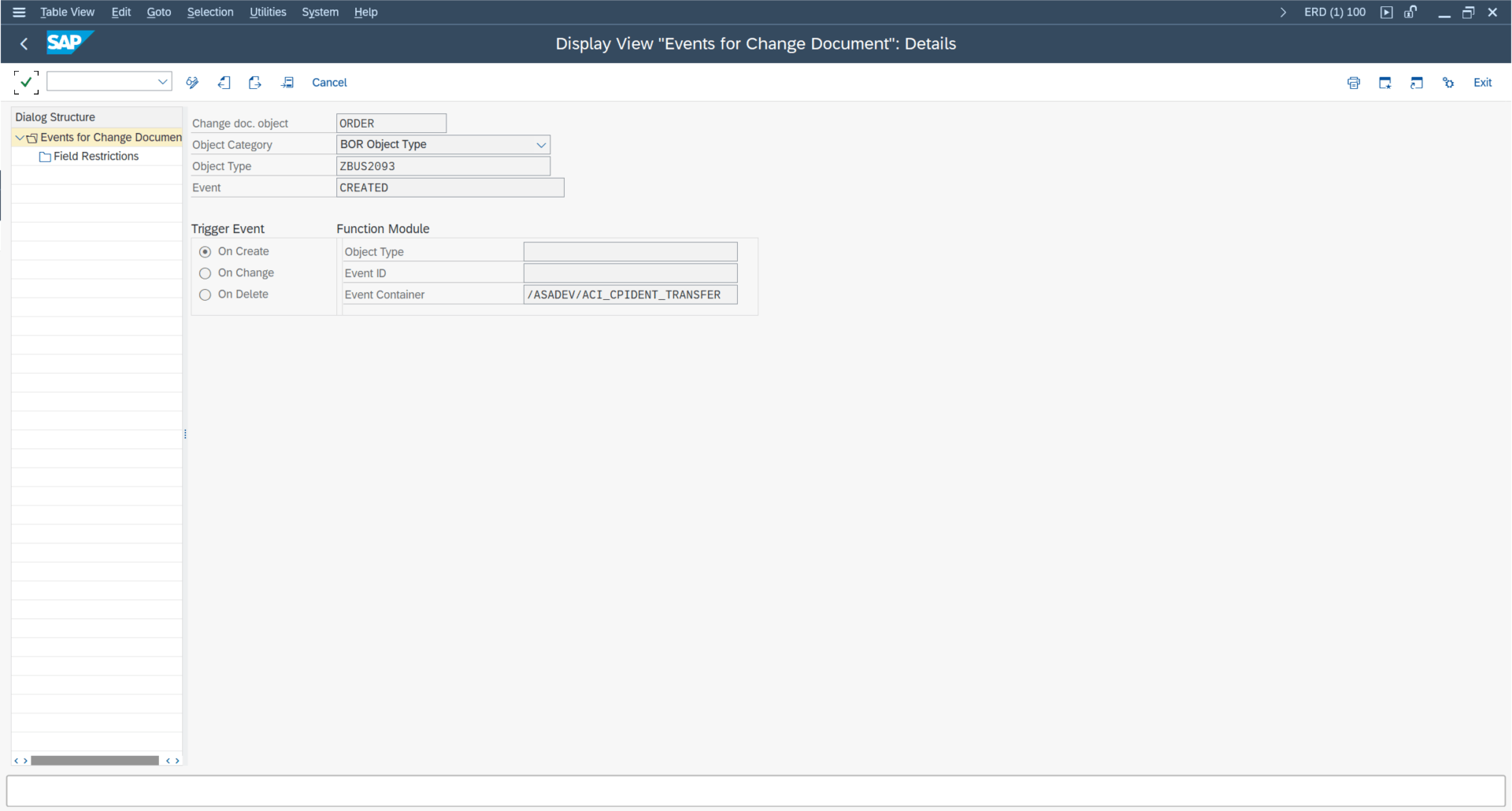
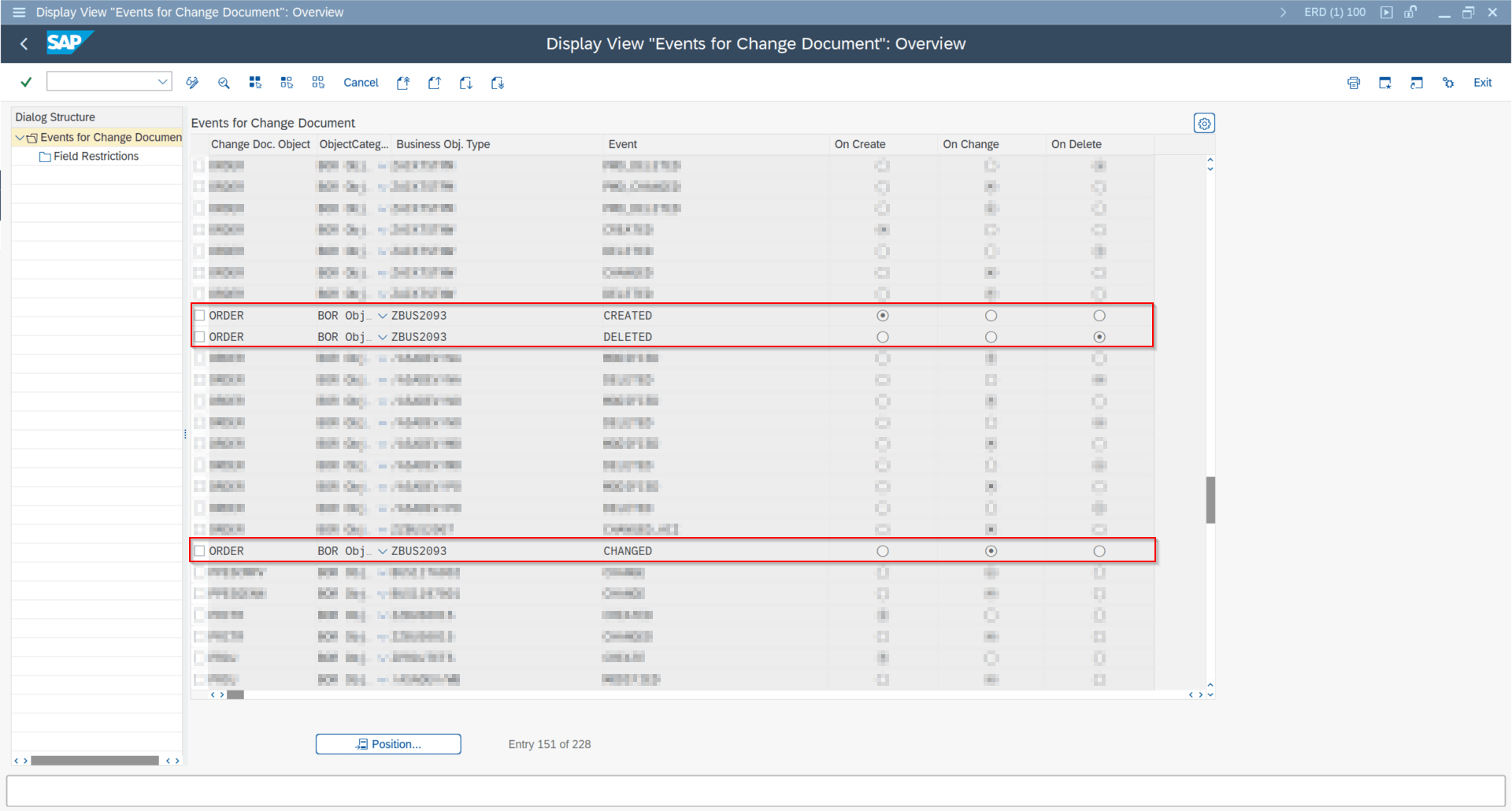
/ASADEV/ACI_CPIDENT_TRANSFER configuration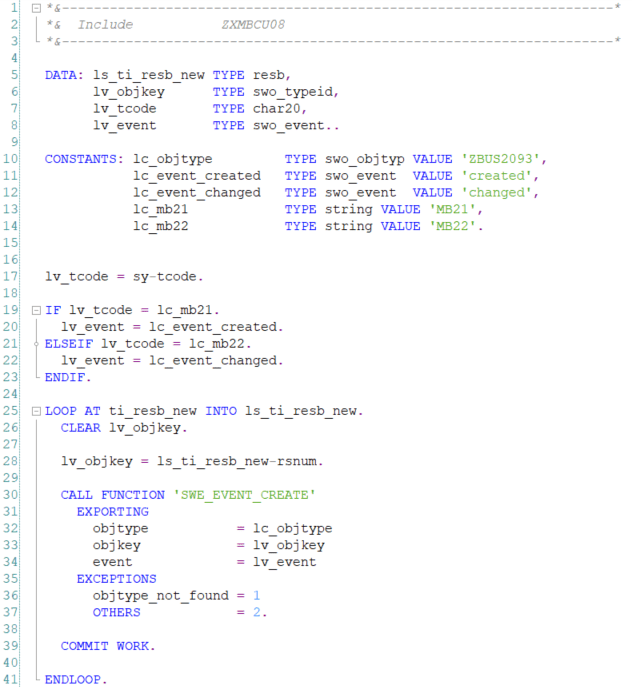
EXIT_SAPMM07R_001 implementation to trigger created/changed events
Authorization and Global Control Flags SAP GUI
Release 9.32510/SP12 adds global controls:
ACI_AUTH_GLOBAL_CP_WRITEfor CP write authorization overrideACI_AUTH_GLOBAL_IDOC_PORTfor IDoc port authorization override
Maintain global constants in /ASADEV/ACI_PART and values in /ASADEV/ACI_PAR.