Docs / Inbound Messaging
Inbound Messaging Overview
ASAPIO receives inbound messages from external systems via a push-based HTTP endpoint. The endpoint resolves each request to a custom function module, which is responsible for processing the payload — typically by staging it as a generic IDoc for reliable, decoupled downstream processing.
Related articles: Installation, Connectors, Outbound messaging, Monitoring, Support.
Push-Based Inbound Processing Using the ASAPIO HTTP Endpoint
Activate SICF Node
The HTTP endpoint is delivered with the ASAPIO Integration Add-on but has to be activated.
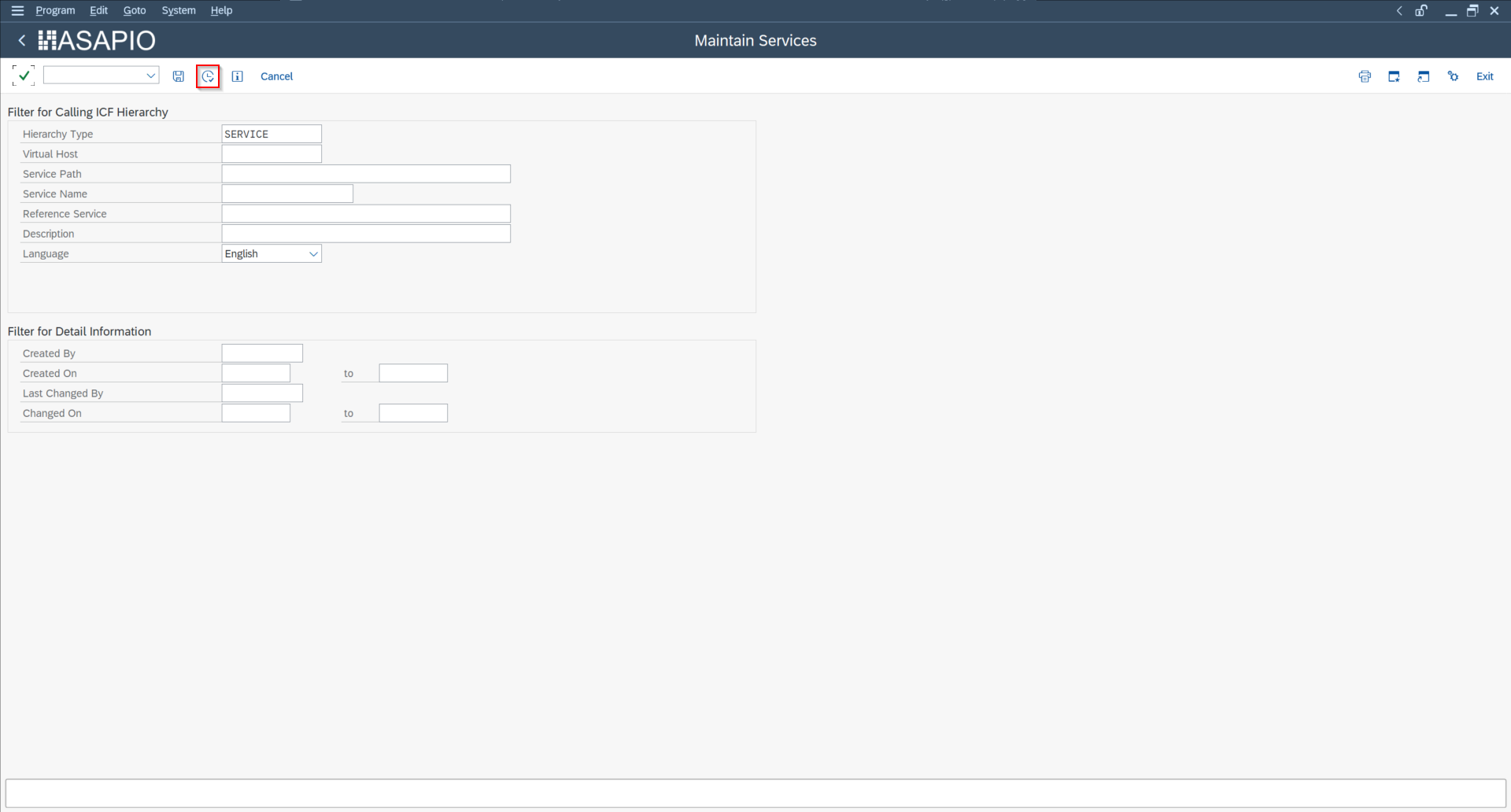
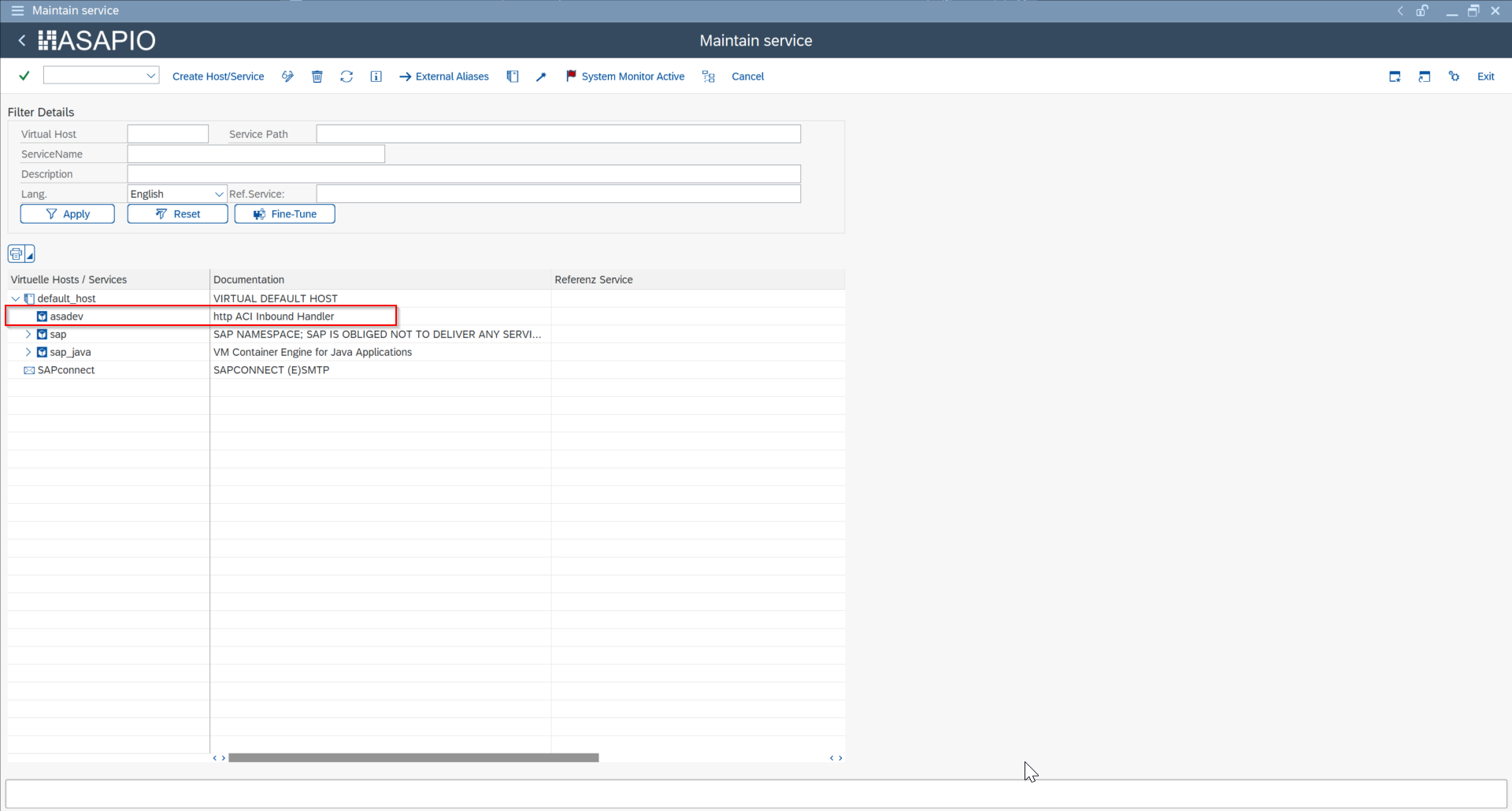
- To use the inbound channel, activate the node in transaction SICF.
- The endpoint can be called with URLs starting with:
https://<saphost>:<port>/asadev.
Configure Inbound Object
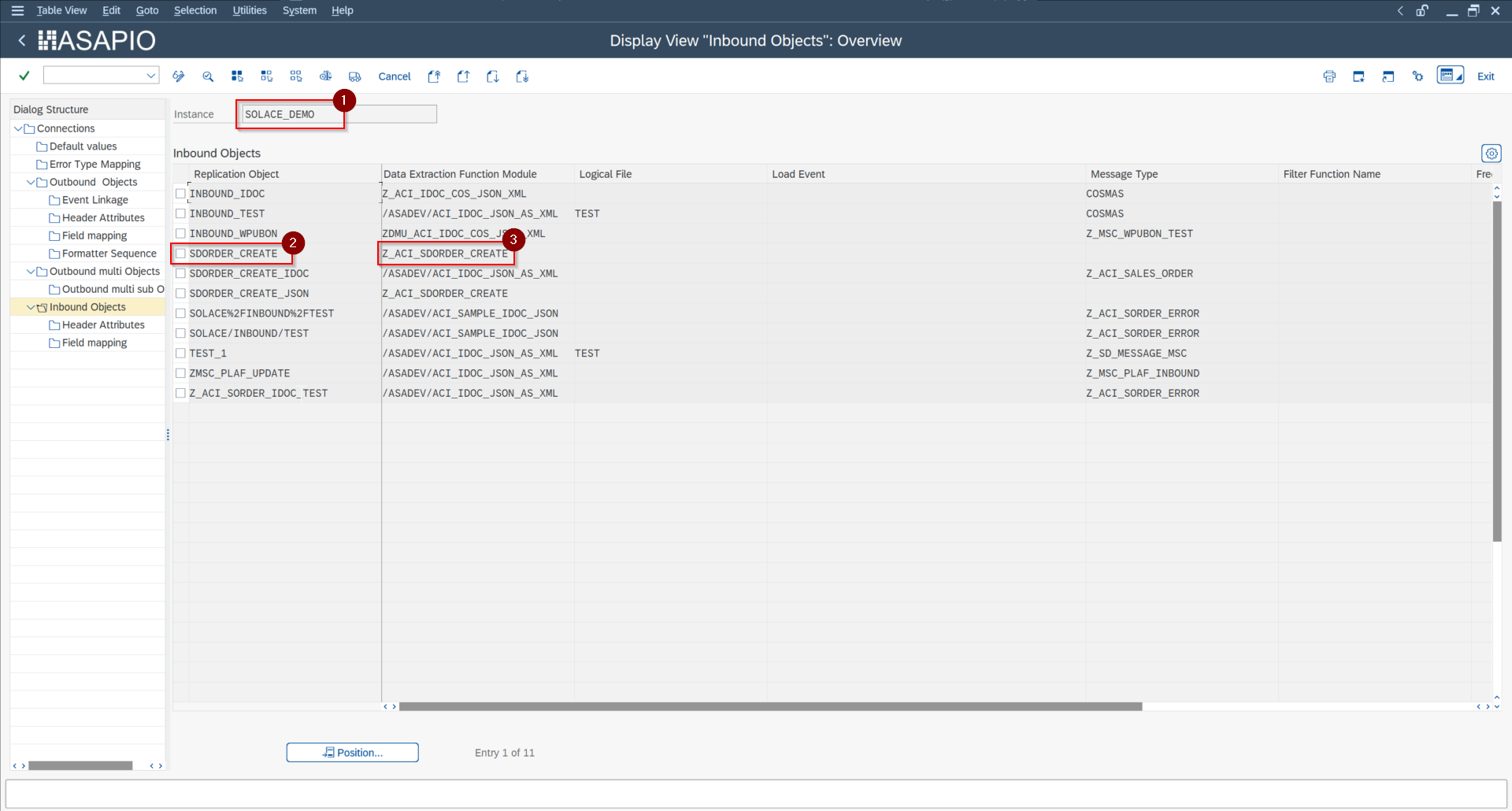
The path of the endpoint is mapped to the customizing using:
- Cloud instance / Connection name (1)
- Inbound Object name (2)
With this information the function module to process the payload is determined (3):
Example: https://<saphost>:<port>/asadev/solace_demo/sdorder_create ➔ processed by Z_ACI_SDORDER_CREATE
Example Interface for Inbound Processing Function Modules
A custom remote-enabled function module is required, with the following interface, which receives the inbound event payload for further processing:
*"----------------------------------------------------------------------
*"*"Local Interface:
*"  IMPORTING
*"     REFERENCE(IV_INSTANCE) TYPE  /ASADEV/AMR_ARIBA_ARIBA_INST
*"     REFERENCE(IV_OBJECT) TYPE  /ASADEV/AMR_ARIBA_ARIBA_OBJECT
*"     REFERENCE(IV_FILEINTERN) TYPE  FILEINTERN
*"     REFERENCE(IT_CONTENT) TYPE  /ASADEV/AMR_TT_DOWNLOAD
*"     REFERENCE(IT_ATTACHMENT) TYPE  /ASADEV/ACI_TT_ATTACHEMENT
*"       OPTIONAL
*"  EXPORTING
*"     REFERENCE(ET_RETURN) TYPE  /ASADEV/ACI_TT_BAPIRET2
*"----------------------------------------------------------------------
An example function module is available, which you can use as a starting point for your own implementation: /ASADEV/ACI_SAMPLE_IDOC_JSON.
Inbound Processing
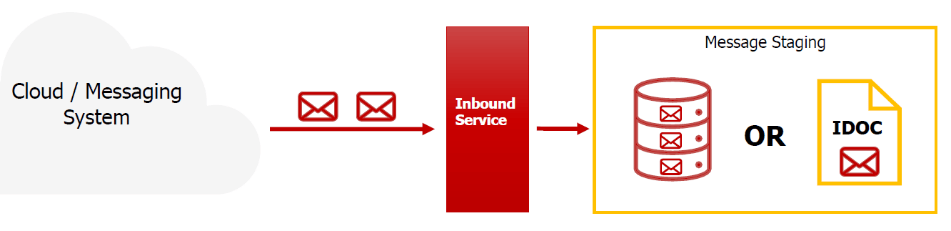
We recommend storing the inbound data first, without any processing logic. That way the HTTP connection can be released quickly, and processing can take place asynchronously in parallel/afterwards.
The ASAPIO-specific generic IDoc type /ASADEV/ACI_GENERIC_IDOC can be used to store the message with its payload.
/ASADEV/ACI_GENERIC_IDOC used to store the inbound message payloadOptional Configuration
The following steps are only needed for custom message-type-based IDoc distribution — they refine the recommended pattern in Inbound Processing above and are not required for a basic setup.
Assignment of FM to Logical Message and IDoc Type
- Transaction: WE57
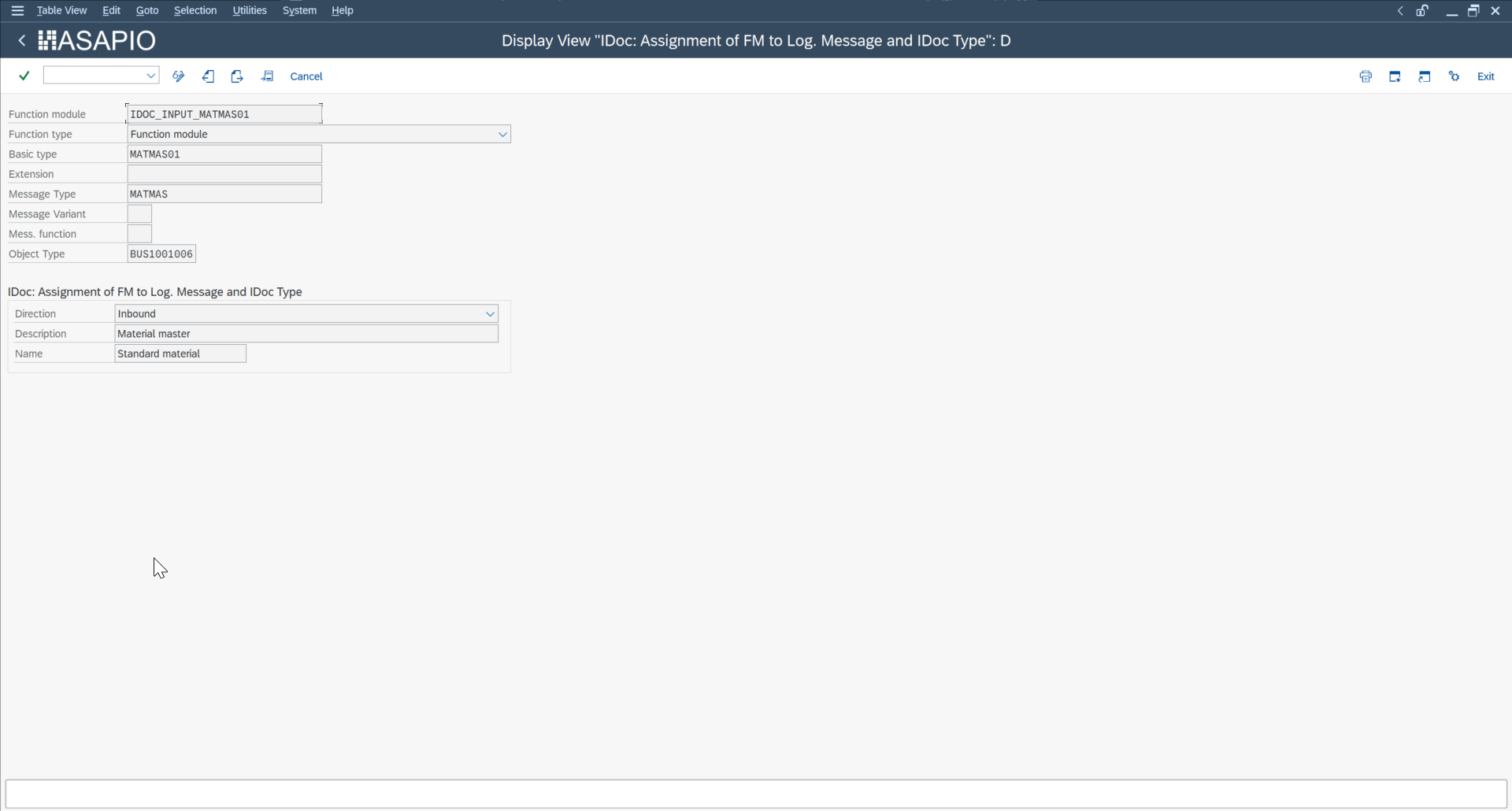
Create Inbound Process Code
- Transaction: WE42
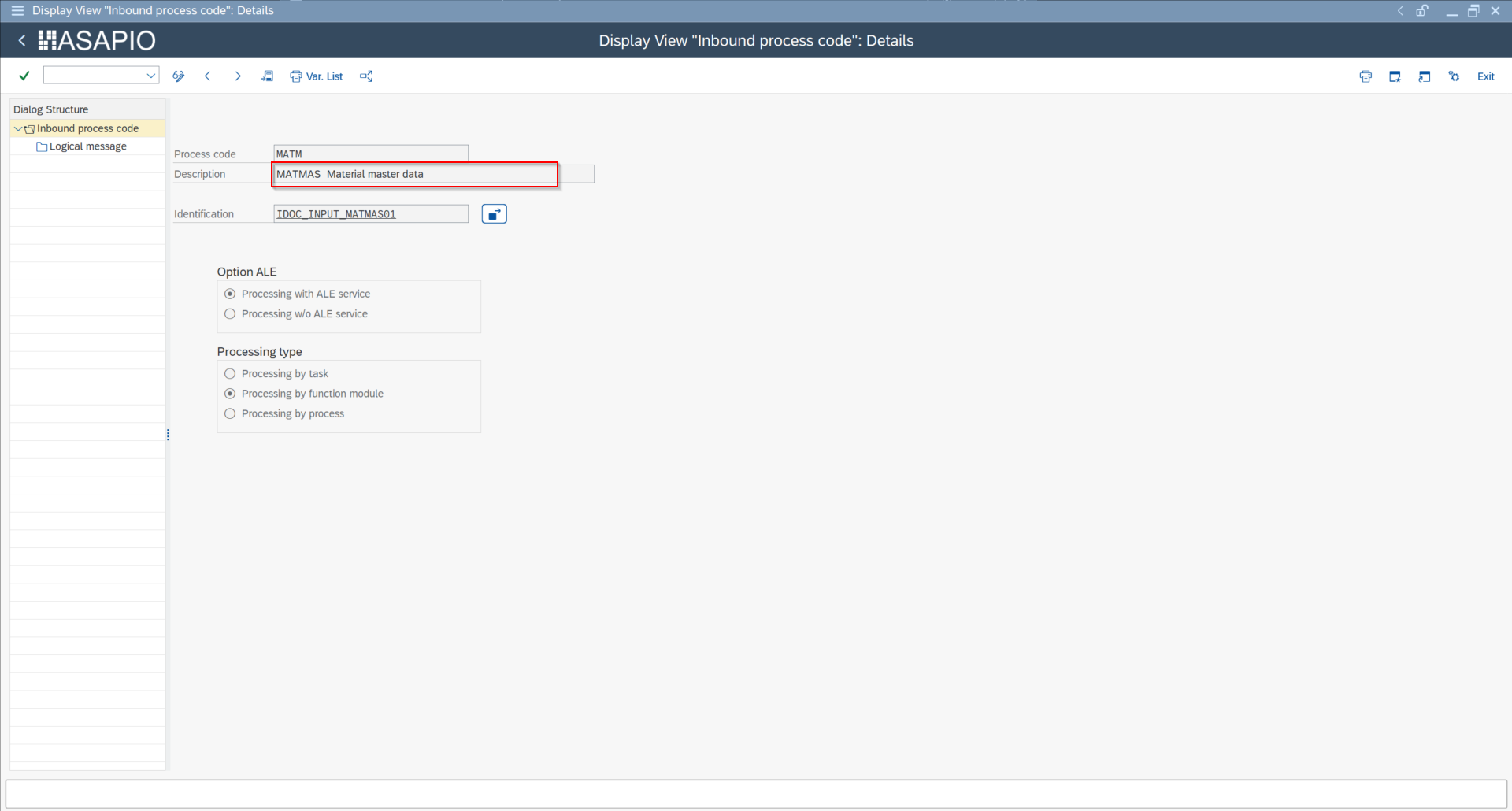
Maintain Function Modules — Inbound-Capable (BD51)
- Transaction: BD51
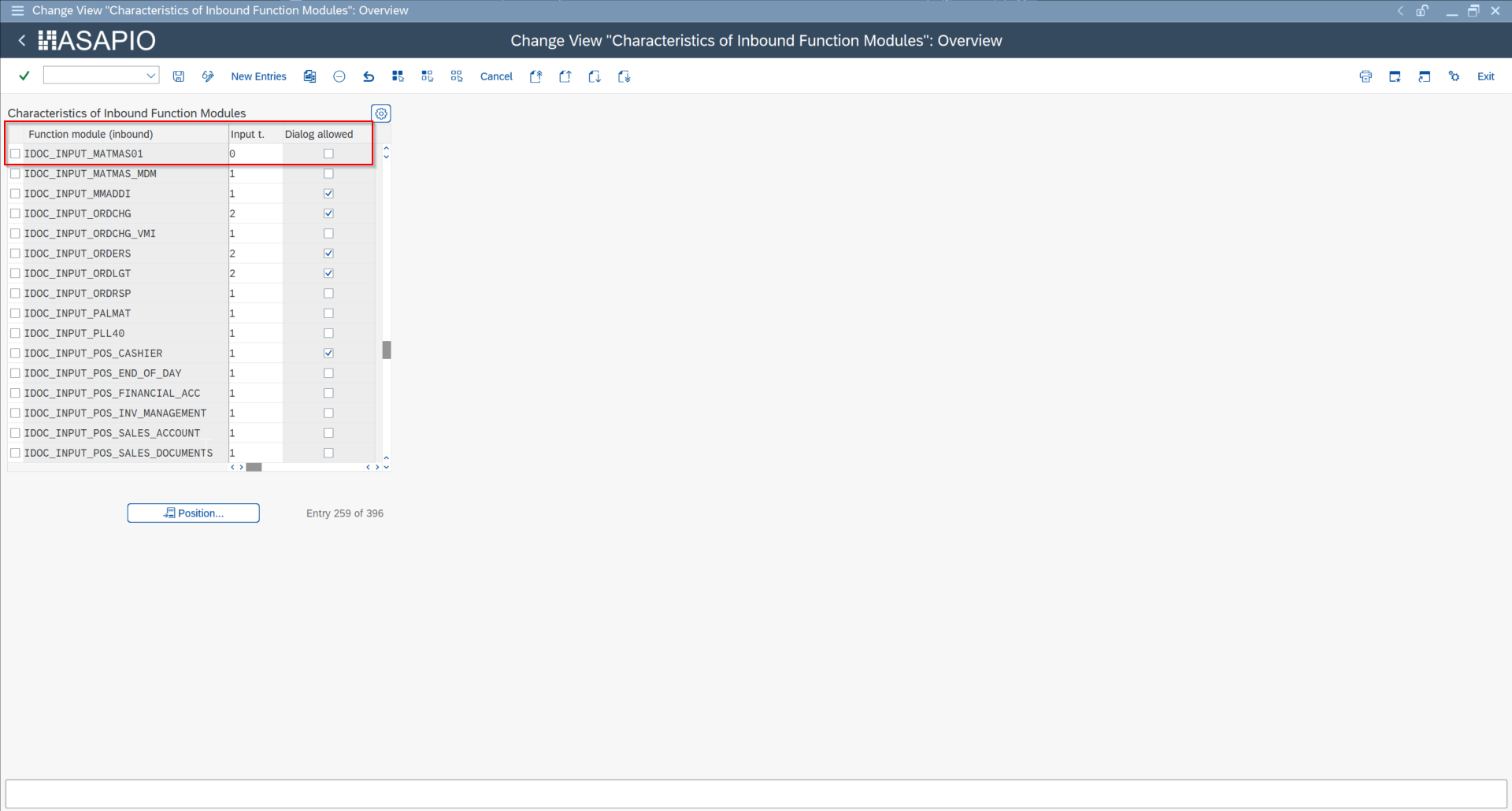
Maintain Function Modules — Module Mapping (BD67)
- Transaction: BD67
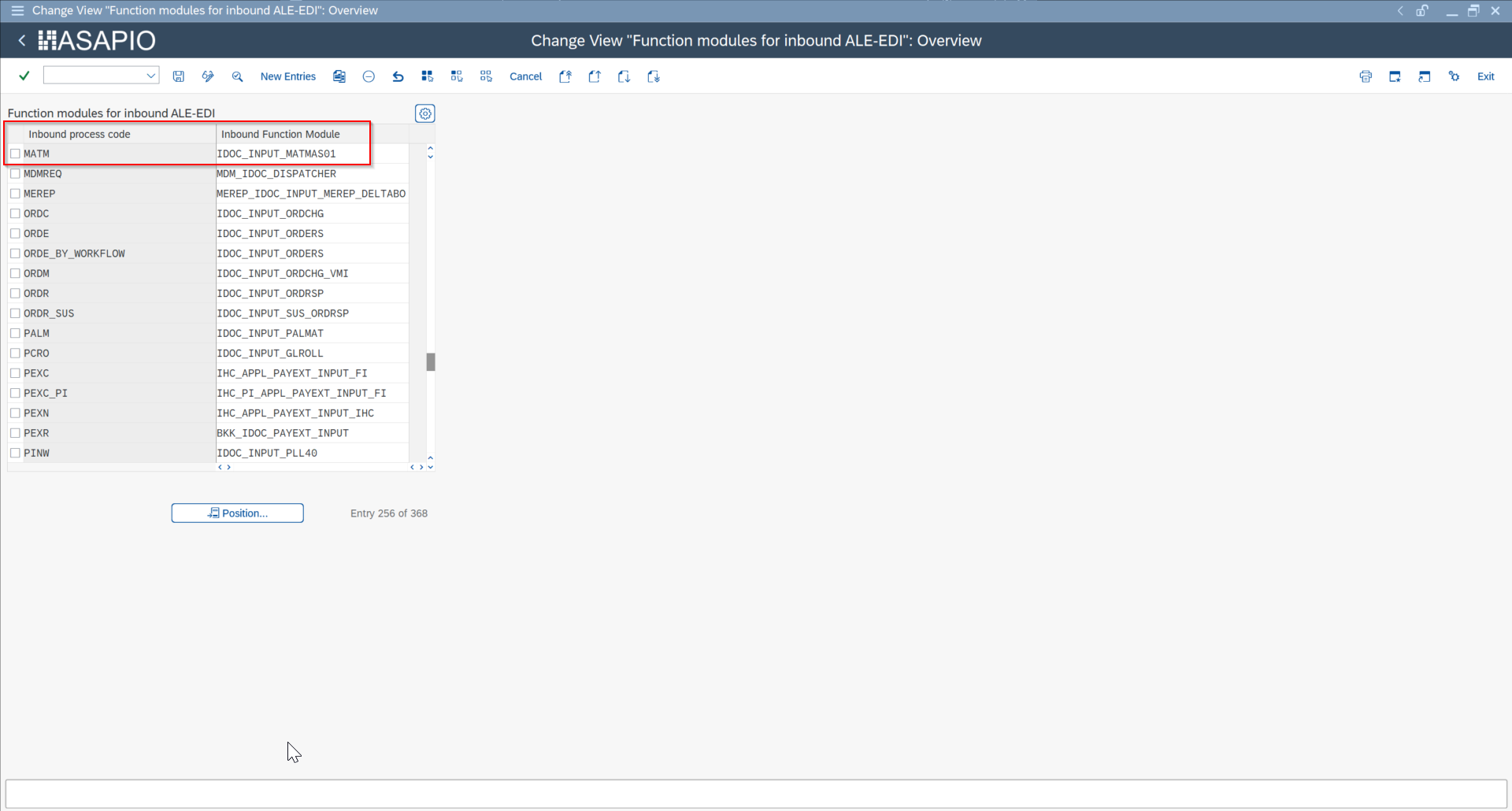
Reprocess Failed Inbound Processing
If no processing information can be determined when the message is received, the payload is automatically staged by the ASAPIO Integration Add-on framework.
ASAPIO provides two features to handle such data:
- View staged inbound payloads with program
/ASADEV/ACI_INB_MSG_COCKPIT - Reprocess them with program
/ASADEV/ACI_INBOUND_PROCESSING